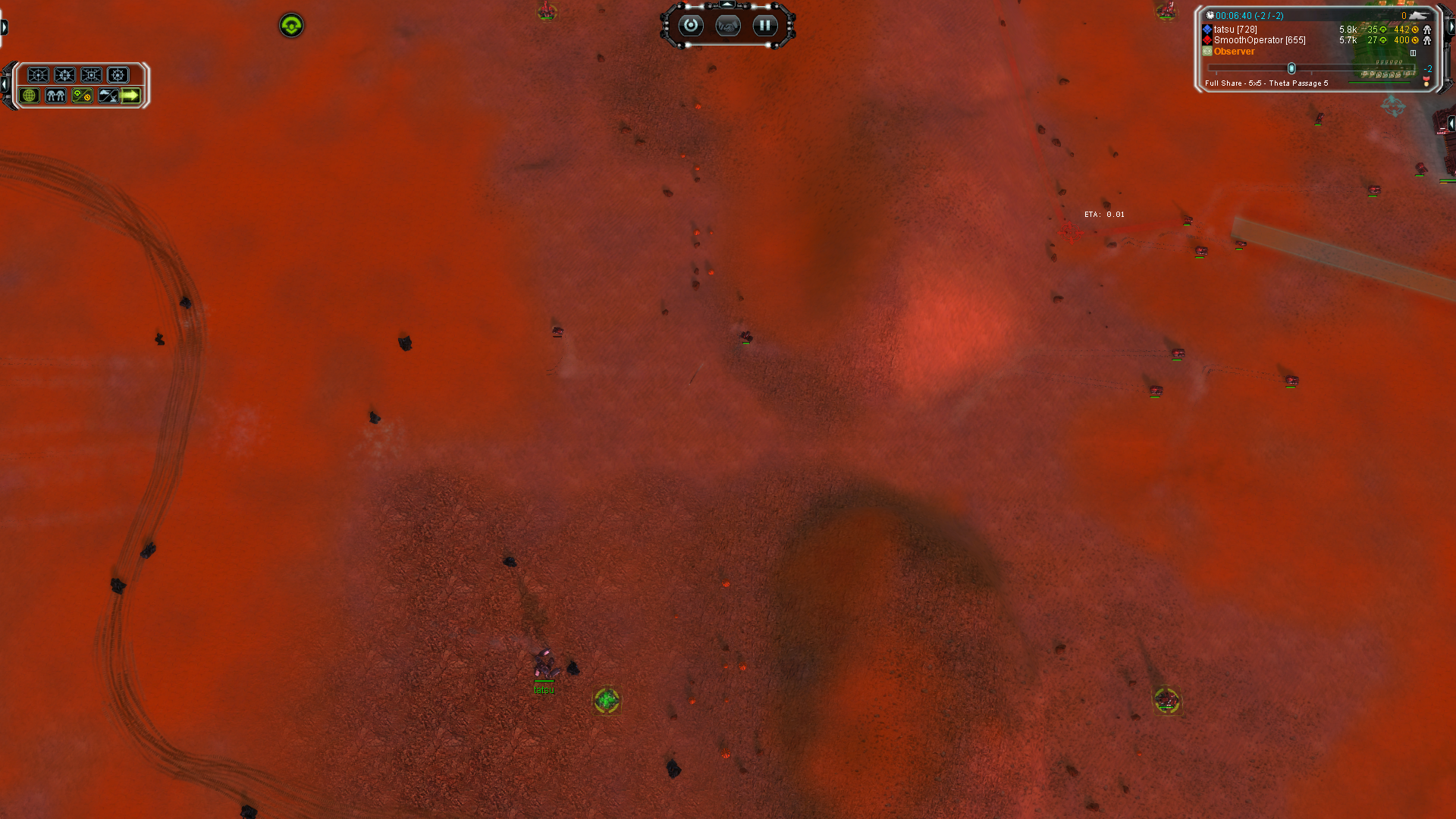
The current pre-release of the client ("pioneer" in the version) is only compatible to itself. So you can only play with other testers. Please be aware!
  • No game (don't start)

    3
    1
    0 Votes
    3 Posts
    201 Views
    MostLostNoobM
    @custos_stsp You need to either disable or remove the Citrix software as that causes issues with all version of SCFA.
  • FAF No Sound Problem

    21
    1 Votes
    21 Posts
    10k Views
    J
    @oos Nice! I haven't tried that before. My current configuration is: C:/Games/FAForever ----[symlink]----> C:/ProgramData/FAForever FAF install location is original as before moving folder, updates work and audio of course
  • Drunk Telemazer

    8
    0 Votes
    8 Posts
    1k Views
    D
    No game mods. Minor UI mods. I used the FAF built-in target priority set to ACU.
  • Проблема с переводом.

    questions
    7
    0 Votes
    7 Posts
    627 Views
    K
    @lunyshko да. поменял язык, спасибо
  • Pathfinding/targetting issue with new version

    17
    3
    1 Votes
    17 Posts
    2k Views
    tatsuT
    I did notice it for t1 arty as well in the past. not sure I'll be able to reproduce it.
  • How do you ungroup a unit from a group?

    6
    0 Votes
    6 Posts
    600 Views
    P
    You can also enable Group Stealing in the options. If you assign a tank to a new group, it is removed from the previous group.
  • Depth Chargers

    5
    0 Votes
    5 Posts
    495 Views
    T
    really? i remember i killed several underwater coms with czar
  • What happened to factory groups?

    3
    0 Votes
    3 Posts
    234 Views
    B
    Ohh that's mint, thank you so much!!
  • Can't join or host custom games, but campaign works

    3
    0 Votes
    3 Posts
    241 Views
    S
    Awesome, thanks for the quick response! I'm on Linux, so I don't really have AV software, and the firewall should be totally fine given the campaign works Other than that, I've set: Write ICE Log File -> Allow the ICE adapter to use IPv6 -> Preferred Countries for ICE -> Global Restarted the client fully, then started a custom game. The game is stuck in this state: [image: 1713494681241-014d03da-c257-45d5-9de5-45e3a9ff76ff-image.png] Here are the log contents: game_.*.log info: /numgames info: /mean info: /clan info: /deviation info: GPGNET: setting nat handler to 0x1187b004 info: LOBBY: Game port 41594[UDP] opened. info: LOBBY: starting with local uid of 462914 [SomeRandomPerson] info: GPGNET: entering lobby state. info: Minimized false info: Minimized true client.log 2024-04-18T19:37:39.765-07:00 INFO 52913 --- [FAF Client] [pool-3-thread-2] c.f.c.p.SimpleHttpFeaturedModUpdaterTask : Featured mod file already prepared: `FeaturedModFile(id=2342, version=3808, name=schook.nx2, md5=49b242006d3ed9c1b80de3c9dd859ca7, url=https://content.faforever.com/legacy-featured-mod-files/updates_faf_files/schook.3808.nx2?verify=1713494196-RWu%2B8sP%2BMLpS6kwUB8u0%2Bo0SrXNI8MluvLe%2BkiARaSI%3D, cacheableUrl=https://content.faforever.com/legacy-featured-mod-files/updates_faf_files/schook.3808.nx2, hmacToken=1713494196-RWu%2B8sP%2BMLpS6kwUB8u0%2Bo0SrXNI8MluvLe%2BkiARaSI%3D, hmacParameter=verify)` 2024-04-18T19:37:39.925-07:00 INFO 52913 --- [FAF Client] [pool-3-thread-2] c.f.c.p.SimpleHttpFeaturedModUpdaterTask : Featured mod file already prepared: `FeaturedModFile(id=2344, version=3808, name=textures.nx2, md5=eca0b10296c4e6df04d9d1fbcfd66a83, url=https://content.faforever.com/legacy-featured-mod-files/updates_faf_files/textures.3808.nx2?verify=1713494196-%2FDyMux1uQnYbmzixE2nsQuSCiAQugh1yurYF8G%2F%2BGlI%3D, cacheableUrl=https://content.faforever.com/legacy-featured-mod-files/updates_faf_files/textures.3808.nx2, hmacToken=1713494196-%2FDyMux1uQnYbmzixE2nsQuSCiAQugh1yurYF8G%2F%2BGlI%3D, hmacParameter=verify)` 2024-04-18T19:37:40.130-07:00 INFO 52913 --- [FAF Client] [pool-3-thread-2] c.f.c.p.SimpleHttpFeaturedModUpdaterTask : Featured mod file already prepared: `FeaturedModFile(id=2339, version=3808, name=units.nx2, md5=bb2e8b127898bd9a60815b5b7412ccdd, url=https://content.faforever.com/legacy-featured-mod-files/updates_faf_files/units.3808.nx2?verify=1713494196-fd3NEKOR9TusQMYh2b9Nn76ua4d3DTnkitT6FJ17u2Y%3D, cacheableUrl=https://content.faforever.com/legacy-featured-mod-files/updates_faf_files/units.3808.nx2, hmacToken=1713494196-fd3NEKOR9TusQMYh2b9Nn76ua4d3DTnkitT6FJ17u2Y%3D, hmacParameter=verify)` 2024-04-18T19:37:40.131-07:00 INFO 52913 --- [FAF Client] [pool-3-thread-2] c.f.c.p.SimpleHttpFeaturedModUpdaterTask : Featured mod file already prepared: `FeaturedModFile(id=2335, version=3808, name=etc.nx2, md5=b3f81321ffbb086dbdd64ece568e2258, url=https://content.faforever.com/legacy-featured-mod-files/updates_faf_files/etc.3808.nx2?verify=1713494196-EfISYJZFKiMyYKICpe1eKYuRX3ilskASkoJpVCOlShQ%3D, cacheableUrl=https://content.faforever.com/legacy-featured-mod-files/updates_faf_files/etc.3808.nx2, hmacToken=1713494196-EfISYJZFKiMyYKICpe1eKYuRX3ilskASkoJpVCOlShQ%3D, hmacParameter=verify)` 2024-04-18T19:37:40.140-07:00 INFO 52913 --- [FAF Client] [pool-3-thread-2] c.f.c.patch.GameBinariesUpdateTaskImpl : Updating binaries to `3808` 2024-04-18T19:37:40.396-07:00 INFO 52913 --- [FAF Client] [Thread-44] c.faforever.client.replay.ReplayServer : Connecting to replay server at `lobby.faforever.com:15000` 2024-04-18T19:37:40.397-07:00 INFO 52913 --- [FAF Client] [ForkJoinPool.commonPool-worker-7] c.f.client.fa.relay.ice.IceAdapterImpl : Starting ICE adapter with command: [/usr/lib/jvm/java-21-openjdk-21.0.2.0.13-1.rolling.fc39.x86_64/bin/java, -Dorg.ice4j.ipv6.DISABLED=true, -cp, %USER_PROFILE%/Games/FAF/faf-client-2024.3.0/natives/faf-ice-adapter.jar:%USER_PROFILE%/Games/FAF/latest/lib/javafx-base-21-linux.jar:%USER_PROFILE%/Games/FAF/latest/lib/javafx-base-21.jar:%USER_PROFILE%/Games/FAF/latest/lib/javafx-controls-21-linux.jar:%USER_PROFILE%/Games/FAF/latest/lib/javafx-controls-21.jar:%USER_PROFILE%/Games/FAF/latest/lib/javafx-fxml-21-linux.jar:%USER_PROFILE%/Games/FAF/latest/lib/javafx-graphics-21-linux.jar:%USER_PROFILE%/Games/FAF/latest/lib/javafx-graphics-21.jar:%USER_PROFILE%/Games/FAF/latest/lib/javafx-media-21-linux.jar:%USER_PROFILE%/Games/FAF/latest/lib/javafx-media-21.jar:%USER_PROFILE%/Games/FAF/latest/lib/javafx-swing-21-linux.jar:%USER_PROFILE%/Games/FAF/latest/lib/javafx-web-21-linux.jar, com.faforever.iceadapter.IceAdapter, --id, 462914, --game-id, 22312718, --login, SomeRandomPerson, --rpc-port, 38571, --gpgnet-port, 41645] 2024-04-18T19:37:40.409-07:00 WARN 52913 --- [FAF Client] [ForkJoinPool.commonPool-worker-7] c.f.client.fa.relay.ice.IceAdapterImpl : Could not connect to ICE adapter (attempt 1/50) 2024-04-18T19:37:40.660-07:00 WARN 52913 --- [FAF Client] [ForkJoinPool.commonPool-worker-7] c.f.client.fa.relay.ice.IceAdapterImpl : Could not connect to ICE adapter (attempt 2/50) 2024-04-18T19:37:42.769-07:00 INFO 52913 --- [FAF Client] [reactor-http-epoll-8] c.f.c.fa.ForgedAllianceLaunchService : Starting Forged Alliance with command: [%USER_PROFILE%/Games/FAF/run, %USER_PROFILE%/.faforever/bin/ForgedAlliance.exe, /nomovie, /init, init.lua, /nobugreport, /log, %USER_PROFILE%/.faforever/logs/game_22312718.log, /gpgnet, 127.0.0.1:41645, /mean, 1447.7900390625, /deviation, 114.25199890136719, /savereplay, gpgnet://127.0.0.1:34331/22312718/SomeRandomPerson.SCFAreplay, /country, CA, /numgames, 143, /numgames, 133] in directory: %USER_PROFILE%/.faforever/bin ice-adapter.log 2024-04-18 19:38:41.141 DEBUG Listening for GPG messages (c.f.iceadapter.gpgnet.GPGNetServer:137) 2024-04-18 19:38:41.142 INFO Sending Notification:{"method":"onConnectionStateChanged","params":["Connected"],"jsonrpc":"2.0"} (com.nbarraille.jjsonrpc.JJsonPeer:529) 2024-04-18 19:38:41.143 INFO GPGNetClient has connected (c.f.iceadapter.gpgnet.GPGNetServer:84) 2024-04-18 19:38:41.148 DEBUG New GameState: Idle (c.f.iceadapter.gpgnet.GPGNetServer:95) 2024-04-18 19:38:41.149 INFO Sent GPGNet message: CreateLobby 0 41594 SomeRandomPerson 462914 1 (c.f.iceadapter.gpgnet.GPGNetServer:126) 2024-04-18 19:38:41.150 INFO Received GPGNet message: GameState Idle (c.f.iceadapter.gpgnet.GPGNetServer:116) 2024-04-18 19:38:41.150 INFO Sending Notification:{"method":"onGpgNetMessageReceived","params":["GameState",["Idle"]],"jsonrpc":"2.0"} (com.nbarraille.jjsonrpc.JJsonPeer:529) 2024-04-18 19:38:41.267 DEBUG New GameState: Lobby (c.f.iceadapter.gpgnet.GPGNetServer:95) 2024-04-18 19:38:41.268 INFO Received GPGNet message: GameState Lobby (c.f.iceadapter.gpgnet.GPGNetServer:116) 2024-04-18 19:38:41.268 INFO Sending Notification:{"method":"onGpgNetMessageReceived","params":["GameState",["Lobby"]],"jsonrpc":"2.0"} (com.nbarraille.jjsonrpc.JJsonPeer:529) advanced-ice-adapter.log 19:38:41.141 [Thread-5] DEBUG c.f.i.g.GPGNetServer - Listening for GPG messages 19:38:41.142 [Thread-0] INFO c.n.j.JJsonPeer - Sending Notification:{"method":"onConnectionStateChanged","params":["Connected"],"jsonrpc":"2.0"} 19:38:41.143 [Thread-0] INFO c.f.i.g.GPGNetServer - GPGNetClient has connected 19:38:41.148 [Thread-5] DEBUG c.f.i.g.GPGNetServer - New GameState: Idle 19:38:41.149 [Thread-5] INFO c.f.i.g.GPGNetServer - Sent GPGNet message: CreateLobby 0 41594 SomeRandomPerson 462914 1 19:38:41.150 [Thread-5] INFO c.f.i.g.GPGNetServer - Received GPGNet message: GameState Idle 19:38:41.150 [Thread-5] INFO c.n.j.JJsonPeer - Sending Notification:{"method":"onGpgNetMessageReceived","params":["GameState",["Idle"]],"jsonrpc":"2.0"} 19:38:41.267 [Thread-5] DEBUG c.f.i.g.GPGNetServer - New GameState: Lobby 19:38:41.268 [Thread-5] INFO c.f.i.g.GPGNetServer - Received GPGNet message: GameState Lobby 19:38:41.268 [Thread-5] INFO c.n.j.JJsonPeer - Sending Notification:{"method":"onGpgNetMessageReceived","params":["GameState",["Lobby"]],"jsonrpc":"2.0"} Does anything look out of the ordinary here?
  • This topic is deleted!

    1
    0 Votes
    1 Posts
    2 Views
    No one has replied
  • Aeon Mission Briefing out of order audio

    2
    2 Votes
    2 Posts
    135 Views
    MostLostNoobM
    @caqde You might want to consider reporting this on the FAF Campaign Development Discord too as it's more likely to get the vision of the Co-Op devs there.
  • Czar shows pstorage in build queue

    5
    1
    1 Votes
    5 Posts
    296 Views
    W
    Thanks for the kind words. But it's alright, as someone who produces bugs for other ppl to stumble over myself, I get Melanols comment. No real product or application is perfect and it does not make sense from a ressource point of view, to make them perfect
  • Antinukes don't perfectly coordinate shooting down nukes

    3
    0 Votes
    3 Posts
    394 Views
    ?
    Still happens: https://youtu.be/HRKtKd76xS0?t=4097
  • Game cannot launch on linux.

    linux steam log file error bug
    3
    0 Votes
    3 Posts
    502 Views
    T
    thanks for the help, I tried it on ubuntu 23.10. It worked, but it was super laggy to the point that it was unplayable. I don't know why it works on ubuntu and not Pop! OS.
  • Teleport makes Cybran ACU wide?

    5
    2 Votes
    5 Posts
    300 Views
    ZeldafanboyZ
    Ohhhhhhhhhhh he thicc
  • Sudden crashing

    2
    0 Votes
    2 Posts
    180 Views
    MostLostNoobM
    @bbqsalvo You have a sound bug which you can tell by the SND/XACT warnings. Simple fix steps are: Windows key > type: Control Panel > Open > Sound > Playback > select the Device you use: Configure > Stereo > finish configuration, Properties: Enhancements > Disable all enhancements, Advanced > 16 bit, 44100 Hz, Spatial Sound > Off, Restart or Shift+Shutdown (not just Shutdown) of PC If your headphones come with any applet/program, then you may want to disable that & try using the headphones without it. Similarly, if they use a USB or Bluetooth dongle to connect to the PC, see if you can connect directly without the dongle. See this thread for further troubleshooting: https://forum.faforever.com/topic/4084/solutions-for-snd-error-xact-invalid-arg-xact3dapply-failed
  • Game crashed

    2
    0 Votes
    2 Posts
    135 Views
    MostLostNoobM
    @proassassin Can you please edit your post by deleting that wall-of-text, then go to client > top left menu > Show logs folder > logs > sort by Date Modified. From there, drag/drop your game_22184026.log file (should be of the last game that crashed) into the message window so those that can help (not me) have that complete data to look at. If you're using Windows (doesn't work for linux), I'd also recommend that you go to FAF client > top left menu > Settings > Forged Alliance Forever > Use FAF Debugger when starting Forged Alliance > check > click "Get the latest version of the debugger". This will create a more detailed log to assist with future troubleshooting.

  • Build templates created no longer save when not playing online game

    11
    0 Votes
    11 Posts
    756 Views
    H
    @Jip What do you think is causing it? There might be a workaround without having to play an online game just to modify or create a build template. This was working prior to the recent updates.
  • Zthuee shots penetrating shields

    4
    0 Votes
    4 Posts
    349 Views
    ?
    @jip What about when OC splash damages units under shields? https://replay.faforever.com/22042398 15:28 Where my com is
  • "Trying to change army focus" - Map won't reveal when game ends

    4
    0 Votes
    4 Posts
    310 Views
    T
    Awesome, great job guys.