The current pre-release of the client ("pioneer" in the version) is only compatible to itself. So you can only play with other testers. Please be aware!
  • Help setup dual screen

    9
    1
    0 Votes
    9 Posts
    904 Views
    D
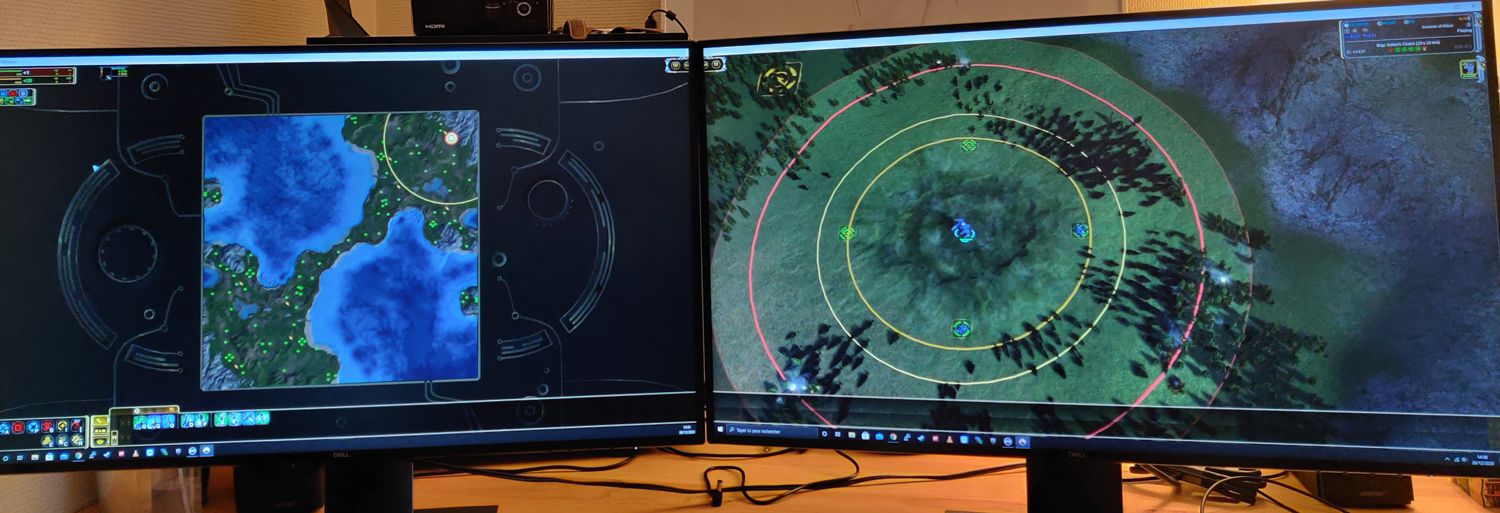
    Sorry to necro this, but I had the same issue in Forged Alliance and FAF today 08/29/2025. I have a solution that worked for me. First, I have three screens of different resolution and refresh rate, if you want to use the second screen, and have more than two, first disable the ones you are not going to use. Don't let Windows see more than two screens. Now for context, in my case the main culprit was the Anti-Aliasing setting. The moment I enabled AA, or if AA was enabled when I selected a second monitor, it would not work. My monitors are different resolution and refresh, I don't know if it has anything to do, but this worked for me 100% of the time. After you make sure only two screens are active follow the steps below: Start Forged Alliance and disable the non-working, secondary screen. Set the main display to the correct resolution but set your Fidelity Preset to Low, make sure AA is off. Save and restart FA. After FA starts with the correct resolution and low Fidelity, enable the secondary display, at a lower resolution and refresh rate than the default settings for the secondary monitor. Save and restart FA. After restarting and displaying the menu, the secondary screen should work, displaying an FA splash screen. Now carefully adjust set a higher preset and edit your graphic settings if desired, but ALWAYS make sure that Anti-Aliasing is OFF before you click OK. I know the High preset will enable AA, so be careful, if you enable AA by accident at this point and hit OK you will get two white screens, or some other form of failure. Save settings and restart FA. At this point you can play FA or FAF, as the settings carry over from FA to FAF. Hope this helps, it worked for me.
  • Random FAF crash in lobby

    2
    0 Votes
    2 Posts
    47 Views
    R
    EXCEPTION_ACCESS_VIOLATION (0xc0000005) at address 0x009279a6 attempted to read memory at 0x00000010 Program : C:\ProgramData\FAForever\bin\ForgedAlliance.exe Cmd line arguments : /init init.lua /nobugreport /log C:\Users\Debug\AppData\Roaming\Forged Alliance Forever\logs\game_25498719.log /gpgnet 127.0.0.1:52798 /mean 1525.780029296875 /deviation 103.54199981689453 /savereplay gpgnet://127.0.0.1:52799/25498719/rampeer.SCFAreplay /country RU /clan FC /numgames 1565 /numgames 1531 Callstack: Unknown symbol (address 0x009279a6) Unknown symbol (address 0x1ff9ec03) Last 100 lines of log... debug: Session time: 00:25:44 Game time: 00:04:51 Heap: 352.0M / 330.3M warning: Error running OnRelease script in <deleted object>: ...mdata\faforever\gamedata\lua.nx2\lua\maui\button.lua(119): Game object has been destroyed stack traceback: [C]: in function `Play' ...mdata\faforever\gamedata\lua.nx2\lua\maui\button.lua(119): in function <...mdata\faforever\gamedata\lua.nx2\lua\maui\button.lua:112> debug: Session time: 00:25:54 Game time: 00:05:00 Heap: 352.0M / 332.1M debug: Session time: 00:26:05 Game time: 00:05:09 Heap: 352.0M / 334.2M debug: Moderator event for Aus_Pol: Created a marker with the text: 'hide them or give them, if they see them they will rush strat' debug: Session time: 00:26:15 Game time: 00:05:18 Heap: 352.0M / 329.8M debug: Moderator event for Terminus619: Created a ping of type 'Alert' debug: Moderator event for Terminus619: Created a marker with the text: 'mr balance?' debug: Session time: 00:26:25 Game time: 00:05:28 Heap: 352.0M / 330.9M debug: Session time: 00:26:44 Game time: 00:05:45 Heap: 352.0M / 334.8M debug: Session time: 00:26:55 Game time: 00:05:54 Heap: 352.0M / 336.0M debug: Session time: 00:27:05 Game time: 00:06:03 Heap: 352.0M / 336.4M debug: Session time: 00:27:15 Game time: 00:06:12 Heap: 352.0M / 338.0M debug: Session time: 00:27:25 Game time: 00:06:21 Heap: 352.0M / 338.7M debug: Moderator event for Foley: Created a ping of type 'Alert' debug: Moderator event for Foley: Created a marker with the text: 'get safe' debug: Session time: 00:27:35 Game time: 00:06:31 Heap: 352.0M / 339.4M debug: Session time: 00:27:45 Game time: 00:06:39 Heap: 352.0M / 341.9M debug: Session time: 00:27:55 Game time: 00:06:49 Heap: 352.0M / 342.4M debug: Moderator event for Aus_Pol: Created a ping of type 'Move' debug: Moderator event for Aus_Pol: Created a ping of type 'Move' debug: Moderator event for Aus_Pol: Created a ping of type 'Move' debug: Session time: 00:28:15 Game time: 00:07:06 Heap: 352.0M / 346.4M debug: Session time: 00:28:25 Game time: 00:07:15 Heap: 352.0M / 348.0M debug: Moderator event for Foley: Created a ping of type 'Attack' debug: Session time: 00:28:35 Game time: 00:07:24 Heap: 384.0M / 351.4M debug: Session time: 00:28:45 Game time: 00:07:33 Heap: 384.0M / 352.3M debug: Moderator event for Puck_Junior: Self-destructed 1 units debug: Session time: 00:28:55 Game time: 00:07:42 Heap: 384.0M / 353.6M debug: Session time: 00:29:05 Game time: 00:07:51 Heap: 384.0M / 354.9M debug: Session time: 00:29:15 Game time: 00:08:00 Heap: 384.0M / 353.2M debug: Session time: 00:29:25 Game time: 00:08:09 Heap: 384.0M / 354.2M debug: Session time: 00:29:35 Game time: 00:08:18 Heap: 384.0M / 354.5M debug: Moderator event for Foley: Created a ping of type 'Alert' debug: Session time: 00:29:45 Game time: 00:08:27 Heap: 384.0M / 355.9M info: Minimized true debug: Moderator event for Foley: Created a ping of type 'Attack' debug: Moderator event for Foley: Created a ping of type 'Attack' debug: Moderator event for Foley: Created a ping of type 'Move' warning: GetResource: Invalid name "" info: Can't find texture "" -- trying fallback. warning: GetResource: Invalid name "" info: Can't find texture "" -- trying fallback. warning: GetResource: Invalid name "" info: Can't find texture "" -- trying fallback. info: Minimized false debug: Session time: 00:30:09 Game time: 00:08:47 Heap: 384.0M / 364.0M debug: Moderator event for rampeer: Created a ping of type 'Attack' debug: Moderator event for rampeer: Created a ping of type 'Attack' debug: Moderator event for Foley: Created a ping of type 'Alert' debug: Moderator event for Foley: Created a ping of type 'Alert' debug: Moderator event for Foley: Created a ping of type 'Alert' debug: Moderator event for Foley: Created a ping of type 'Alert' debug: Moderator event for Foley: Created a ping of type 'Alert' debug: Moderator event for Foley: Created a ping of type 'Alert' debug: Moderator event for Foley: Created a ping of type 'Alert' debug: Moderator event for Foley: Created a ping of type 'Alert' debug: Moderator event for Foley: Created a ping of type 'Alert' debug: Moderator event for Foley: Created a ping of type 'Alert' debug: Moderator event for Foley: Created a ping of type 'Alert' debug: Moderator event for Foley: Created a ping of type 'Alert' debug: Moderator event for Foley: Created a ping of type 'Alert' debug: Moderator event for Foley: Created a ping of type 'Alert' debug: Moderator event for Foley: Created a ping of type 'Alert' debug: Moderator event for Foley: Created a ping of type 'Alert' debug: Moderator event for Foley: Created a ping of type 'Alert' debug: Moderator event for Foley: Created a ping of type 'Alert' debug: Moderator event for Foley: Created a ping of type 'Alert' debug: Moderator event for Foley: Created a ping of type 'Alert' debug: Moderator event for Foley: Created a ping of type 'Alert' debug: Moderator event for Foley: Created a ping of type 'Alert' debug: Session time: 00:30:23 Game time: 00:08:59 Heap: 384.0M / 372.0M debug: Moderator event for Foley: Created a ping of type 'Alert' debug: Moderator event for Foley: Created a ping of type 'Alert' debug: Moderator event for Foley: Created a ping of type 'Alert' debug: Moderator event for Foley: Created a ping of type 'Alert' debug: Moderator event for Foley: Created a ping of type 'Alert' debug: Moderator event for Foley: Created a ping of type 'Alert' debug: Session time: 00:30:42 Game time: 00:09:17 Heap: 384.0M / 373.9M debug: Session time: 00:30:52 Game time: 00:09:25 Heap: 384.0M / 373.9M debug: Session time: 00:31:03 Game time: 00:09:34 Heap: 384.0M / 375.3M debug: Session time: 00:31:13 Game time: 00:09:43 Heap: 384.0M / 374.6M debug: Session time: 00:31:23 Game time: 00:09:51 Heap: 384.0M / 375.6M debug: Moderator event for Foley: Created a ping of type 'Alert' debug: Session time: 00:31:33 Game time: 00:10:00 Heap: 384.0M / 375.9M debug: Session time: 00:31:43 Game time: 00:10:09 Heap: 416.0M / 376.9M debug: Session time: 00:31:53 Game time: 00:10:17 Heap: 416.0M / 378.1M info: Minimized true warning: GetResource: Invalid name "" info: Can't find texture "" -- trying fallback. warning: GetResource: Invalid name "" info: Can't find texture "" -- trying fallback. warning: GetResource: Invalid name "" info: Can't find texture "" -- trying fallback. info: Minimized false debug: Session time: 00:32:18 Game time: 00:10:38 Heap: 416.0M / 383.8M debug: Session time: 00:32:30 Game time: 00:10:49 Heap: 416.0M / 381.6M debug: Moderator event for Foley: Created a ping of type 'Alert' debug: Moderator event for Foley: Created a ping of type 'Alert' debug: Session time: 00:32:50 Game time: 00:11:06 Heap: 416.0M / 385.7M Just had crash again
  • Issues with lobby resolutions and game window location

    2
    1
    0 Votes
    2 Posts
    94 Views
    N
    Try going to your game.prefs (there's a button leading to it in the top left of the client) and setting the ui_scale to 1 to fix the UI scaling outside the window. I play on windows so I'm not sure why your game has no borders, but the window size options are also in the prefs file under Windows in Main. There is also an option primary_adapter in the same place as ui_scale, and you can set it as primary_adapter = 'windowed',. Windowed is recommended for the game as it is old and breaks with alt-tab.
  • ошибка java

    1
    0 Votes
    1 Posts
    28 Views
    No one has replied
  • Old replay 2020

    7
    0 Votes
    7 Posts
    121 Views
    N
    In my experience the client downloads the correct exe version when watching an old replay, although that may not work for very old replays.
  • Double Voice Folder Causes No Audio

    bug campaign sounderror singleplayer linux
    1
    1 Votes
    1 Posts
    45 Views
    No one has replied
  • Desync issues on FAF and base game

    20
    0 Votes
    20 Posts
    353 Views
    nullptrN
    I can't tell whether it is a cpu issue, but I'd suggest to just reinstall the game completely for now, because there is something happening with game exe for sure.
  • game will not play... PLEASE HELP

    1
    0 Votes
    1 Posts
    98 Views
    No one has replied
  • Game keeps freezing after it ends

    10
    0 Votes
    10 Posts
    172 Views
    K
    @Saver I tried windowed, and... I'd rather be resetting PC occasionally than play like this.
  • UEF T3 Heavy Air Transport: Continental (collision)

    2
    1
    9 Votes
    2 Posts
    120 Views
    N
    Fix here: https://github.com/FAForever/fa/pull/6884
  • Невозможно войти в клиент на Windows 11

    2
    1
    0 Votes
    2 Posts
    51 Views
    N
    Use client version 2025.5.2, not pioneer-beta.
  • Provide affinity command line info to game executable

    4
    0 Votes
    4 Posts
    177 Views
    Brutus5000B
    The default values is %s which will be replaced with the whole ForgedAlliance.exe path and arg. So if you want to wrap it into another app you need to go something like start /affinity F %s
  • Coop missions intermittent lag

    21
    0 Votes
    21 Posts
    2k Views
    B
    Hello, i have a similar issue with my new PC that i managed to resolve by going to my task manager after the game has started, go to the details tab and set the ' affinity' for supreme commander to only the first 4 cores of my cpu. This completely solves it for me, even though i do need to do it every new game. I got he info from this steam forum thread: https://steamcommunity.com/app/9420/discussions/0/601895119916956285/?l=latam
  • Achievements

    4
    0 Votes
    4 Posts
    116 Views
    N
    They were fixed a while ago
  • Bricks can't see underwater mex on specific map

    2
    0 Votes
    2 Posts
    107 Views
    N
    Didn't watch the replay but maybe it's because they have 26 vision and 24 water vision, and you can't see the water vision for units in any way.
  • Unable to install the FAF Client (2025_5_2)

    1
    2
    0 Votes
    1 Posts
    45 Views
    No one has replied
  • Co-op Campaign Issues from current update (2025.5.0)

    22
    1
    2 Votes
    22 Posts
    679 Views
    JipJ
    @hareamao said in Co-op Campaign Issues from current update (2025.5.0): rebel's rest will not complete after all goals fulfilled. is it the co-op map itself or it came from the update? This is not as game breaking as the other issues, I'll look at it this weekend perhaps.
  • Cant get in FAF

    19
    0 Votes
    19 Posts
    157 Views
    B
    Thx Cascade. Do you know when they will stop blocking IPs from brazil? Or they will not unblock?
  • games stuck on connecting screen

    7
    0 Votes
    7 Posts
    167 Views
    P
    Finally fixed it, the problem was with the map being outdated or otherwise broken. just had to play on a vanilla map.
  • terminate called after throwing an instance of 'dxvk::DxvkError'

    2
    0 Votes
    2 Posts
    111 Views
    B
    Other games except of Forged Alliance works fine. As fine as Steam Proton.