The current pre-release of the client ("pioneer" in the version) is only compatible to itself. So you can only play with other testers. Please be aware!

Subcategories

  • 29 Topics
    260 Posts
    maudlin27M
    FAF's rules are set out on the main FAForever website - by accessing FAF services, you agree to the rules outlined there, which are supplemental to the FAF Terms of Service. For details of how to report rule breaches and/or how the rules are enforced, please refer to the separate page on moderation Separate contribution guidelines exist for those considering contributing to FAF, while there are also official tournament rules that apply to official FAF tournaments.
  • 955 Topics
    5k Posts
    H
    Any suggestions? Trying with the new Rust client, host a game one minute later i get a note saying: The room you hosted no longer exists and has been disconnected. I've tried all the different adapters java, experimental... Nothing seems to help Any suggestions? Oh ya, the old java client may host but disconnects in 5-10 seconds...
  • Please provide detailled logs and/or error messages!

    1k Topics
    4k Posts
    M
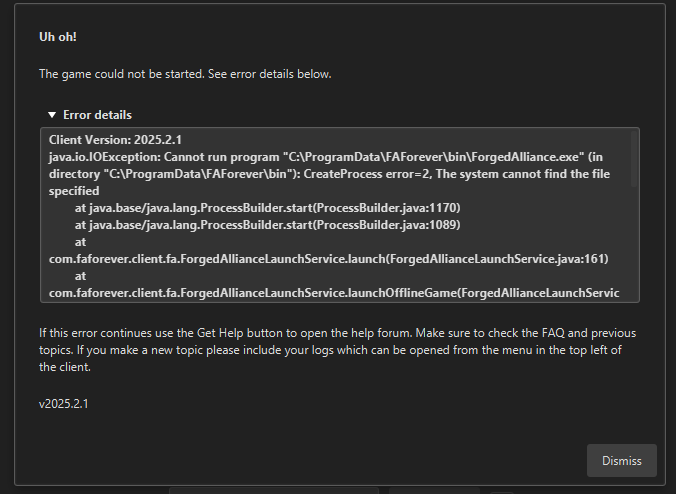
    When attempting to login to FAF using the https://hydra.faforever.com/oauth2/device/verify link, it gives a webpage with an error "I'm sorry. but your browser is not supported" error. This happens using Firefox or Chrome. Attempting to click Play Offline fails with an error: Uh Oh! The game could not be started. This happens because the game directory is not in the C : drive, but on D : However, there does not appear to be any way to change where FAF is looking for the game.
  • 40 Topics
    160 Posts
    D
    Thanks for your replies, I tested Eternal Strategic Icons, in combination with Penguin's Icon Mod and ACU Highlight (those three mods seem to be compatible), and it looks a lot nicer with the size increase of 150%
  • Can't join any ladder games

    11
    1
    0 Votes
    11 Posts
    916 Views
    K
    If you're having the same symptoms, including the map image never showing on the connection screen, then you might not have the same root cause (Windows 10 "controlled folder access" turned on). Something else might be preventing either the FAF client or the game from accessing the maps folder. Perhaps the two (FAF client and game) are looking for the maps in different locations. I would start trying to figure out if there is something going wrong with the map download, generation, or loading by the game. As an aside, using Windows 7 at this point is pretty scary from a security perspective. I realize even installing the FAF client is also a kind of scary security issue, but using Win7 is next level. If you can update to an OS which gets regular security updates, that would be a good idea. Don't do any banking or such on that Win7 machine!
  • Unable to join aeolus chat

    3
    0 Votes
    3 Posts
    111 Views
    PMBMizerP
    TY apparently I didnn't do it correctly. Thank you it works fine now. Please close this out Mizer
  • Error - client out of date

    13
    0 Votes
    13 Posts
    751 Views
    T
    Got there in the end thanks for all the help guys GLHF happy commanding o7
  • Desync issue

    30
    0 Votes
    30 Posts
    2k Views
    UvesoU
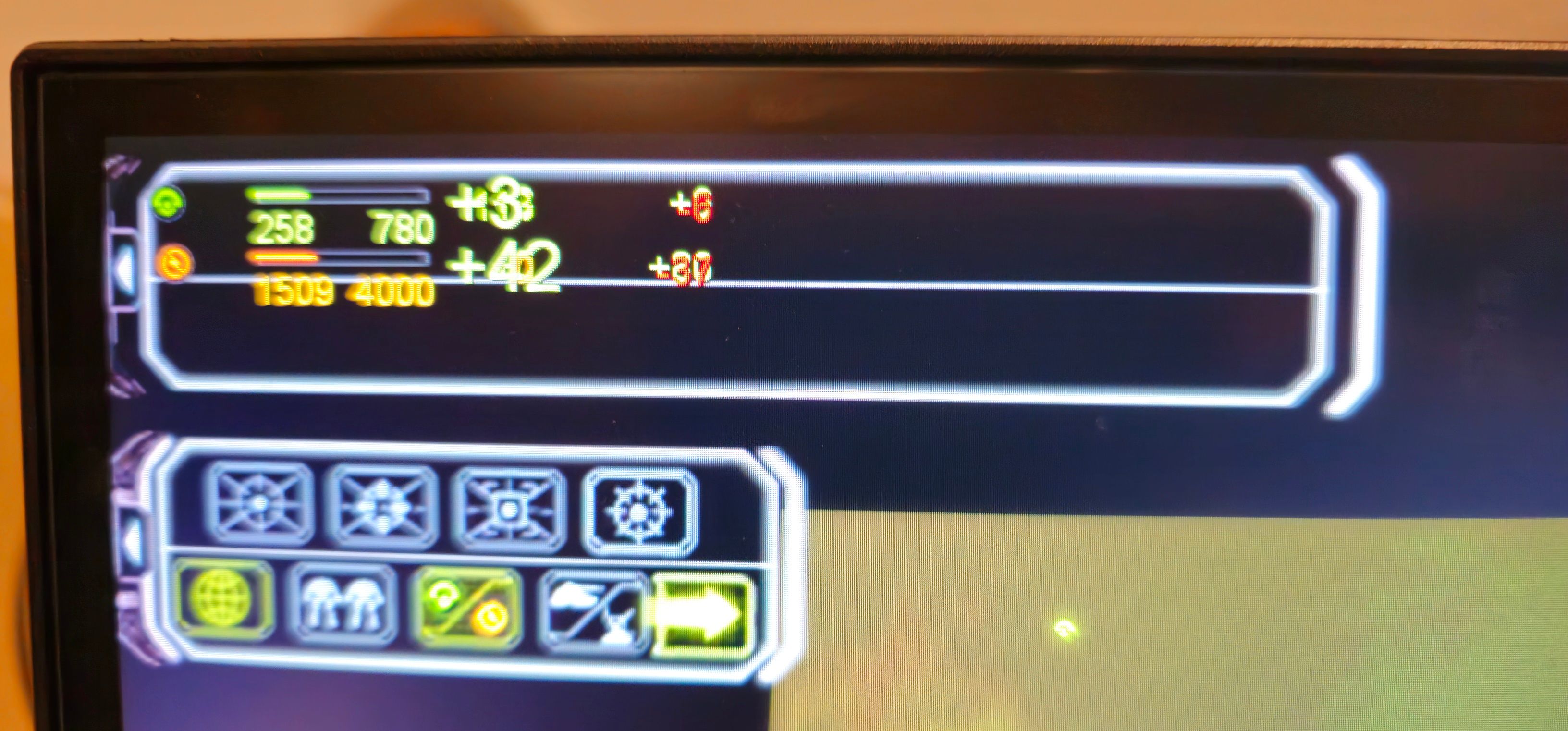
    @Aurahead I created a desktop shortcut to C:\ProgramData\FAForever\bin\ForgedAlliance.exe and use it to start the game (I host LAN multiplayer through the in-game menu). I replaced this ForgedAlliance.exe with an older version on all computers in the network. In the next few days, I will test the dev and FAF exe again. Then I can tell you if the actual exe is the issue.
  • 0 Votes
    3 Posts
    149 Views
    miki1900M
    ice-adapter.log
  • 0 Votes
    1 Posts
    113 Views
    No one has replied
  • Client crashes when logging in.

    1
    1
    0 Votes
    1 Posts
    126 Views
    No one has replied
  • Graphical error - the loading screen

    2
    1
    0 Votes
    2 Posts
    111 Views
    ipconfig-releaseI
    something out of whack due to UI scale if I had to guess?
  • supreme scoreboard

    6
    1
    0 Votes
    6 Posts
    239 Views
    H
    @Ctrl-K going to try this as an alternative, thank you
  • New update means I can't play the game

    3
    2 Votes
    3 Posts
    326 Views
    maudlin27M
    This will likely be connected to changes the DevOps team's been making to try and protect FAF from the ongoing DDOS attacks - the announcements section of discord is probably the best place for updates on this for now: https://discord.com/channels/197033481883222026/197078254681587712 Connection issue update #7 Unfortunately todays update contained some older ICE adapter refactoring that was pending for release and causes other problems now. We are working on a solution.
  • This topic is deleted!

    1
    0 Votes
    1 Posts
    17 Views
    No one has replied
  • Why does faf chat constantly disconnect?

    9
    1 Votes
    9 Posts
    578 Views
    S
    In limited use I have noticed client 2025.2.0-alpha-1 seems to keep chat connected.
  • How to mod unknown unit icon?

    4
    0 Votes
    4 Posts
    198 Views
    S
    @atomic8733 said in How to mod unknown unit icon?: @Dorset hi Dorset, Yes, both my menu and lobby is enabled, and all other custom icon works but the unknown icon. I also tired the "Scale Strategic Icon" in the option but it scale all icons including the medium sized which make it too large. Does your unknow icon change when using custom icon? I am no expert but what I have is the "Redux Strategic Icons Large" mod along with the "Redux ACU Icons" I have these activated and my in game interface settings are all on except for scaling I have that off. One of the options is something like "on with tech marker" and the rest are all on. I hope that helps.
  • env.nx2 ошибка

    3
    0 Votes
    3 Posts
    190 Views
    S
    https://discord.com/channels/197033481883222026/1340071919948660827
  • Audio that sounds like interference

    1
    0 Votes
    1 Posts
    70 Views
    No one has replied
  • M27 ai vs. m28 ai

    2
    0 Votes
    2 Posts
    346 Views
    maudlin27M
    Best way of seeing how they're different is to play against each of them. M28 is a bit harder, runs faster (relevant if you have a bad CPU or play on large maps with lots of players), is more compatible with mods, and has a range of customisation options. M27 is a bit more 'player-like' in how it manages units (M28 coordinates its units as a team, whereas M27 does it on a per-player basis for the most part), and is more heavily impacted by intel (if it cant see a unit it doesnt realise it's there; whereas for M28 it remembers if it saw that unit a few seconds ago even if it loses intel). It also has a few strategies it still does better than M28 (such as rushing a strategic bomber, or building a firebase on a map like astro craters).
  • This topic is deleted!

    1
    0 Votes
    1 Posts
    3 Views
    No one has replied
  • Ranked vs unranked games

    8
    0 Votes
    8 Posts
    400 Views
    N
    @Nuggets said in Ranked vs unranked games: i have 0 trust in anything else it shows from lobby settings Its display of the share condition is bugged but everything else is good I think.
  • Play solo Coop but with full lobby difficulty

    3
    0 Votes
    3 Posts
    203 Views
    Azoth-A
    I think you can just put bots on player spots and remove them at start with cheats. But most of coop maps may break due to some stuff relating on players
  • Deleted music files but still crash in about 50% of my games

    2
    0 Votes
    2 Posts
    187 Views
    Azoth-A
    https://forum.faforever.com/post/30712