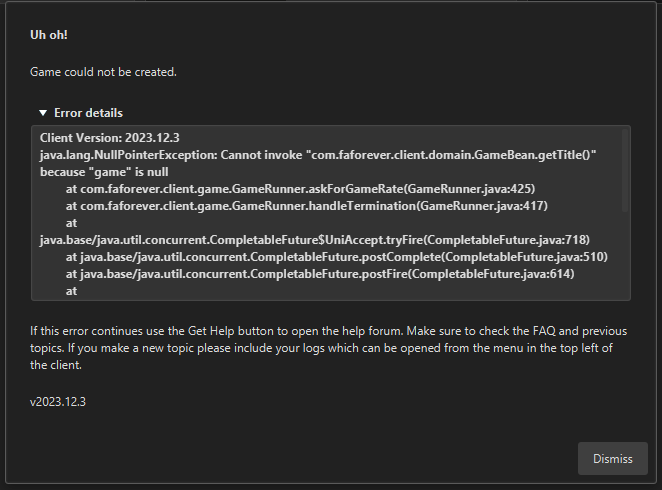
The current pre-release of the client ("pioneer" in the version) is only compatible to itself. So you can only play with other testers. Please be aware!
  • Can not install launcher

    3
    1
    0 Votes
    3 Posts
    231 Views
    E
    @magge Thanks a lot
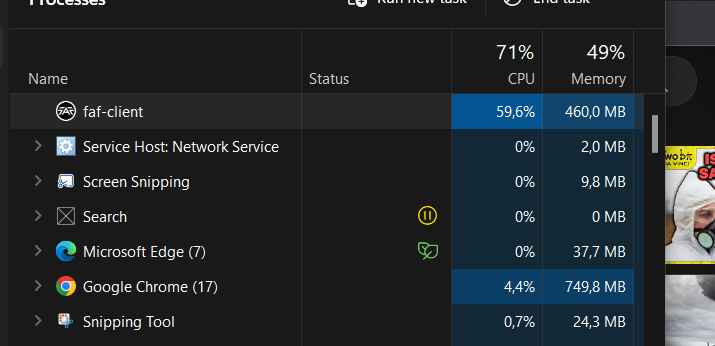
  • FAF client taking excessive amount of cpu power

    2
    1
    0 Votes
    2 Posts
    276 Views
    S
    There is a known bug that causes the client to try and reconnect to the chat after being closed that could use the CPU. It should be fixed in the next client version
  • v2023.12.0-alpha-2

    1
    1 Votes
    1 Posts
    136 Views
    No one has replied
  • steam account unlink

    2
    3
    0 Votes
    2 Posts
    283 Views
    S
    You can't unlink steam accounts. But you can use your steam account to reset the password to the account on the website
  • FAF Client login issues

    Locked
    4
    0 Votes
    4 Posts
    252 Views
    D
    close
  • forever loading FAF screen

    6
    1
    0 Votes
    6 Posts
    396 Views
    maggeM
    The last time I saw this error, it was related to the security software or network of the host machine (your PC) blocking the connection; Maybe someone else has another idea for a solution because I can only suggest doubling checking your security. Maybe even try a VPN to narrow it down, just in case. Edit: Yesterday, there was a timeframe where people had login issues, because server had a hiccup - Maybe it was related to that and now it works again, hopefully? [image: 1701098997167-6b6bf04c-7e6d-46c9-b757-e53527c150af-image.png]
  • Issue with server?

    6
    1
    0 Votes
    6 Posts
    368 Views
    Brutus5000B
    It was some kind of database deadlock in the ice server side. Could be a bug or a one time thing , we'll have to observe it.
  • connection problem

    1
    0 Votes
    1 Posts
    113 Views
    No one has replied
  • Cannot join queues

    2
    0 Votes
    2 Posts
    170 Views
    N
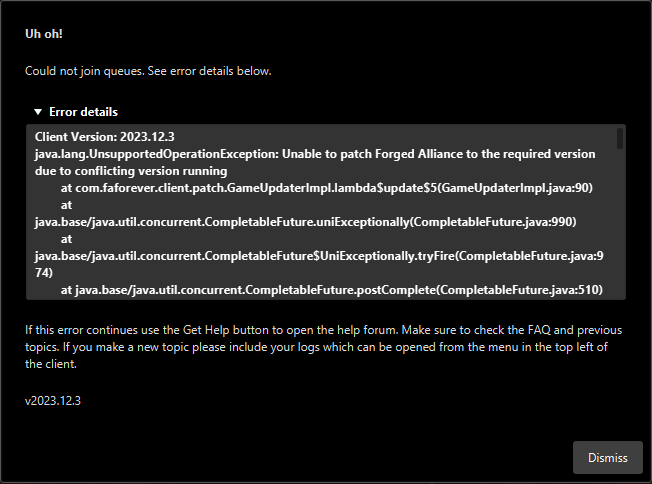
    @moon_rise_ said in Cannot join queues: Caused by: java.nio.file.AccessDeniedException: D:\Steam\steamapps\common\Supreme Commander Forged Alliance\bin\DbgHelp.dll -> C:\ProgramData\FAForever\bin\DbgHelp.dll Seems like the client can't access your steam/fa directory. You should check the permissions and make sure the user you are currently using has access to that directory You might also want to drop the whole log file here instead of only a small part there might be more info in there
  • This topic is deleted!

    1
    0 Votes
    1 Posts
    15 Views
    No one has replied
  • Alt-Tabbing Crashes Game

    3
    1 Votes
    3 Posts
    1k Views
    R
    Thank you for the information. That is very helpful!
  • Can't load News/Play Tabs, Plus i can't join a channel

    6
    2
    0 Votes
    6 Posts
    272 Views
    MostLostNoobM
    @goosevader09 If you do a Reply or Quote instead of a Quick Reply, then you can attach/upload the actual file instead of having a post with a wall of text. Having the actual file will help those trying to assist with troubleshooting & resolving the issue.
  • This topic is deleted!

    1
    0 Votes
    1 Posts
    5 Views
    No one has replied
  • New Lobby Crash Exploit?

    7
    0 Votes
    7 Posts
    554 Views
    R
    Solved: Validated files via Steam. One was corrupted. Replacing file failed to fix the issue. Uninstalled and reinstalled the game. That appears to have solved the issue.
  • Out of memory/Alloc error

    5
    0 Votes
    5 Posts
    319 Views
    I
    @magge We have done the usual Sound related fixes, because audio was not working at first. So we deactivated any 3D sound settings and other fancy software like Steelseries Sonar. After that, sound was working for everyone. I think it might be related to a script that was executed on that particular map. The crash happened at least once right after the event where the map increased in size for the first time, and at least once shortly after the second scripted event. The line you highlighted (nil value) could be the culprit, but I am not familar with lua and that code, so I can't be sure. I am familiar with a few other programming languages though, so if I can help in debugging in any way, let me know. Again, thanks for looking into this!
  • This topic is deleted!

    1
    0 Votes
    1 Posts
    9 Views
    No one has replied
  • I cannot connect to FAF

    9
    1
    0 Votes
    9 Posts
    636 Views
    F
    It was the issue! Indeed I used the uninstall software, I never manually delete the folder. Thanks a lot!!
  • Game crash start to creategame > create. Alarm 1073741819

    10
    0 Votes
    10 Posts
    3k Views
    JipJ
    This problem should be fixed with the hotfix that is now live @kankkarankka
  • Cannot joing lobbies

    4
    0 Votes
    4 Posts
    400 Views
    Z
    Ok so perfect, after the patch released today, I can carry on going "Boom" on both custom and ladder lobbies- thanks to all for sorting.
  • I can't go into the lobby in FAF

    error
    7
    1 Votes
    7 Posts
    833 Views
    N
    @savage_messiah Try hosting on the faf develop game type. There is a fix, that's going to be released today/tomorrow. If develop works for you, the new version will solve your problems.