The current pre-release of the client ("pioneer" in the version) is only compatible to itself. So you can only play with other testers. Please be aware!
  • Cant start Co-Op games?

    2
    1
    0 Votes
    2 Posts
    69 Views
    N
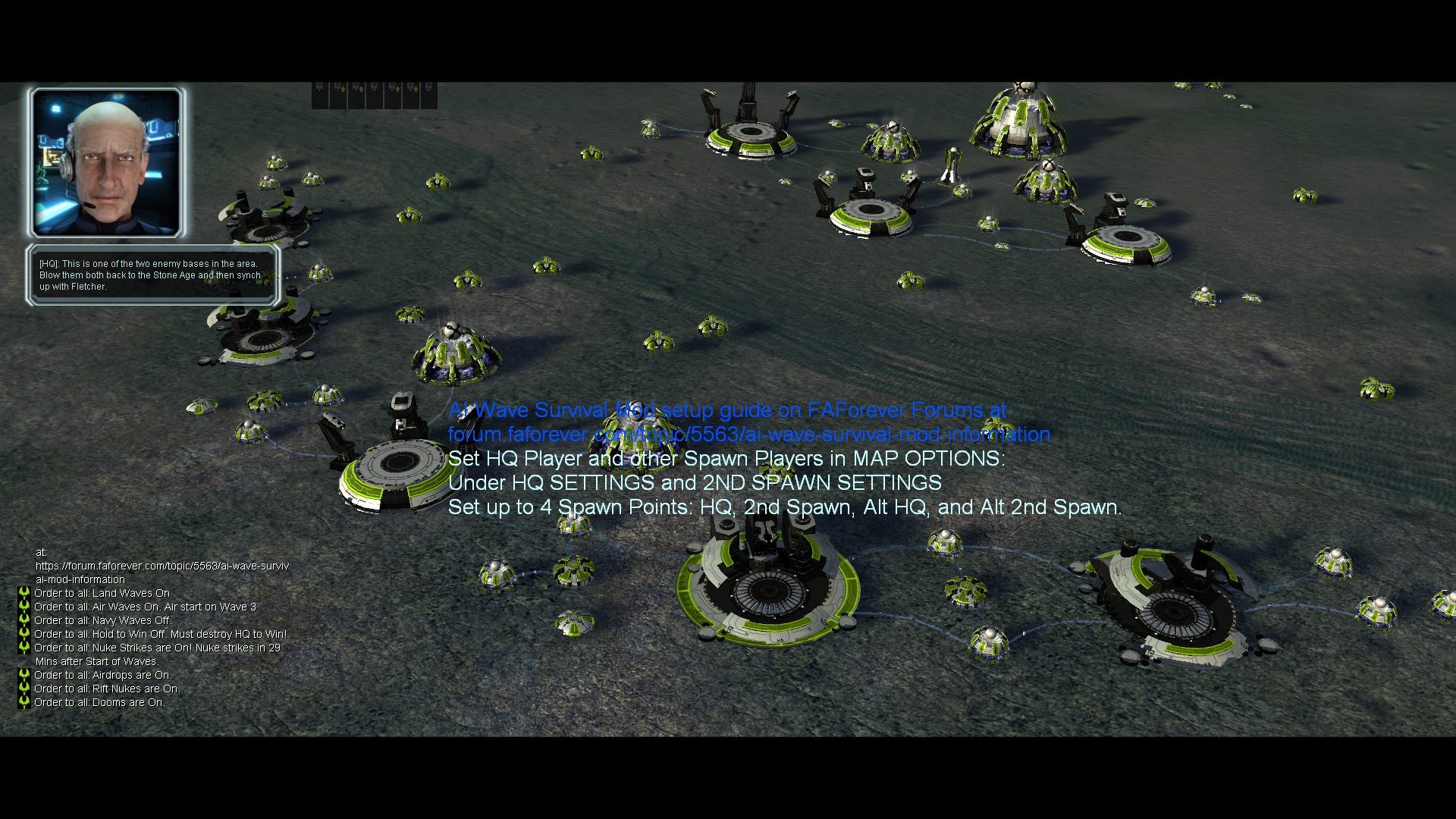
    Try disabling AI Wave Survival, it probably messes with the AI too much. There's a "Rama's weapon pack" mod if you want the units from AI Wave Survival.
  • Cant link my account o FaForever.com

    2
    0 Votes
    2 Posts
    83 Views
    Brutus5000B
    Do a password reset via Steam to recover the user name
  • How can I fix next connection problem?

    3
    0 Votes
    3 Posts
    106 Views
    Brutus5000B
    Game crashes are no connection issues...
  • Cant install FAF on WINDOWS 11

    3
    2
    0 Votes
    3 Posts
    114 Views
    D
    Thank you! It helped
  • can`t enter in client

    4
    1
    0 Votes
    4 Posts
    97 Views
    F
    Can you send the client log as an attachment. Try with VPN.
  • Test CPU

    15
    1 Votes
    15 Posts
    254 Views
    NuggetsN
    @Vindex said in Test CPU: Who told you to create a new account? How does creating a new account influence your CPU score? I don't understand why the CPU test score is so important for you. You can modify the value in the game prefs file and that's it. CPU score doesn't do anything in game, lobby or client. If it shows data from the old computer then you probably just copied your game prefs or some other data. Just change it manually and forget. CPU Score is important if its too high. As he said, people will kick you for that because not everyone asks for an explanation. This guy cant be helped until he finally figures out we need his actual CPU info and not just "i7"
  • cant join or create game i get this

    4
    1 Votes
    4 Posts
    139 Views
    I
    idem Client Version: 2025.7.1 org.springframework.web.reactive.function.client.WebClientResponseException$InternalServerError: 500 Internal Server Error from GET https://api.faforever.com/ice/session/game/25295135 at org.springframework.web.reactive.function.client.WebClientResponseException.create(WebClientResponseException.java:332) Suppressed: The stacktrace has been enhanced by Reactor, refer to additional information below: Assembly trace from producer [reactor.core.publisher.MonoIgnoreThen] : reactor.core.publisher.Mono.then
  • banned ips

    1
    0 Votes
    1 Posts
    101 Views
    No one has replied
  • Can't install client update

    1
    0 Votes
    1 Posts
    67 Views
    No one has replied
  • Account activation issue

    2
    0 Votes
    2 Posts
    157 Views
    Brutus5000B
    Yeah we know about the connection loss problem. A normal website refresh should fix it in most of the cases. Sometimes waiting for 10s also helps. Its fallout from DDoS protection measures.
  • Multiple 504 Errors from Client

    4
    0 Votes
    4 Posts
    105 Views
    S
    This should be resolved now
  • This topic is deleted!

    1
    1
    0 Votes
    1 Posts
    3 Views
    No one has replied
  • Не могу получить доступ к картам и модам

    2
    0 Votes
    2 Posts
    443 Views
    ZLOZ
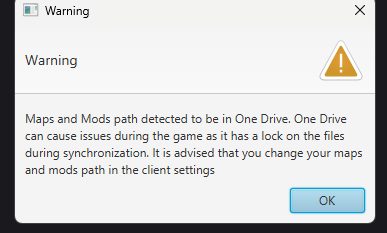
    Сейчас объясню: Это папка OneDrive и она синхронизируется с облаком. И это что-то новое и не обычное. ФАФ клиент довольно современный и он без проблем скачивает карты и моды в эту папку. А вот игра довольно старая и игра не видит скаченные карты и моды если они хранятся в папке которая синхронизируется с интернетом. Т.е. карты то скачиваются, но игра их не видит. Так что нужно зайти в ФАФ-клиент, в настройки, и выбрать другую папку для хранения карт и модов Например создать папку D:\FAF_Maps_Mods и указать её. Папку в Program Files указывать не надо, она тоже особенная и там тоже может не заработать (не будет прав на запись)[image: 1751375583744-5a73755c-6412-431a-b040-018c0905f48a-image.png] Или можно удалить OneDrive и перезагрузиться и тоже должно помочь
  • Client, can't access maps or mods vaults

    4
    0 Votes
    4 Posts
    92 Views
    K
    То же самое, только у меня ничего не заработало
  • Endless Errors when hosting games

    1
    0 Votes
    1 Posts
    49 Views
    No one has replied
  • NX2 NX5 download error

    1
    0 Votes
    1 Posts
    46 Views
    No one has replied
  • Error creating games

    1
    0 Votes
    1 Posts
    46 Views
    No one has replied
  • Client not starting

    1
    0 Votes
    1 Posts
    64 Views
    No one has replied
  • FAF crashing during game

    1
    0 Votes
    1 Posts
    86 Views
    No one has replied
  • First time running faf client on a new pc Windows 11

    6
    0 Votes
    6 Posts
    271 Views
    S
    Better solution is to keep trying to install the Media Feature Pack for Windows 11 (missing in Windows 11 N version and the cause for the error): From reddit: https://www.reddit.com/r/Intune/comments/18bm21f/windows_11_enterprise_n_missing_media_feature_pack/ The 2nd command might fail simply retry and it should succeed and a reboot is required to complete this. Open an Elevated Command Prompt and run the following command: dism /online /add-capability /capabilityname:Media.WindowsMediaPlayer~~~~0.0.12.0 And then run (the following command is only for N and KN Editions:) dism /online /add-capability /capabilityname:Media.MediaFeaturePack~~~~0.0.1.0