Supcom/Moho engine rewrite
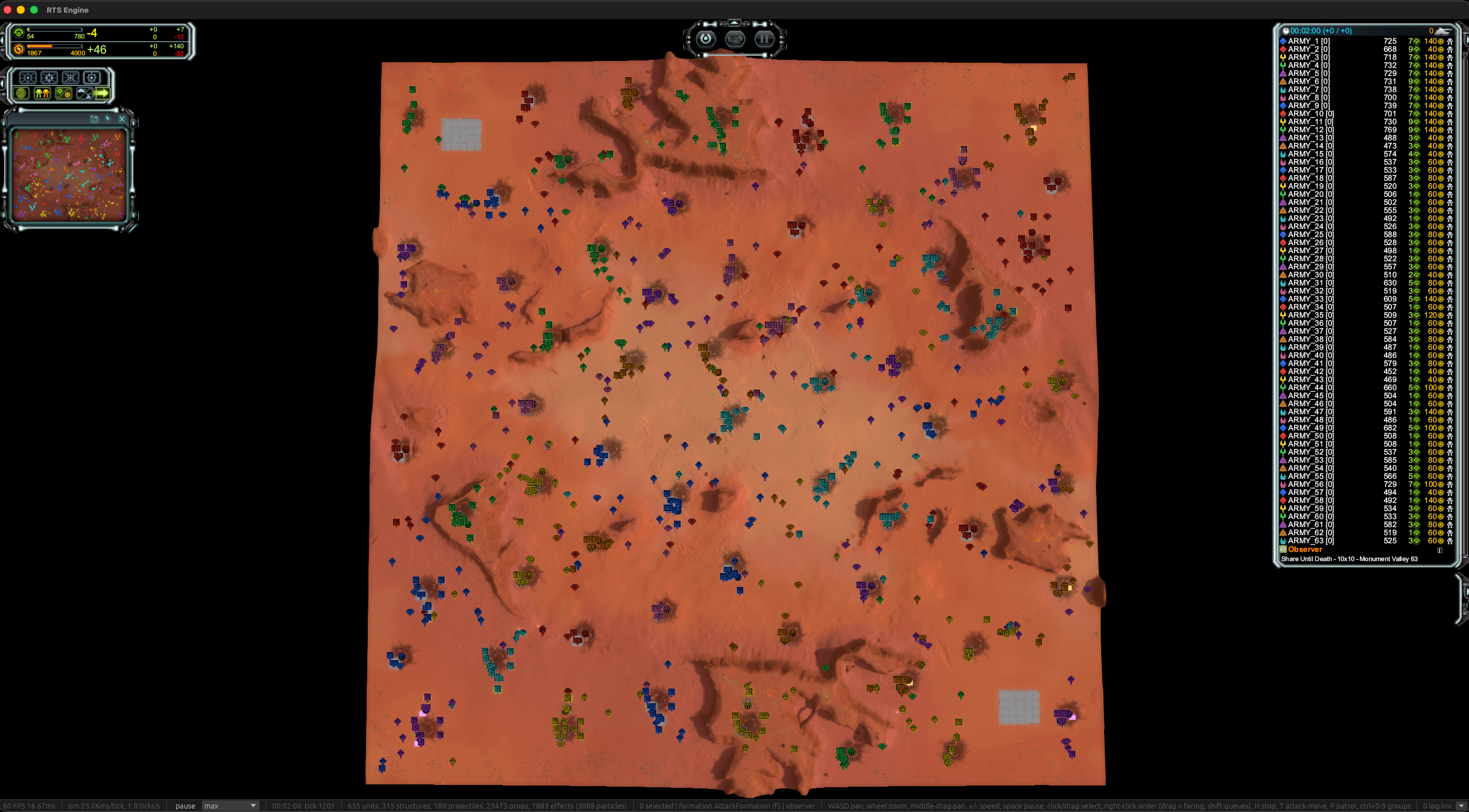
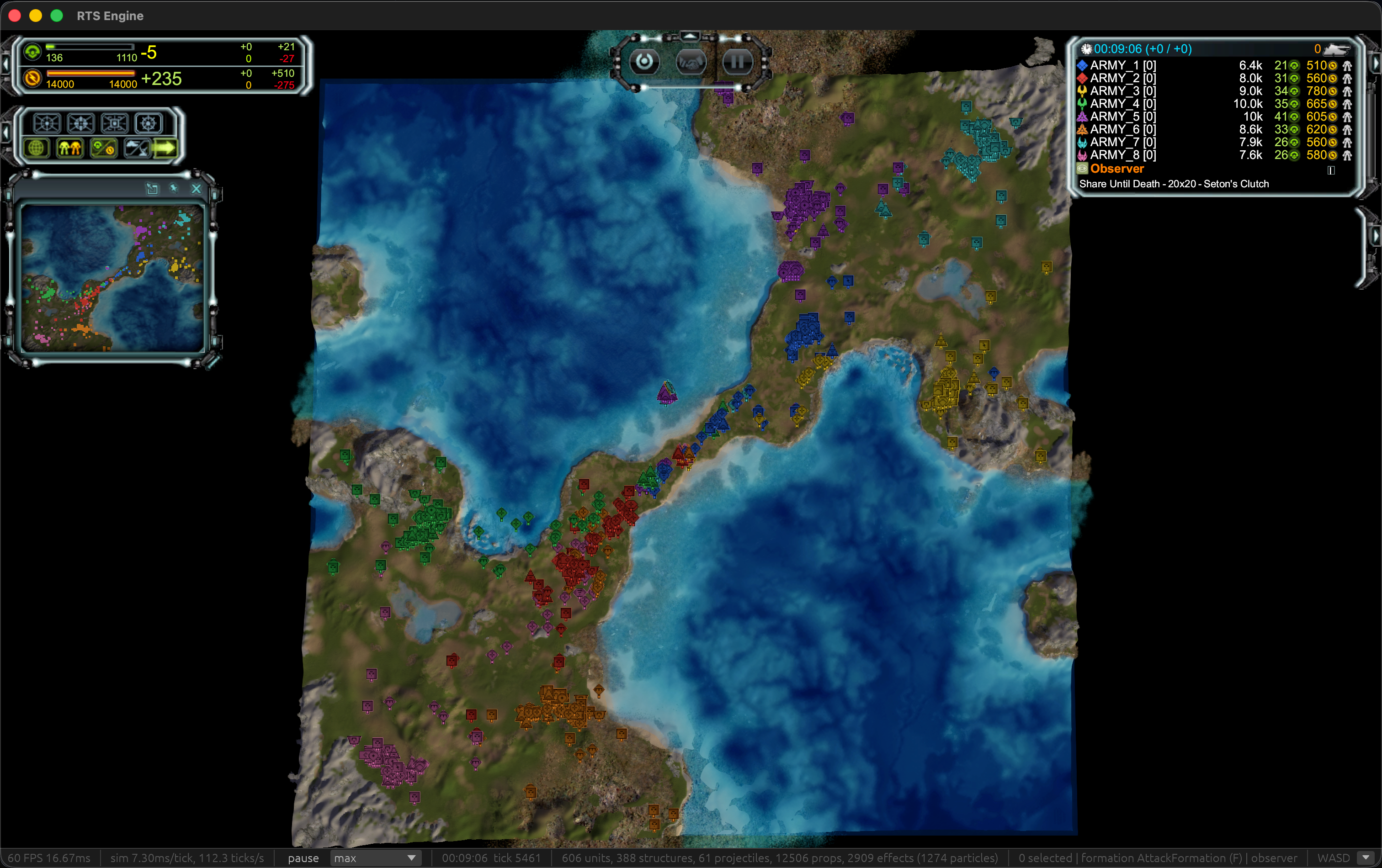
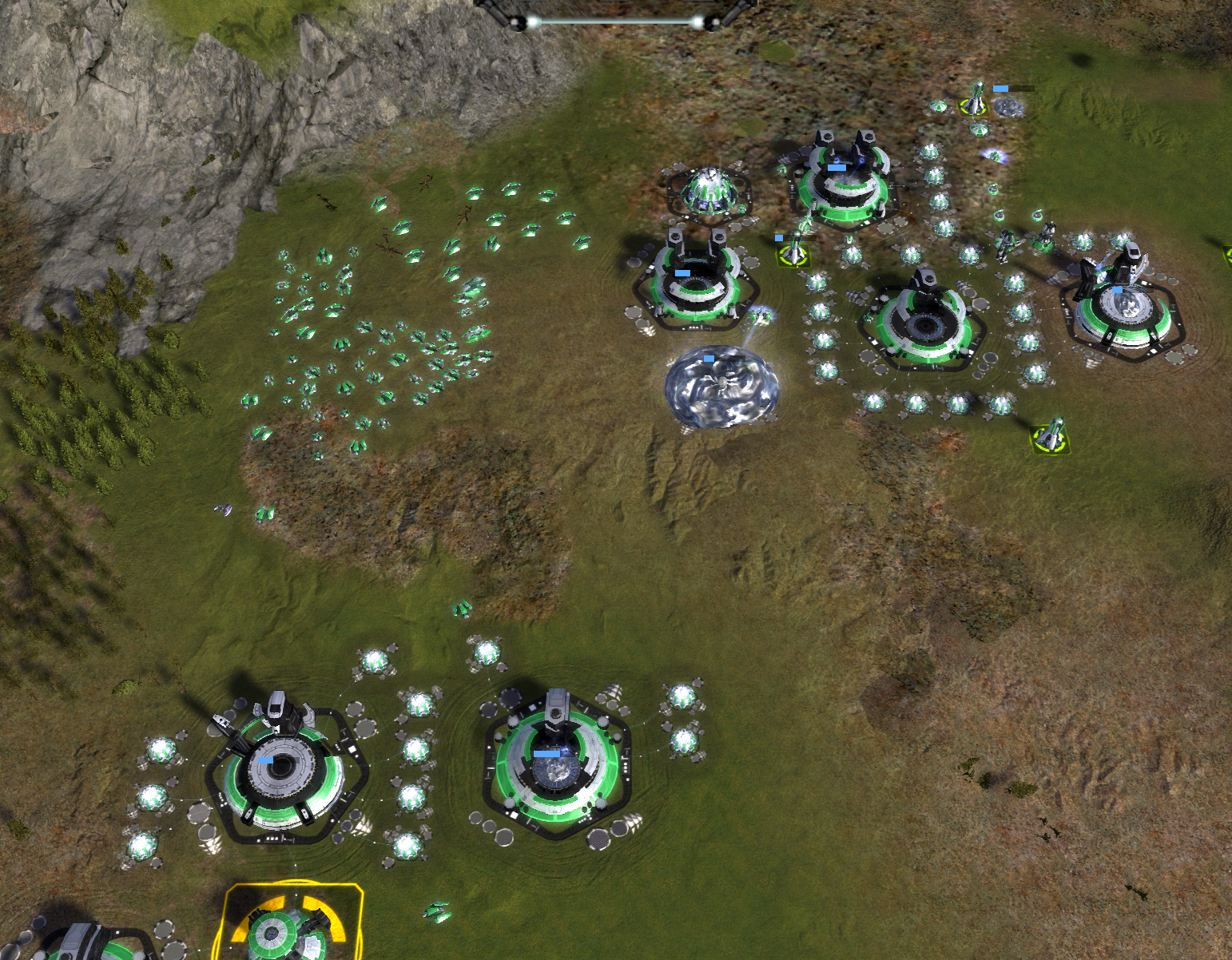
-
I hope this project and anything around it can work out, especially if it can push the development of FAF even further.
-
So here is a "working" build, but first I just wanted to address the work, Yes of course I have made this with heavy amounts of AI, and I know that kind of sucks, especially for those that have worked so hard on faf over the years.
In no way do i want this work to take away from that hard work.
What I hope, is that those people will be empowered by this project, they can already achieve magic with asm patches to the exe, imagine what can be done when they have real code to work with.I have no doubt that many many people understand fafs lua better than me, have better understand of graphics/pathfinding/supcoms quirks and behaviours/etc...
And I am excited to see what they will be capable of achieve with this work.I do plan to give the whole project to faf, code and all, and then you guys can do as you see fit with it.
I just hope it helps and empowers the community. (I guess the ends justify the means???)
Here is both an mac and windows exe. its to big to include here, so (and i can't believe this.. a link to limewire of all places... happy to share the file another means this was just the first google hit)
https://limewire.com/d/kIwte#CQnpfbOgYtWhen launching either they will attempt to find faf and supcom, if they can't they will ask you to give it to them.
you need the latest faf
Although it does not intergrate in to faf currently.
I explain networking below, but to play together:
- someone must host the game using the multiplayer option in the main menu, create a game as usual
- They will be give a long code in the chat, its also copied to the clipboard

- Others can then join via the multiplayer option in the menu, putting that string in to the ip address section, and 1 in the port section
like below (note the code doesn't match in this screenshot cos i took it at different times)

Now as said before while the game "works", its really really is far from perfect, many things are broken or not working as expected.
I also have only been able to test, on an old windows machine, a surface laptop, and a new mac.
I don't have anything with an amd card, so god knows if those work.If you get crashes, give me the logs to look at, although i make no promises
 im only human (even if ai can help...)
I have zero idea about mod support, i haven't had the time to look at it, in theory it should work, or at least i originally set up the ground works for it.
Bugs:
There will endless bugs of that im sure, every time i launch the game i notice bugs, and i'm just a casual noob player.- behaviour bugs (the tanks don't work like that, gunships don't hover like that, navy pathfinding is just awful right now)
- crashes (i'm guessing this will mostly be graphics card related)
- missing functionality (the novax doesn't work at all)
- look and feel of graphics (particles are all over the place, like projectiles, the uef t3 defence, or transports and gunships, the list goes on...)
I haven't tested many things, as i just haven't had the time and wanted to get this build out to people to mess around with.
Really this project is a proof of concept, i think it will take the faf community time if they choose to make this a real replacement)
If you have things not working please give me the log file, it should be next to the exe.
Networking:
So I’m really excited about the networking.First off it uses this fantastic library called Iroh, which does p2p with nat punch though. It will attempt to create direct p2p connections between players, and if not possible it will route the connection through a relay, at the moment this uses iroh public server which has zero guarantee about uptime and through put, but faf could easily host their own one.
When creating a lobby, the game will give you a long random string, others simply need to paste that in to ip direct connection, plus any port number between 1-65k
and it should connect :fingers_crossed:
The game still uses udp underneath although its got a reliability layer on top, and I believe connections through irohs relay are tcp, if your direct connected its udp.
I have zero idea how well this will actually work in the real world, but I have played a game with a friend.
Next is player input.
(now I could be wrong) but my understanding of how supcom does its input syncing is:- sim ticks along at 100ms, player input it sent every tick, but with a 500ms(I think?) delay, as all players need to have this input from every other player in order for the game to continue, thats what causes hitches with bad connections. As the game pauses waiting for input.
What this version does.
Fundamentally its the same, however instead of a fixed 500ms, each player has a dynamic input step. All ticks still need an input step.
but each player now measures their latency/ping to others, and picks an input delay for themselves.all their input is then marked with that delay. which comes in as (please apply this input in 5 ticks (or 500ms))
or if they have a very fast connection (please apply this input in 2 ticks (200ms))
The upside to this is bad connections should cause as much less hitching to everyone.
The down side is unfairness, a very laggy player can cause the delay of inputs to rise for those connected to them with a bad connection (as it could just be a bad connection between only 2 people).
I would purpose that there is an option to lock the input delay.
I hope this means people with high ping can still play in games, even though it does still impact people by delaying their inputs. But should minimise freezes.
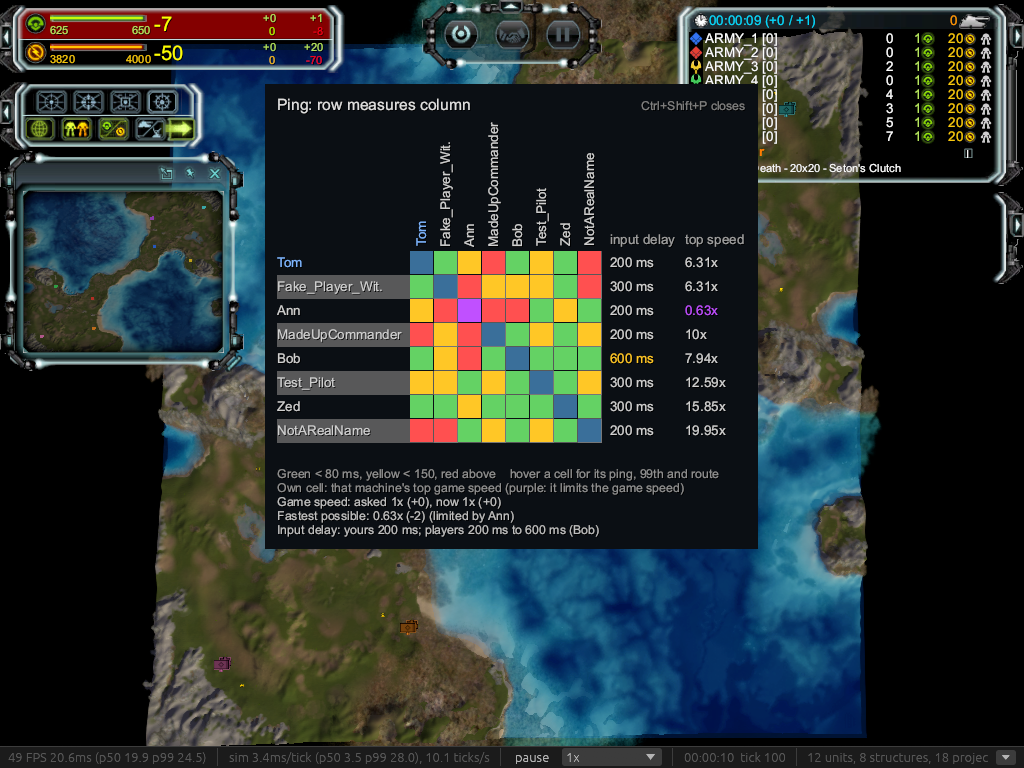
To show this all off, there is now a ping table bit of ui. You can see it with ctrl + shift + p, or on Mac cmd + shift + p
it's a grid showing the whole mesh of connections between everyone, so all players can understand the network layout of the mesh.
it shows the current max game speed for each player, and their input delay
This should help understand when 2 players have a bad connection to each other, but good to everyone else
This screen shot is with faked players and numbers, but give you an idea, of course hopefully in a real game you don't see that much red
Perf
Here is a crazy 64,000 airplanes fighting, of course its completely laggy, but it's somewhere in the realm of vaguely playable, the main bottleneck for graphics is the particles which would need moving to be gpu accelerated, as they are currently processed all on the cpu.
https://youtu.be/gTWnagf_Gak
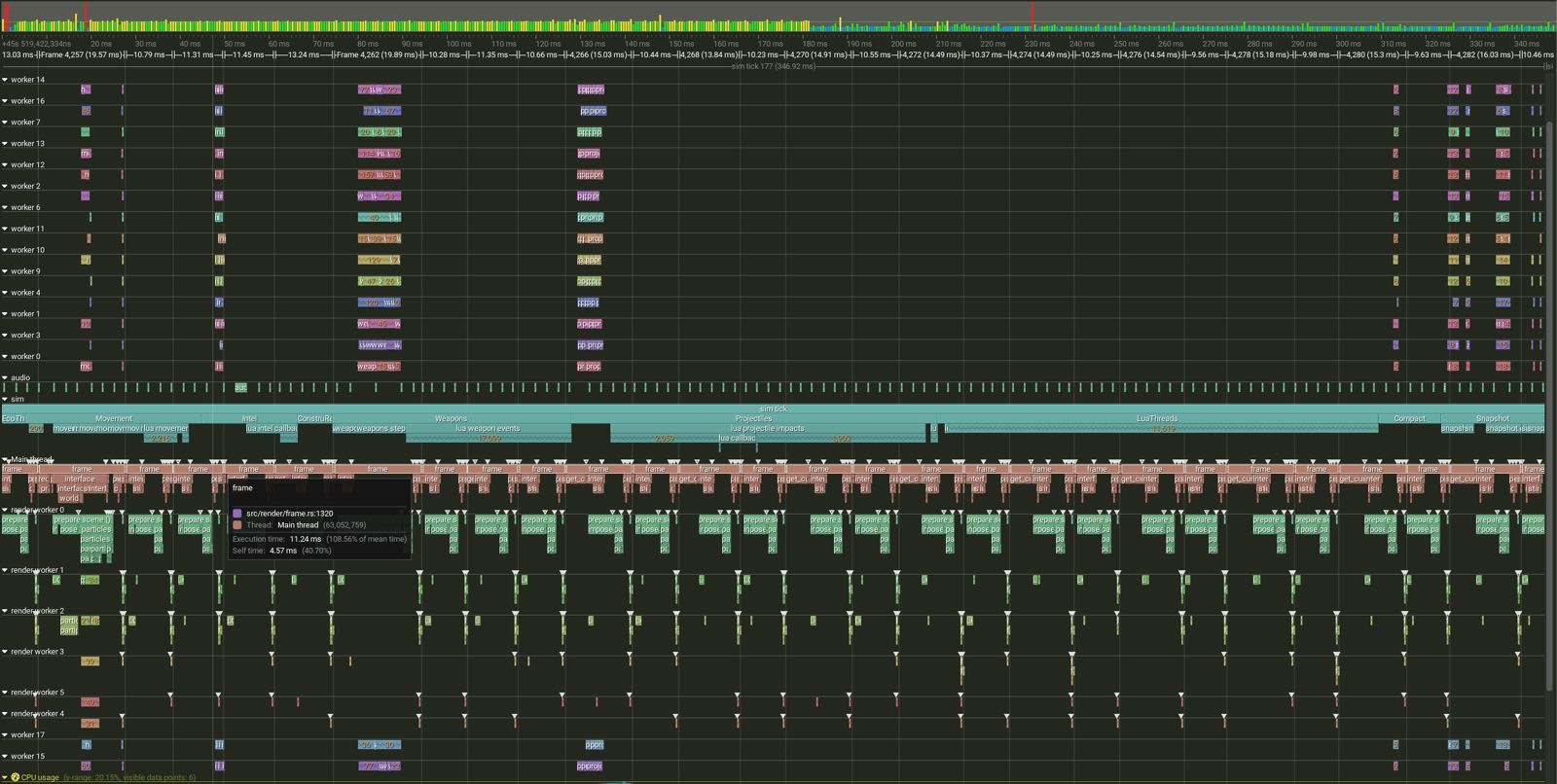
also for those that want it, here is a tracey profile of that, proving that it can use more than 1 core! although its still mostly single threaded unless the scale is really high.
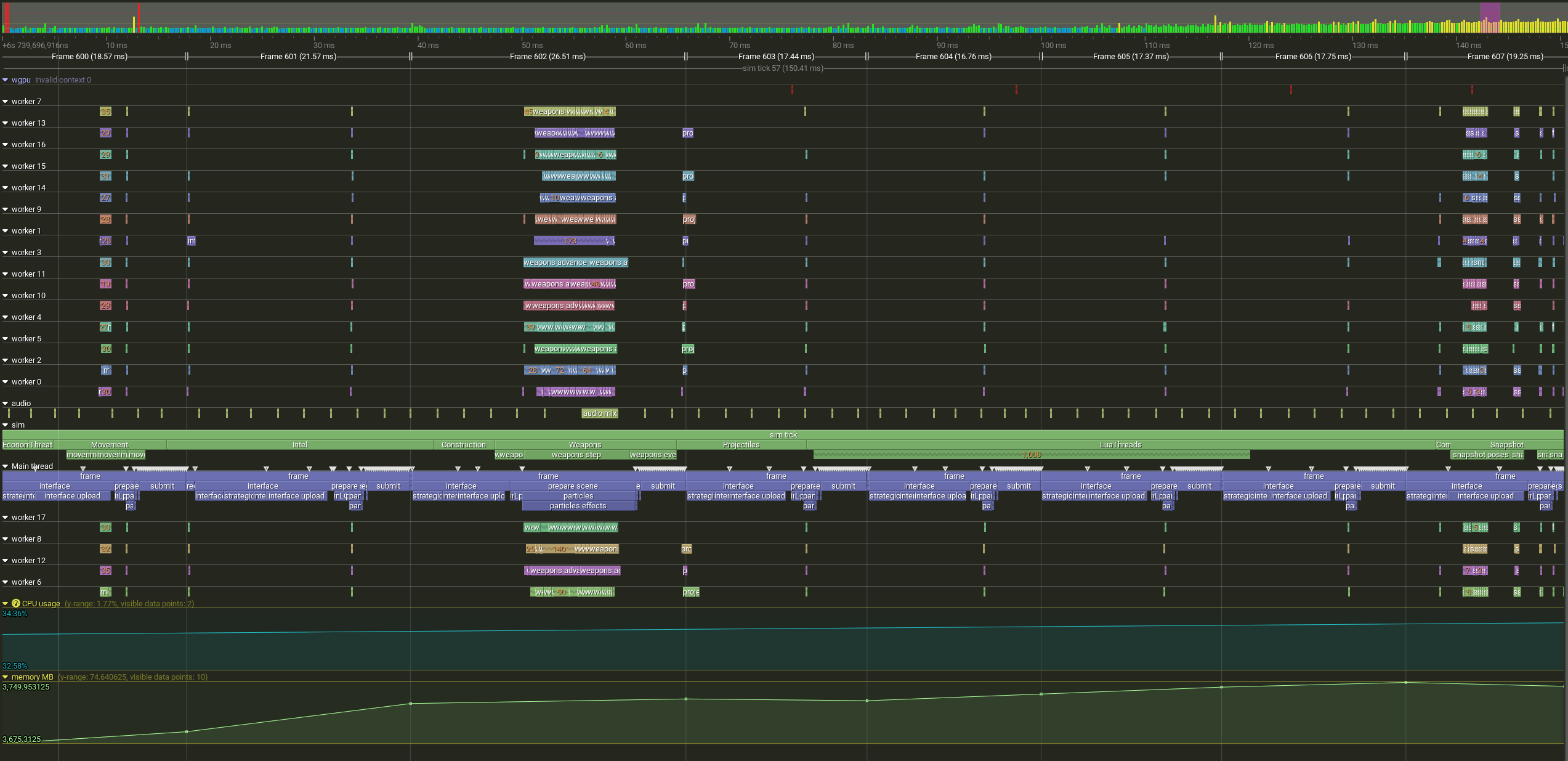
I did test 63 players locally and it brought my machine to its knees...
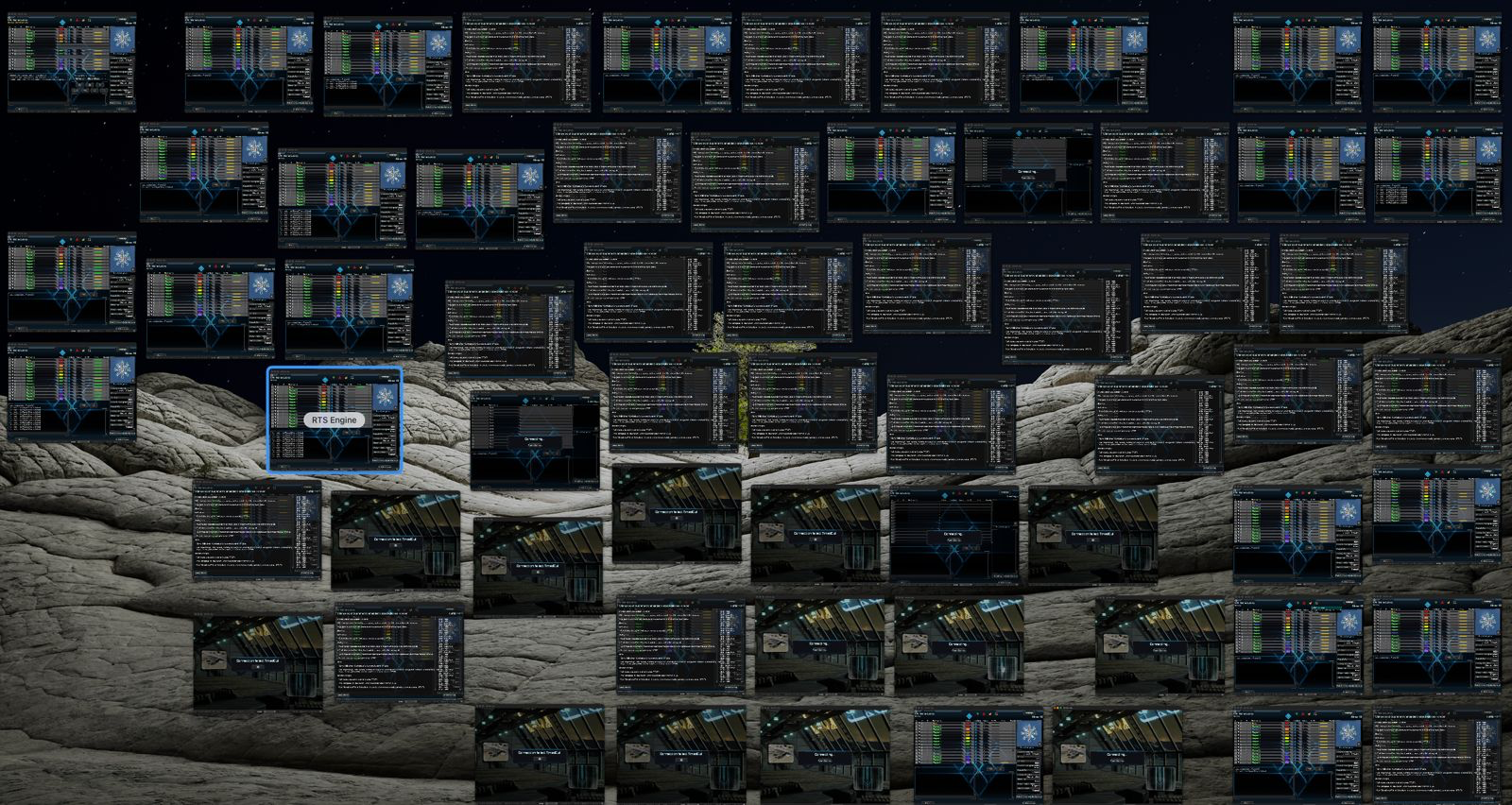
I have patched the faf lobby in this exe to allow 64 players, although no map supports that, i've included an edited flat map that should support it. Everyone would need this map, the exe does not support transferring files yet.
I honestly have no idea how well it will work.
flat_63.v0001.zip -
Pretty funny (and awesome) seeing this here today. I was just reading about new AI models and their reverse engineering capabilities and was thinking about giving something like this a shot. Looks pretty damn sweet so far. Who'd ever imagine potential 64p SupCom? Love that you having a "working" MP version already, and that connection grid.
-
This sounds to be excessively awesome, great effort out of nowhere!
haven't tried it yet, will definately keep an eye on it.Just a great fan of the game myself, knowing and hearing of the bottlenecks that would require a new engine (or a rewrite) to fix.
And then to realise the opportunities this possibly opens up for further improvements makes this even more awesome.
Hope this endeavour will soon flourish!
Also makes one wonder if a single knowledgeable person with AI assistance is already capable of delivering such a feat that would take an entire team many months to pull off is slighty unnerving (if AI is this capable now already...). -
Does your engine run the lua code for the game patch?
-
I ran it yesterday on linux with latest FAF game files.
-
Do you plan to share on github? Would love to follow along!
-
Also keen to follow/contribute if you are able to share a GitHub link.
-
Hello, I'm back, and I believe I'm even closer to feature parity with base supcom now!
Before anything, the exes:
Mac
https://upload.disroot.org/r/Ruv6XWA3#wTu4NeQg/SvvKWHGL/Y7Z5k0qRnYoYJoUka+Ej3arog=
Windows
https://upload.disroot.org/r/q2XTdA0V#rTfciPHkfYNsX5bRLmBEeauD1BliPu8WrPebsCqWFjY=
Linux
https://upload.disroot.org/r/8FAj9fnz#ZHyZiptsQo4EmI53hP6sn2y2ea3NrL8OVosy61PgbRE=
Many nasty little bugs have been squashed.
Don't miss the particle video
But first performance!
I wasn't happy with the fps in that 64k air fight, after all it's only 64k, that's rookie numbers for modern computers.
While I can't do much about the 200-300ms of time spent in the lua (as a rule of this project is not to edit the faf/supcom lua, it must be a drop in replacement), I can certainly improve the rendering speed.
and in this modern age computers come with many cores, so best put them to good use.
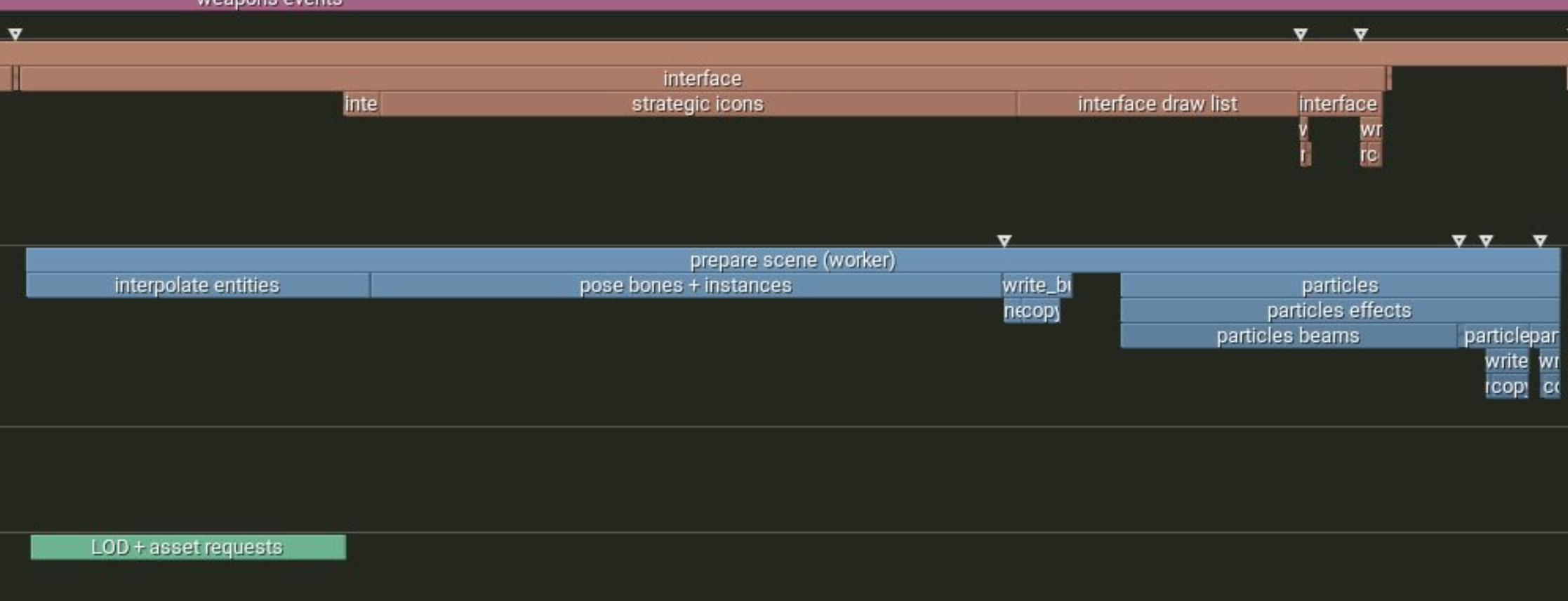
The rendering loop is made up of a few stages
- intel
- strategic icons
- minimap
- interpolate positions
- animation
- lod selection
- particles
- ui
- issuing draw calls
before this was all serial in a single render thread.
now its broken down, in to two main threads, with workers for more parallel work
First LODs
Then
- intel
- strategic icons
- ui
at the same time
- interpolate positions
- animation
- particles
as can be scene here
Then the next thing was the draw submits to wgpu. Now we're long past the days of direct9 and being bound to a single thread.
We can record the commands all in parallel.
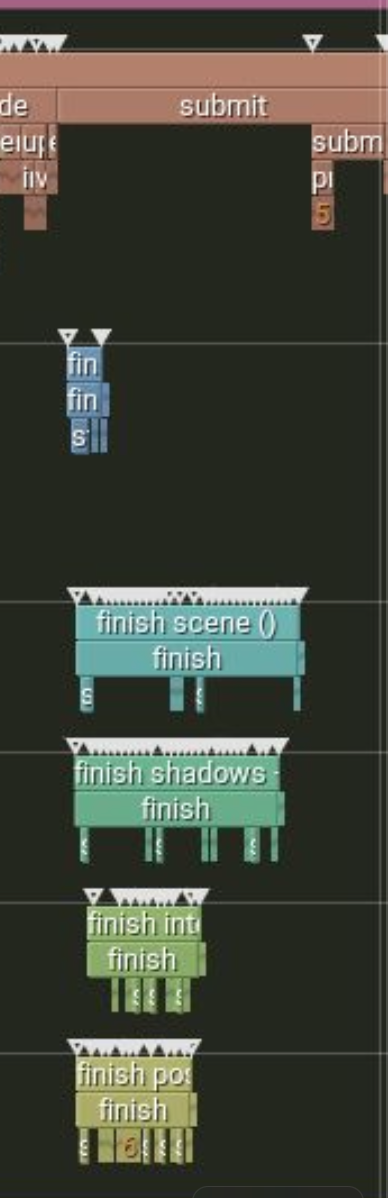
Along with some work to batch process units
we end up with a full frame looking like this
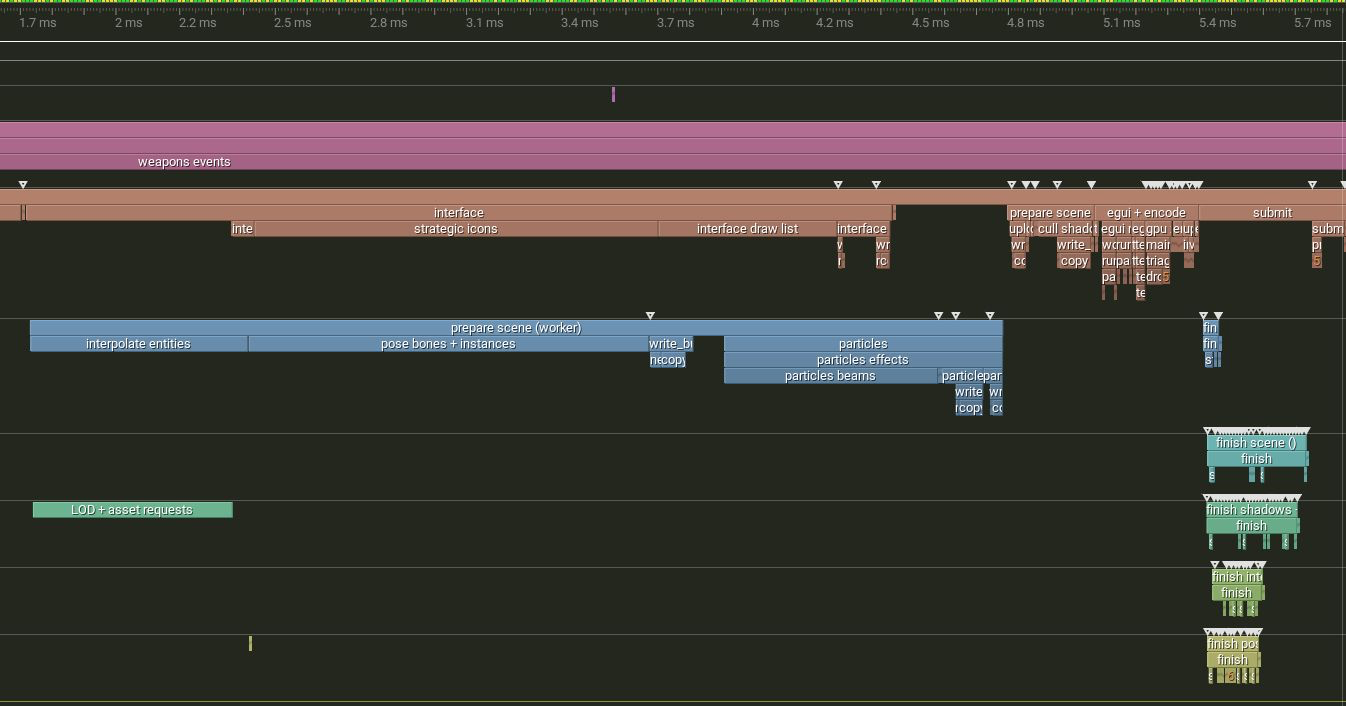
You can really see the difference vs before
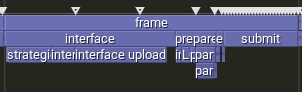
This brings the 64k air fight from about 15fps up to 70-100fps.
While the main sim only runs about 2.5-3x slower than the default speed!and can all be seen below in full technicolour!
https://youtu.be/UVgRPUpkJp0And for extra fun, you can see the whole sim tick for that fight here, look at all that lua (in blue/cyan on the sim thread)!
Every bit that isn't rips through as many cores as it can
On to bugs/improvements, and there are many!
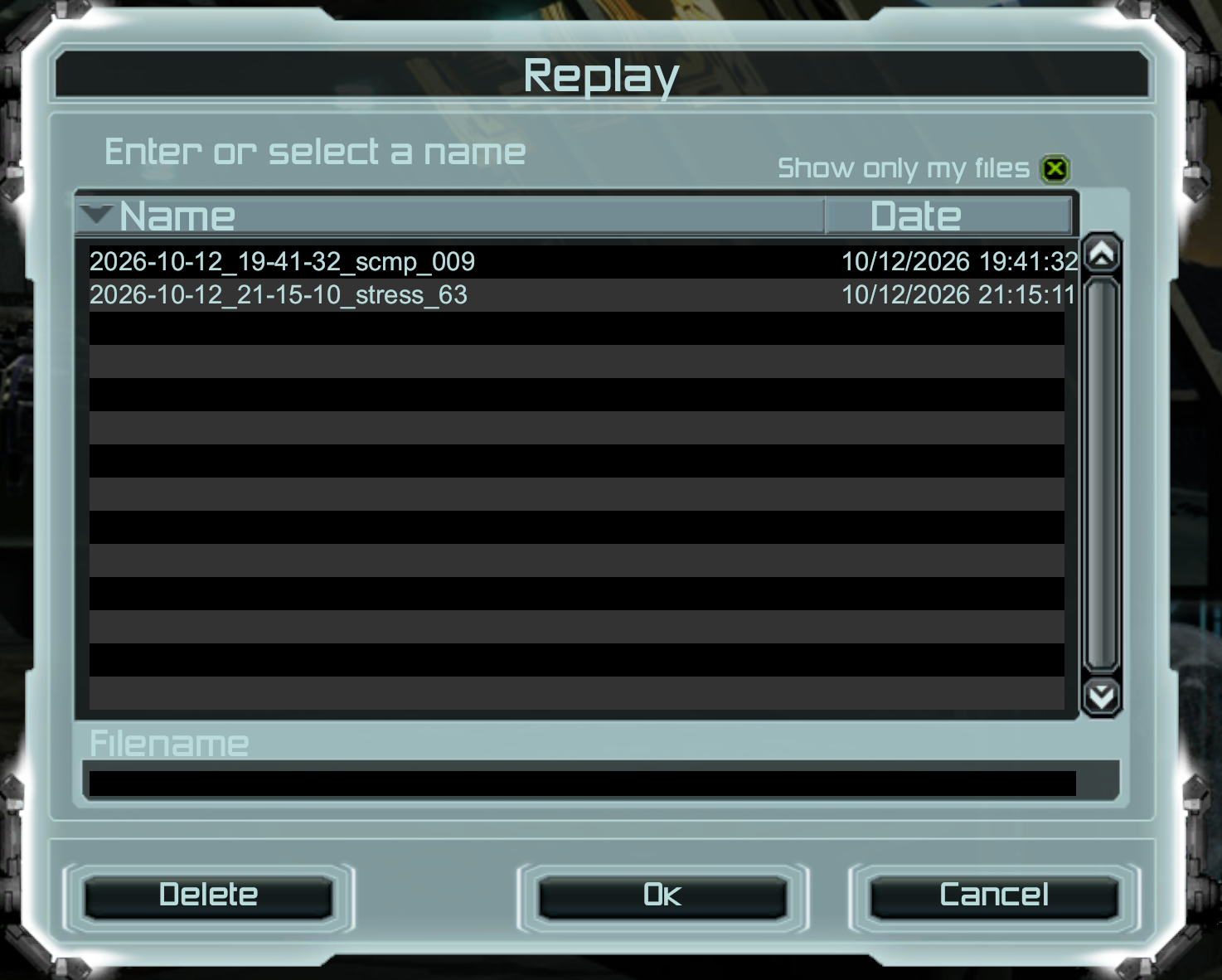
Replays!
Now these are only compatible with my version and only with the version that created them.
The game will save out your last 100 replays, and you can access them in the replay menu.
They are stored along side the exe
Particles!!!
So supcoms particles where kind of gpu accelerated, well not full compute shader, but they wrote all the info to buffers, then let the vertex shader go to town.
Also particles where just horrible broken in my version.
We now in 2026 do the same! (along with my 2nd fav unit to show it off (don't worry fatboy, you're still number 1)
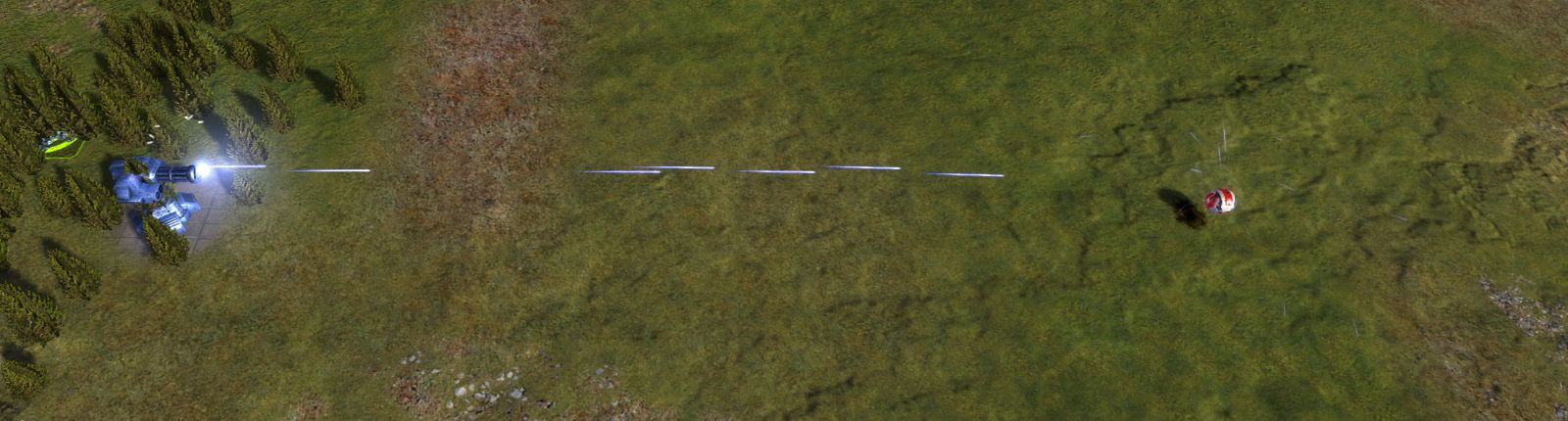
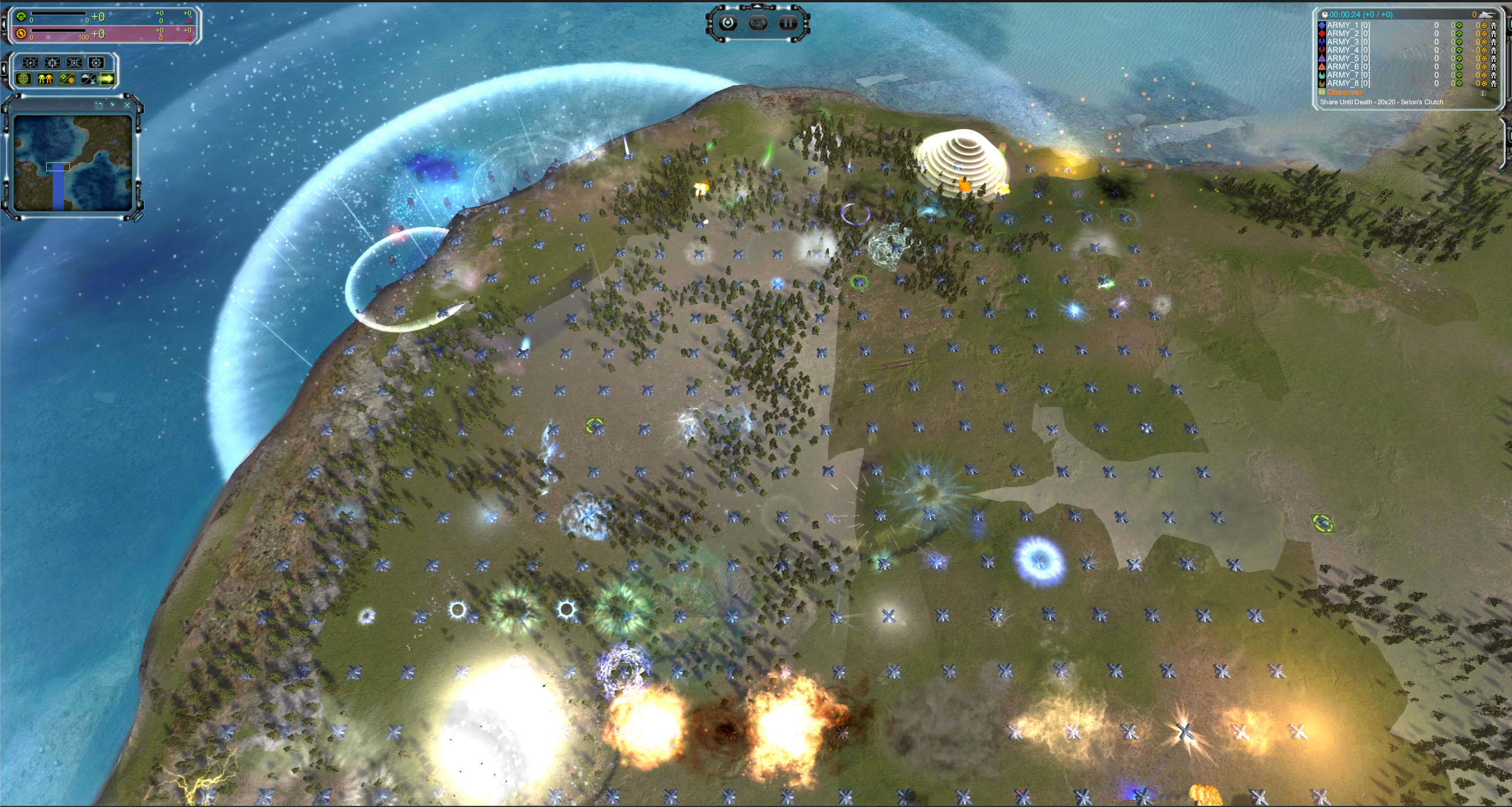
Actually I believe really you need to see the Video to really do particles justice
https://youtu.be/qlK1FC12H1oMap gen
the map actually looks correct (or more so) now.
Before
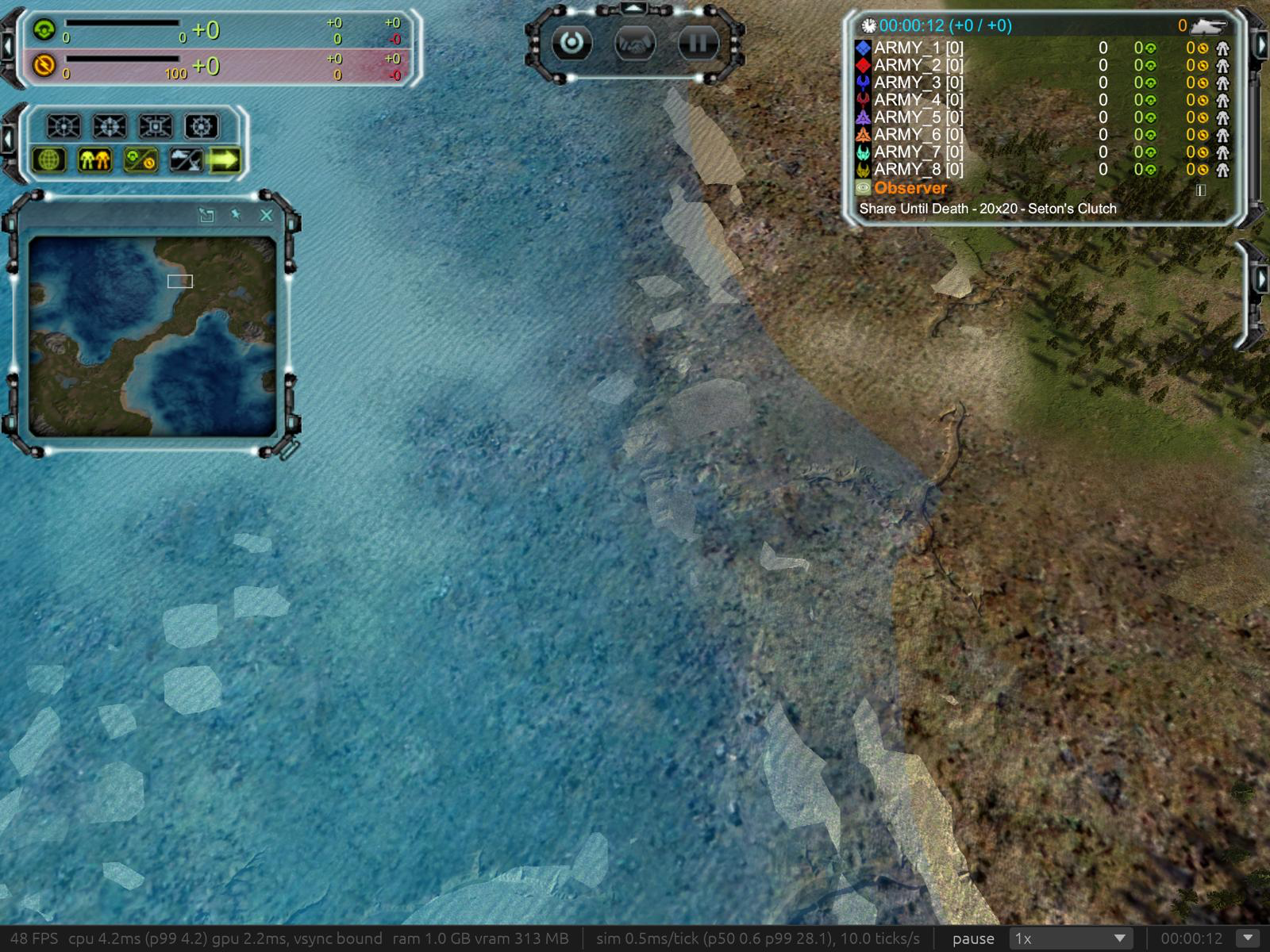
After!
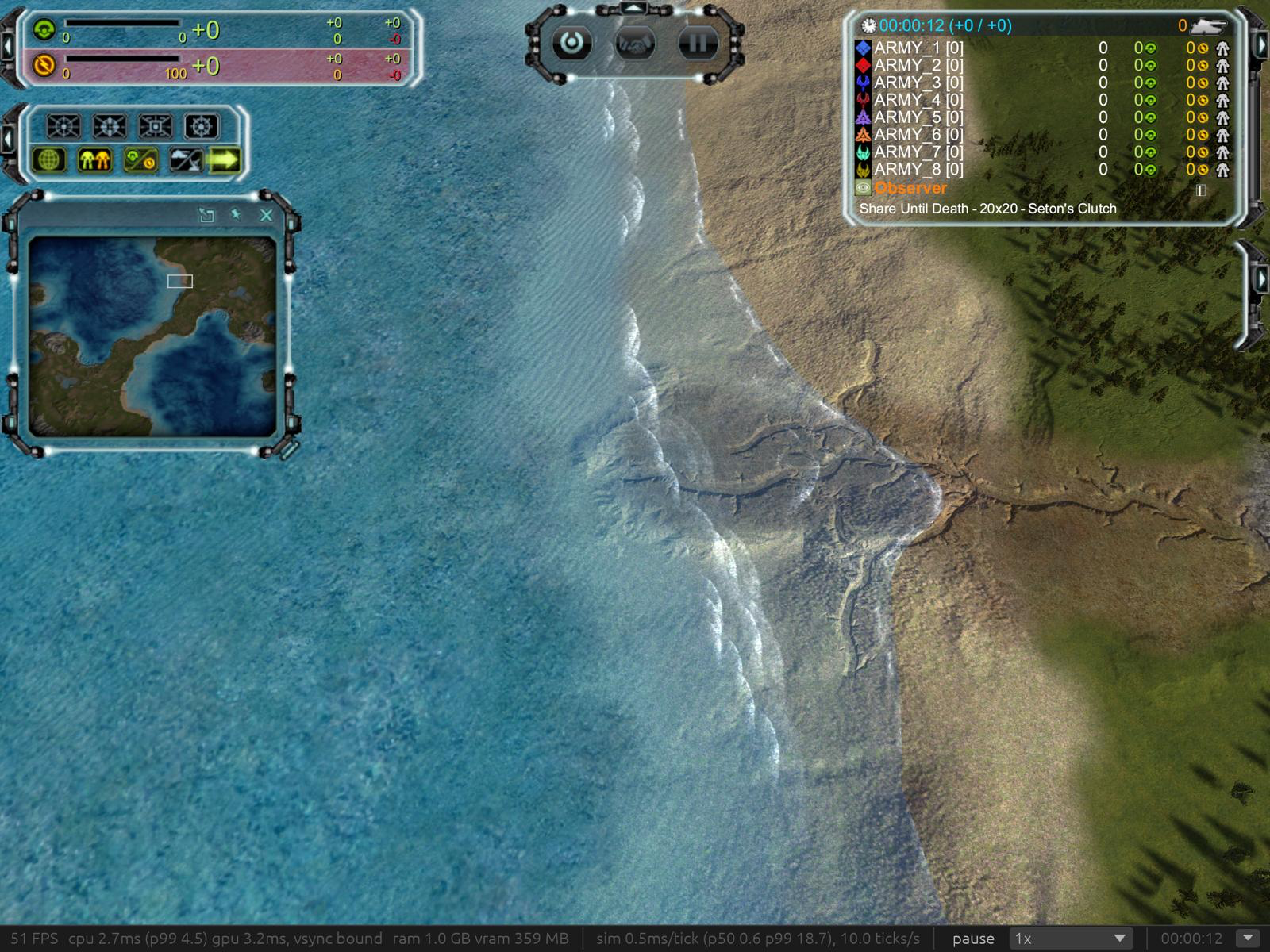
Before
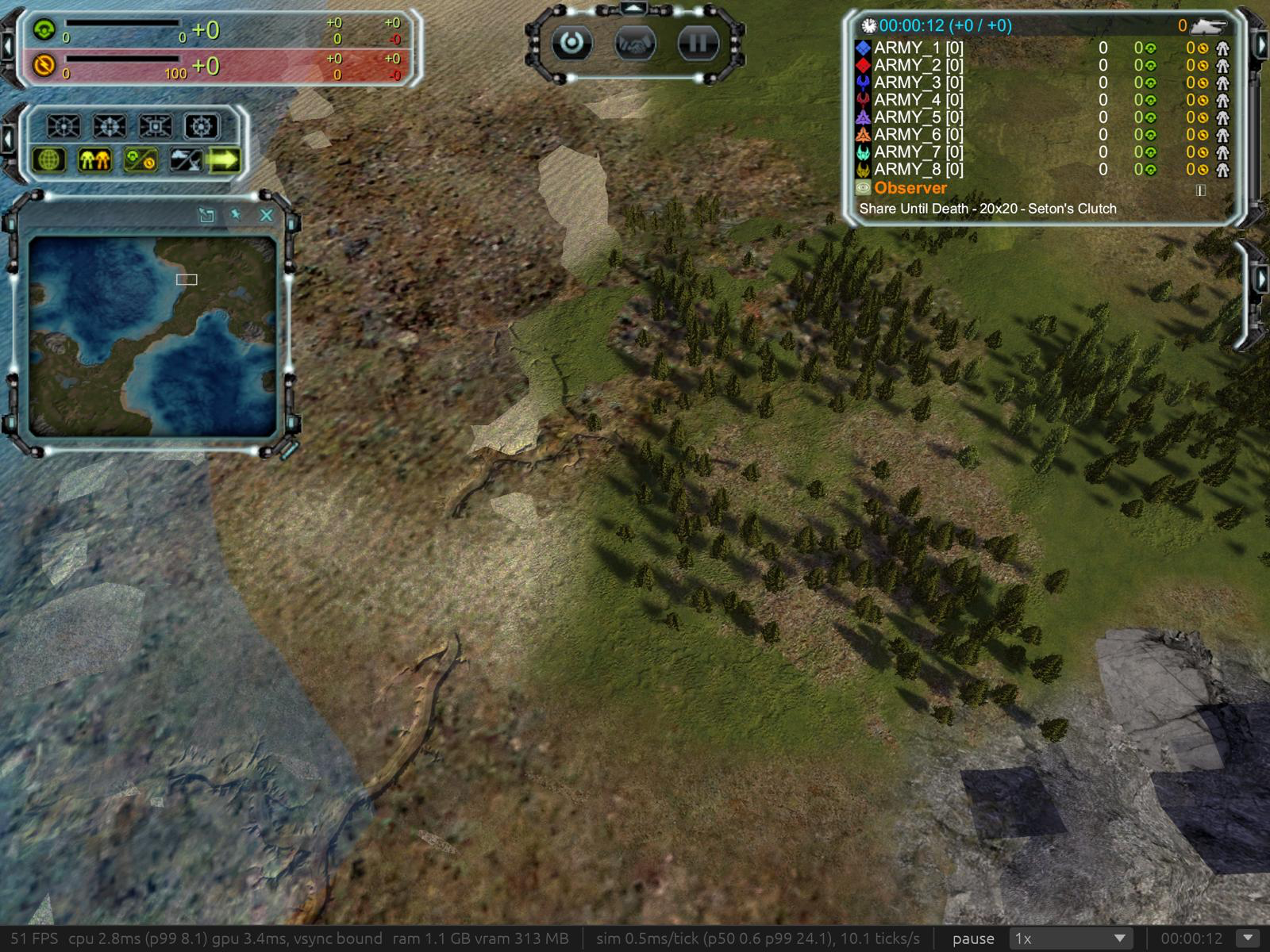
After
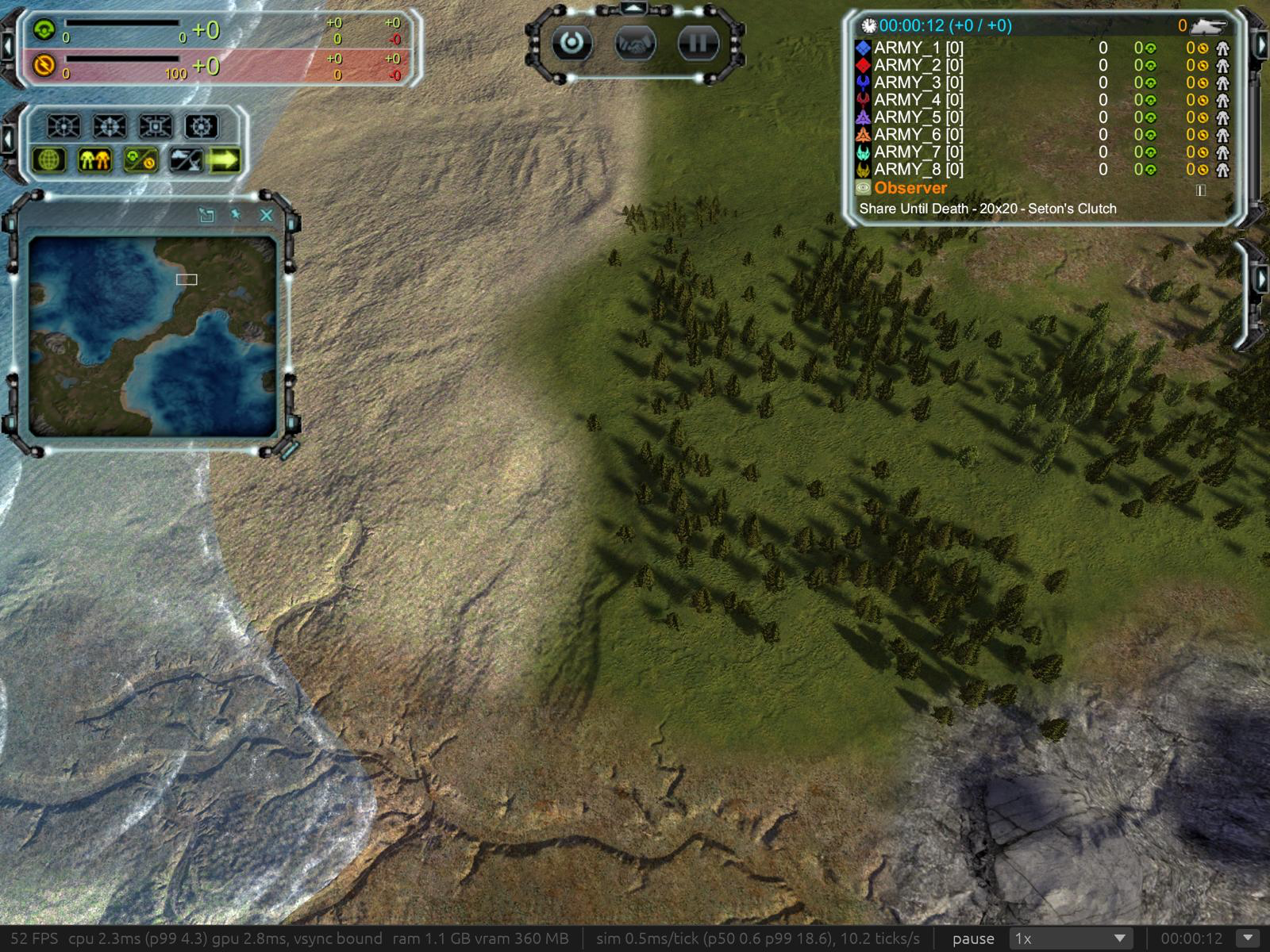
Before
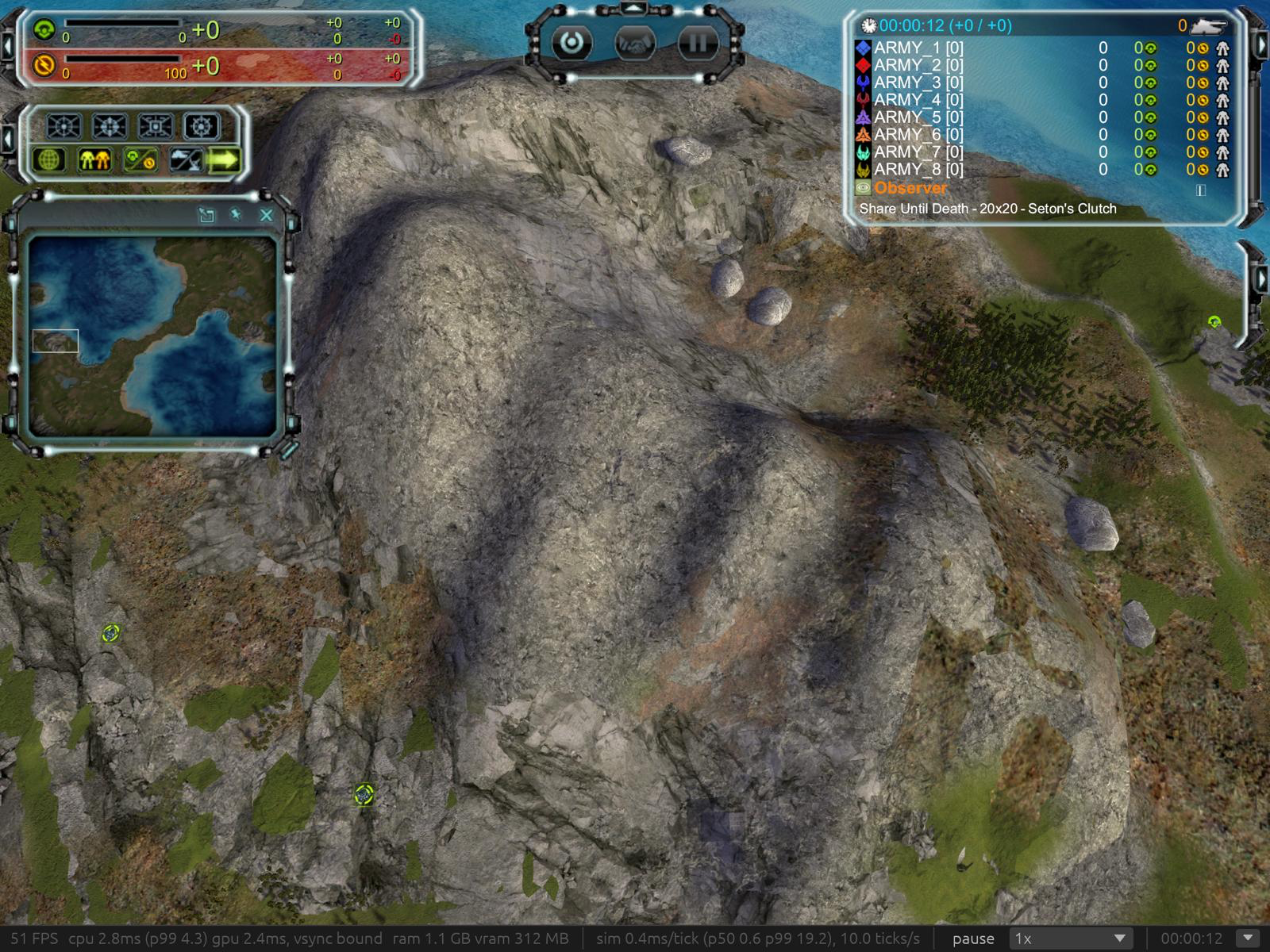
After
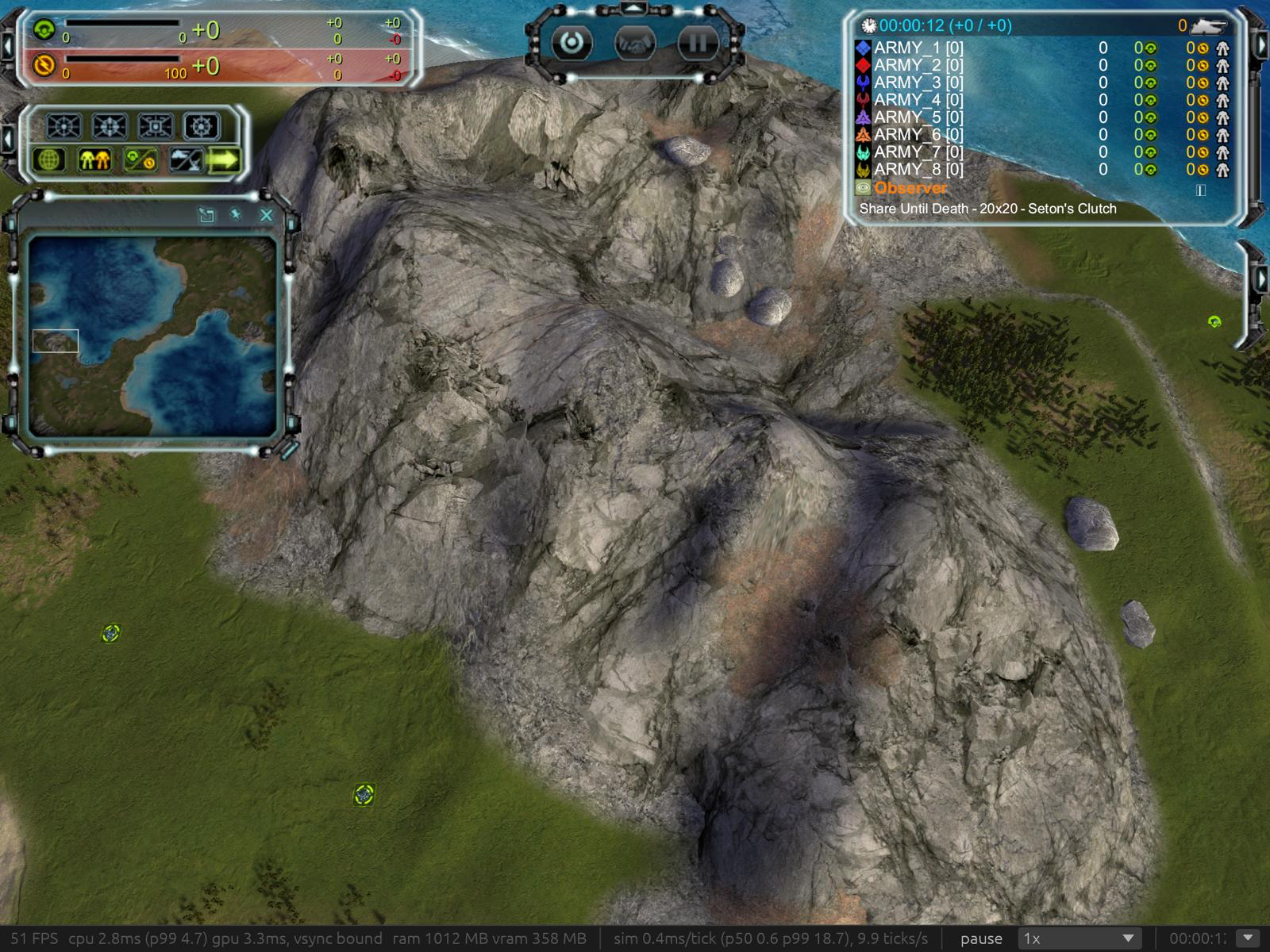
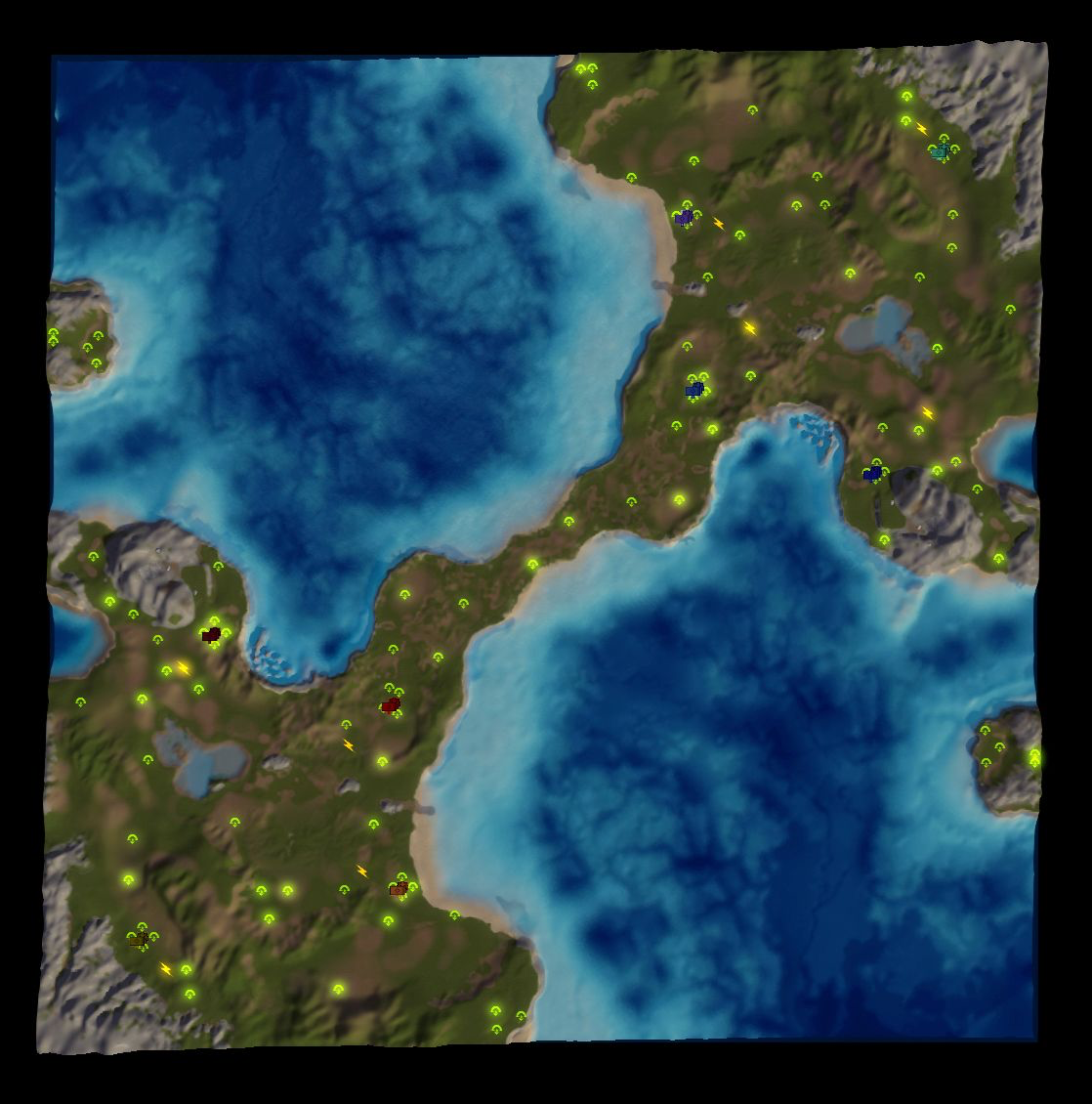
Glowing Mexs!
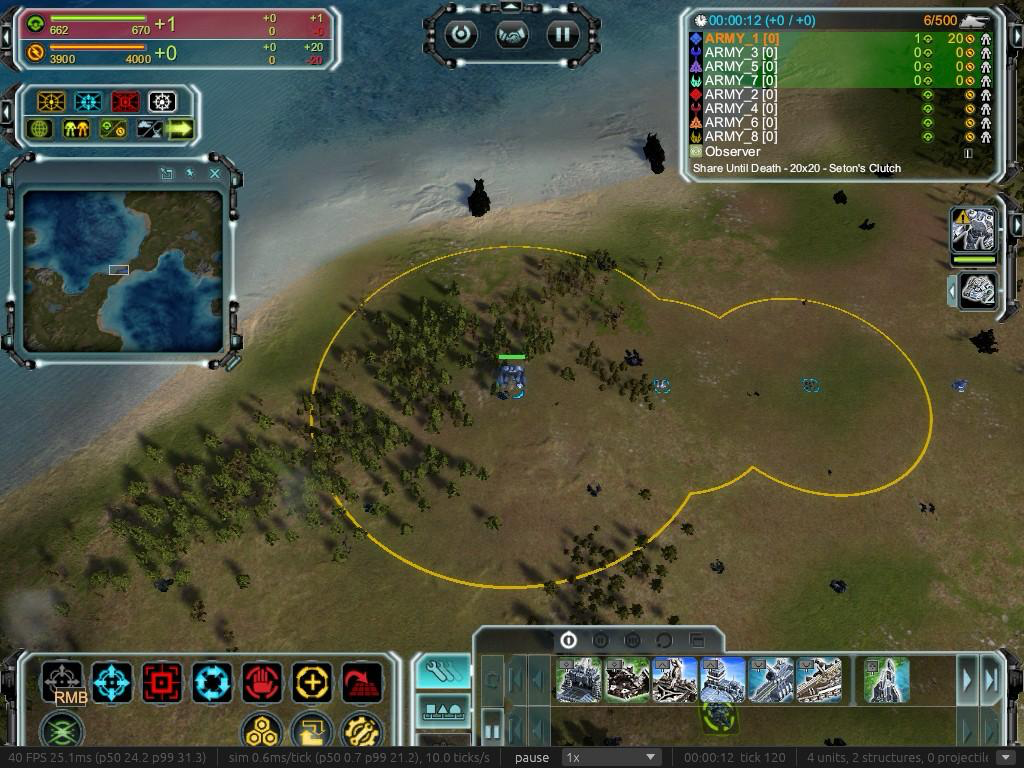
Rings!
Now they work for hover and select, and just generally work
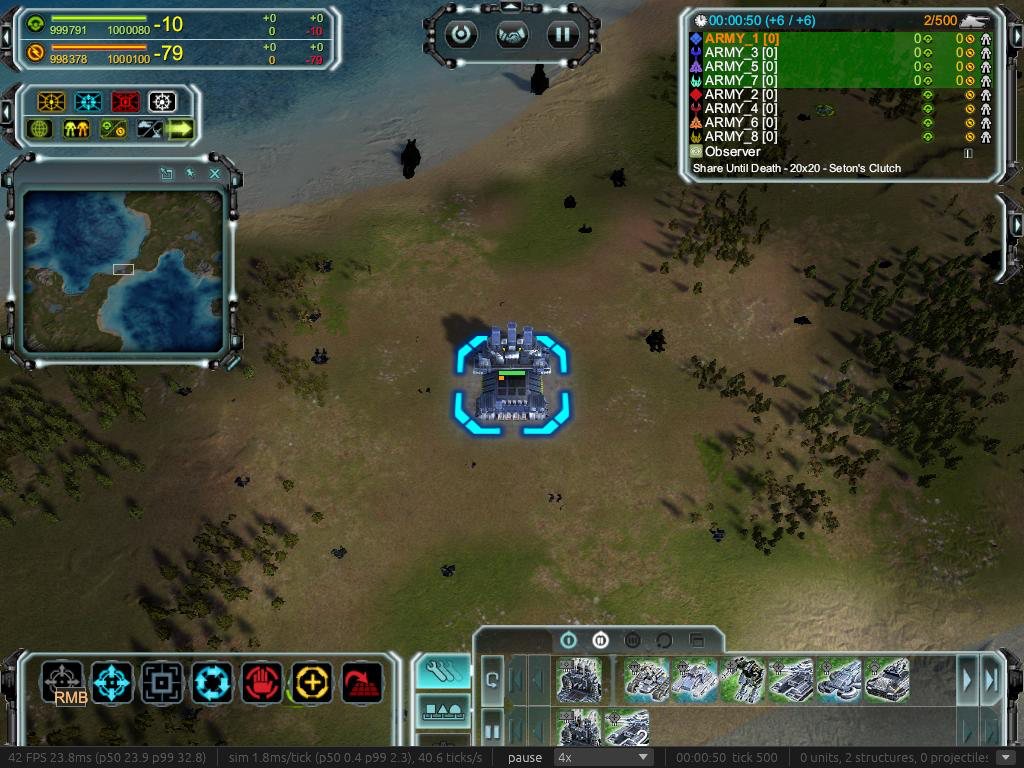
Factory upgrades
Gone are the days of waiting for factory to upgrade before queue those machines are war, now you can queue up builds as you would expect
The un pictured rest
- you can queue mex upgrades
- upgrading radar no longer shows the next ring level
- reclaim numbers now show in the ui
- you can no longer click on enemy units to see their orders! what a shame cheating will never be so easy again.
- engineers will now help the target they are assisting when that target assist
- random bright boxes on dying aircraft
- veterancy works!
- macos track pad scroll no longer sends you for a spin
- Some better fps stats, we now list vram, ram usage, render cpu and gpu time (this screenshot is from the 64k air fight)

-
And another quick update with a requested 10k vs 10k airfight video

https://www.youtube.com/watch?v=BrD_8Py4gX0
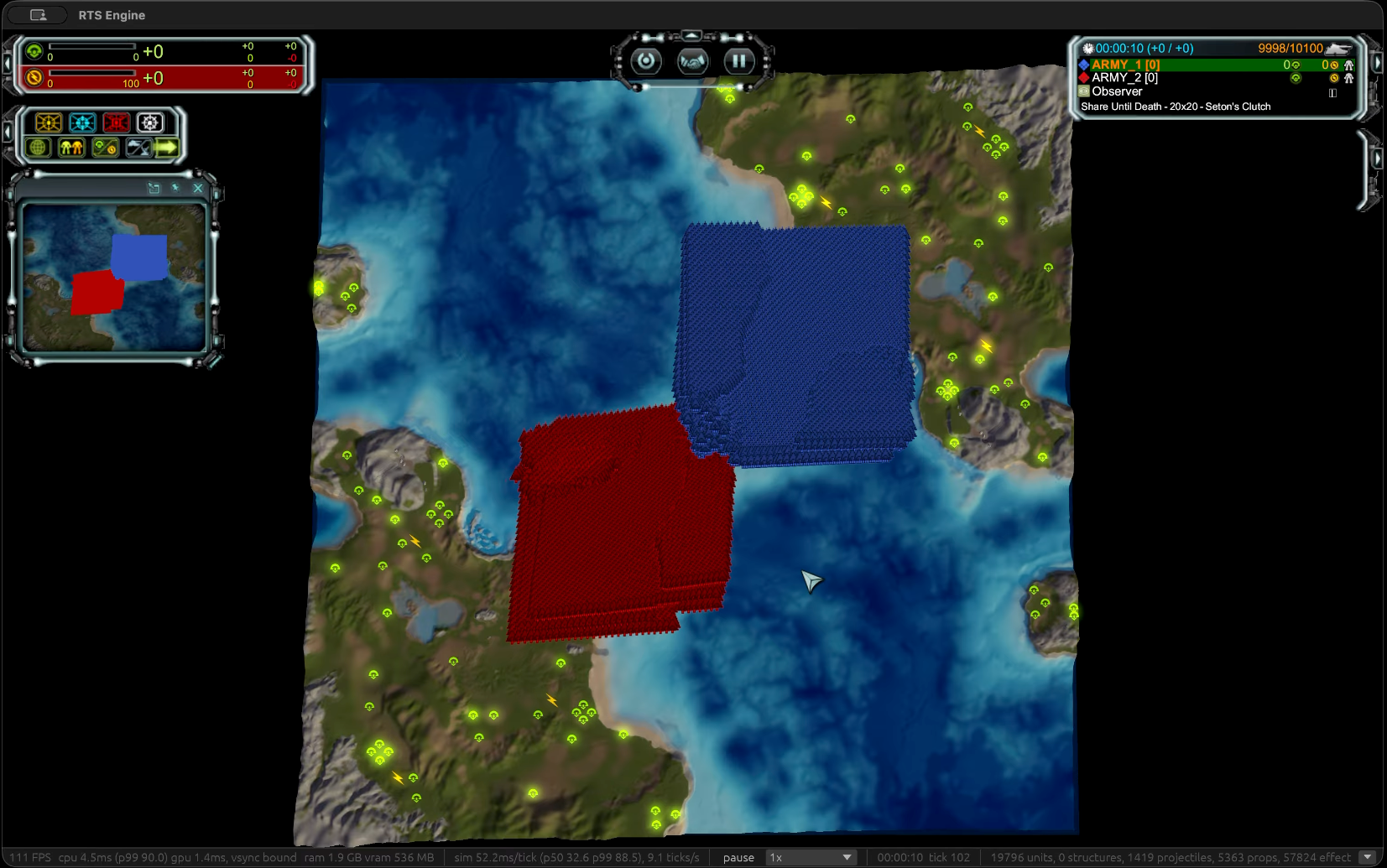
the dead rest...
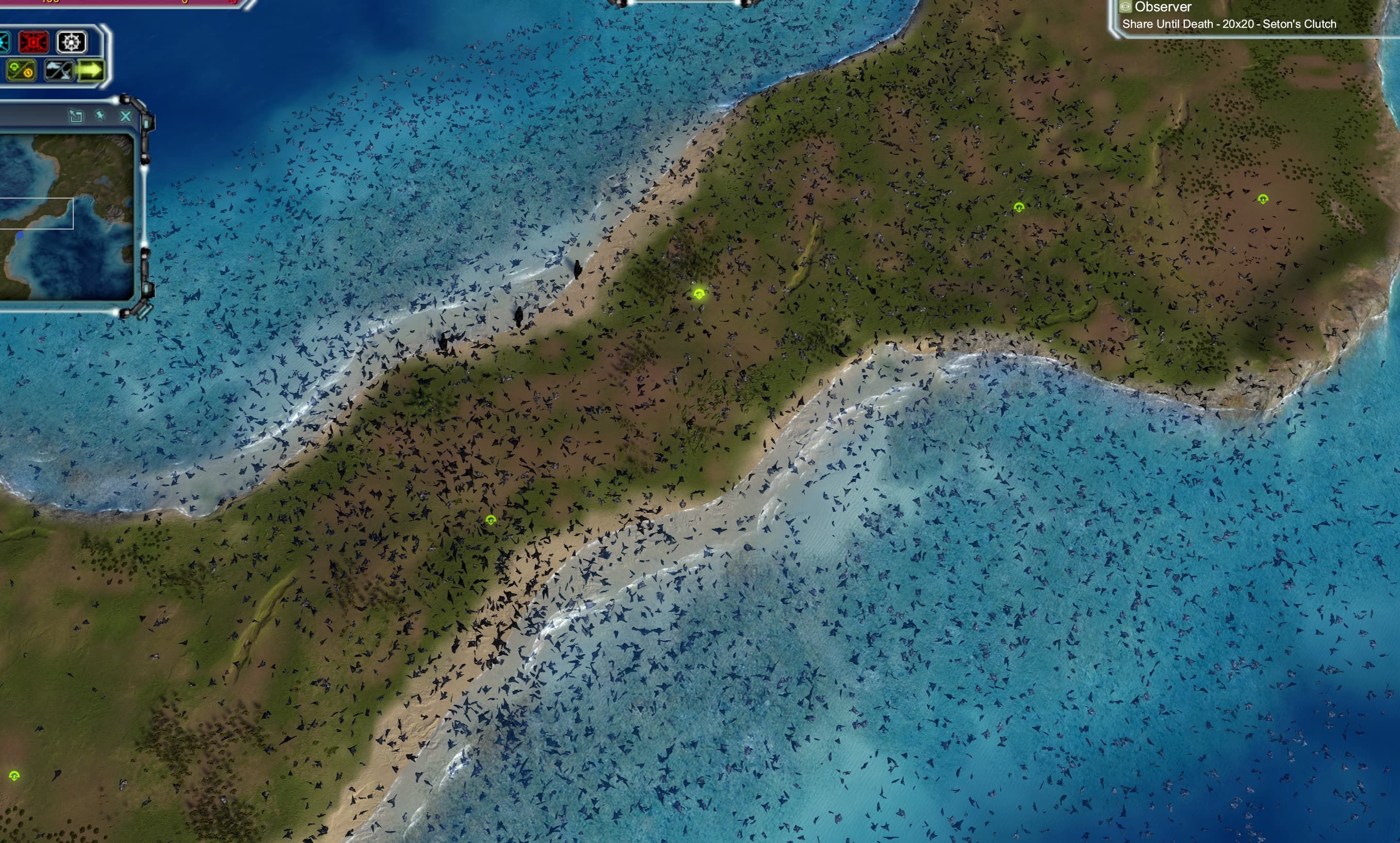
-
10k v 10k v Youtube compression
-

-
This is fantastic! When I heard about recent AI reverse engineering progress, I instantly thought of Moho. So happy that someone is already doing it!
-
This is great!, I was hoping someone would take on this challenge you get my vote and support! keep going!.
-
Well I ususally say pics or didn't happen. But in this case I'd rather say code or didn't happen

-
Well I ususally say pics or didn't happen. But in this case I'd rather say code or didn't happen
This. Please share the code!
-
Did I just read that we could potentially get rid of p2p?
-
Great Work! I was happy to play it easily on my Mac mini. Very impressive what has been done so far. I came along with these bugs so far:
-
The integrated mod "x2" which doubles the incoming resources seems not working, as the resources staying normal even when this mod is activated
-
Sometimes units are built and they are invisible. This happens when you select e.g. factory to build 10 technicans or other units, then the first unit is normal as expected, but every further unit is invisible. Often these units staying stacked in the model of the factory. I didnt tested all factories, but when building multiple T3 battleships, they are not invisible, but e.g. on air factory i got this error with multiple units.
-
When Cybran T4 Soul Ripper is in attack range of an enemy unit, it prioritizes the attack more than moving commands by me. It is then hardly control-able. Often it is attacking the enemy until it is dead, and then i can control it again.
-
Is the damage of the T3 Anti-Air-Sam-Cannon normal? When 5 SAMs attacking 1 T3-Gunboat and they needed 30 seconds to finish it, the damage seems kinda small.
-
Air-Transporter dont seem to be able to transport units? Units can be selected to support the transporter, but i cant get them into the transporter.
-
When air troops are dying, they are crashing into the ground, and sometimes their object is still clickable, showing 0 lifepoints.
-
-
Truly very impressive.
It’s genuinely fascinating to see what this community can achieve through a great deal of ambition and experimentation.
I’m excited to see what this project will bring about in the future.
Keep Up the great Work. -
The Binaries
Mac
https://upload.disroot.org/r/XHFvbT4s#ZaPwUTGTjpmK0IlKXyW8N1f8c9Qu5JgVboD8USbDzxk=
Windows
https://upload.disroot.org/r/M0EnT4kb#Ws6EFNfzgC0s/xGGYsIdzgoQNjfmCodVQ6fozlJDfjQ=
Linux
https://upload.disroot.org/r/tuUFTLuT#27oozpFjzTrcIzBS1lY/AeicAgDbtqv5ns460MpwebQ=
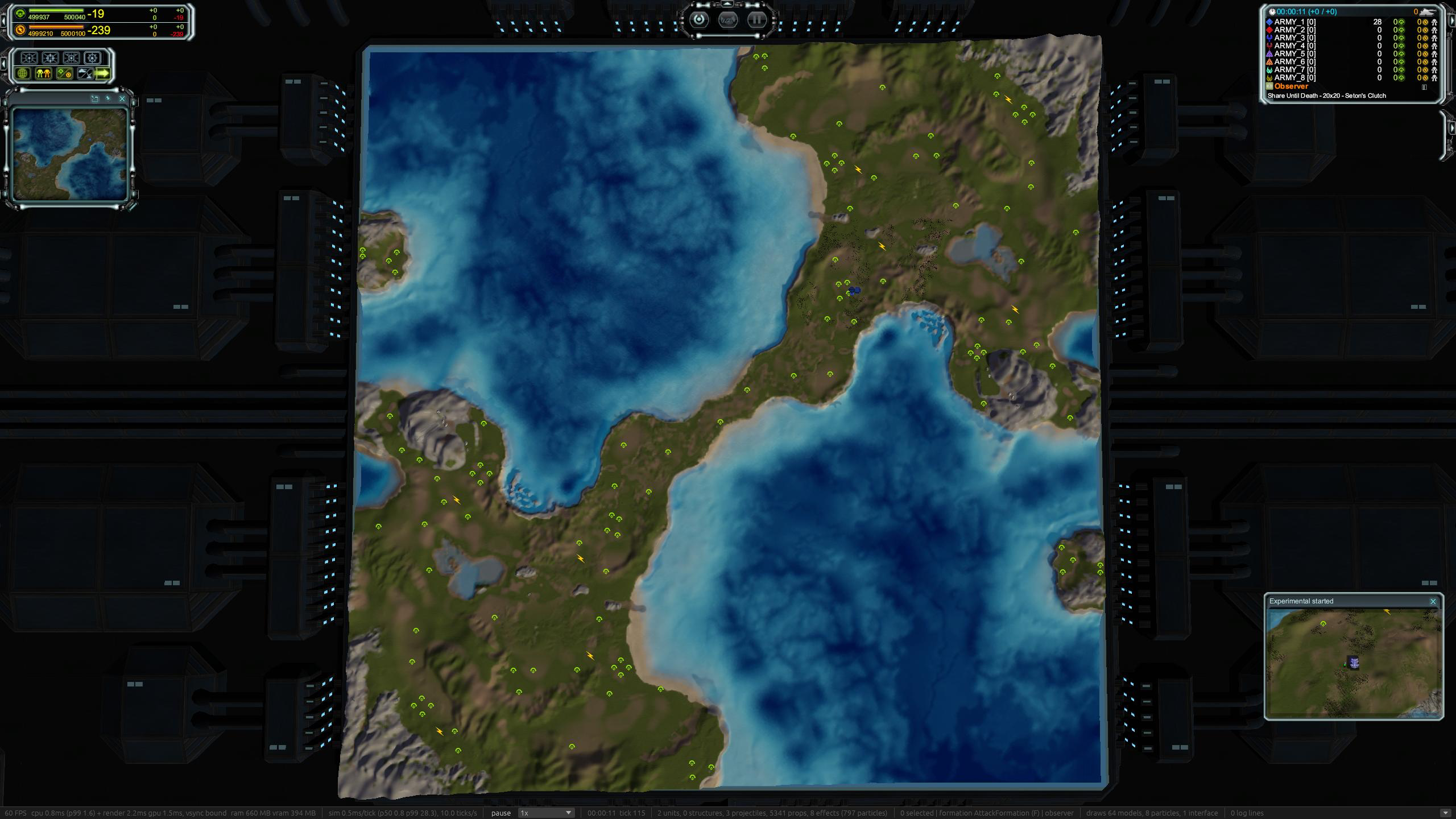
Picture in picture
This is a cool new feature, I was mainly thinking of casters for this.
Now on major events, such as your team building an experimental, or an acu dying, you get a picture popup that you can click on to view the location. it also supports modding, so modders can make new events, I've included an example mod that tells you when your acu is below 10% hp. (I'll make a follow up post about this, as I'm not sure i like the api...)
of course this is all toggleable in the settings, and I'm super open to feedback.
Timeline on replay
Another really cool feature, that was mainly me thinking about casters again. I've added a timeline view, that lets you move to any part in the game, it also highlights key events. Such as (ACU death, Exp built).
Allows you to zoom to selected events, and will shift the camera to just before.
It does support rewind, but at the moment it restarts the game and fast forwards, in the future we could save out keyframes, but i want to avoid game serialisation until later as its a source of endless bugsI have more ideas for this one, but just wanted to get something basic in for now.
like above this is a setting as well, it can be on either main or second screen, or just turned off.
You can see a video here, although the ai playing makes the scrubbing a bit slow
https://youtu.be/aOz7DxAPm28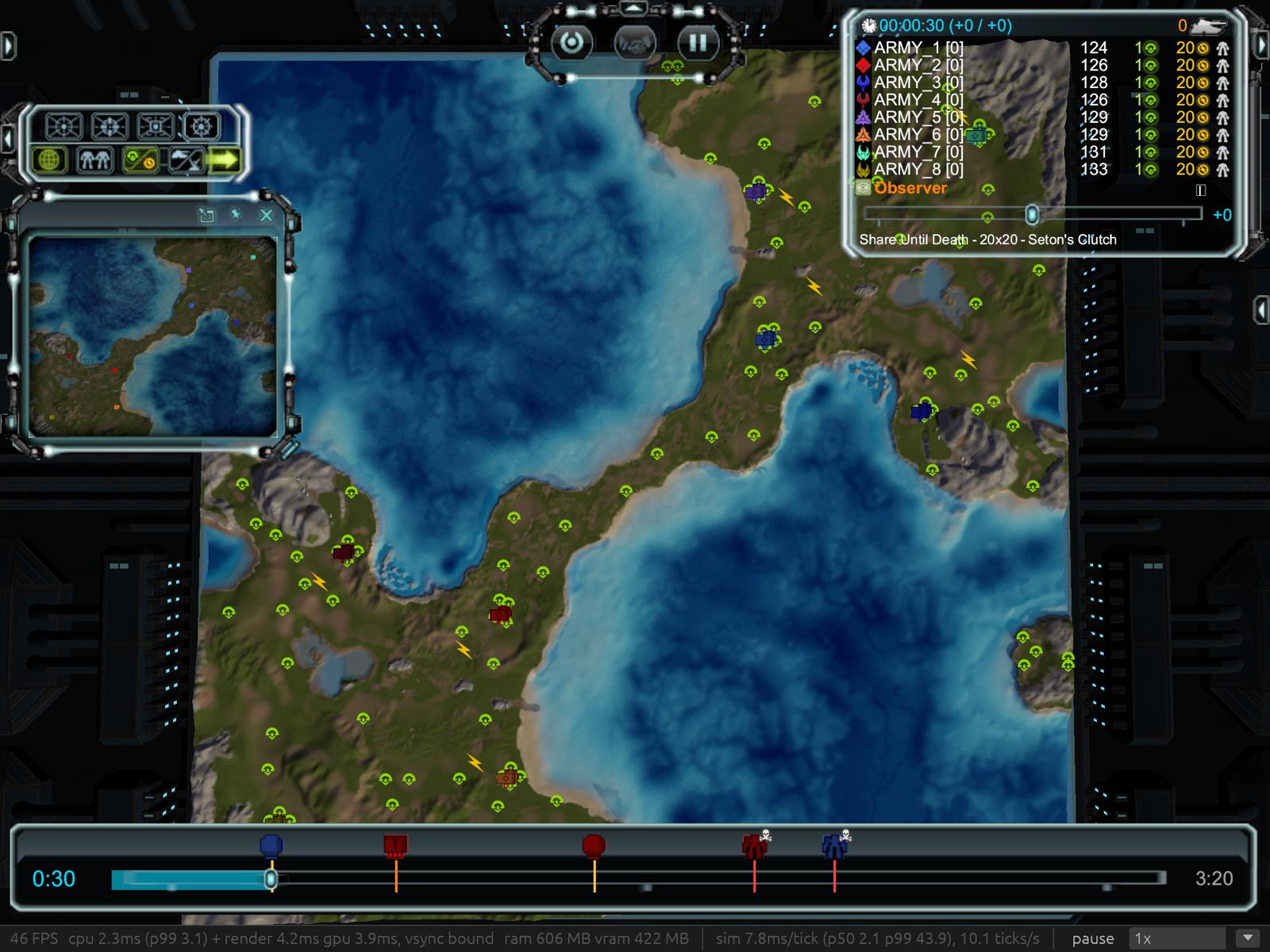
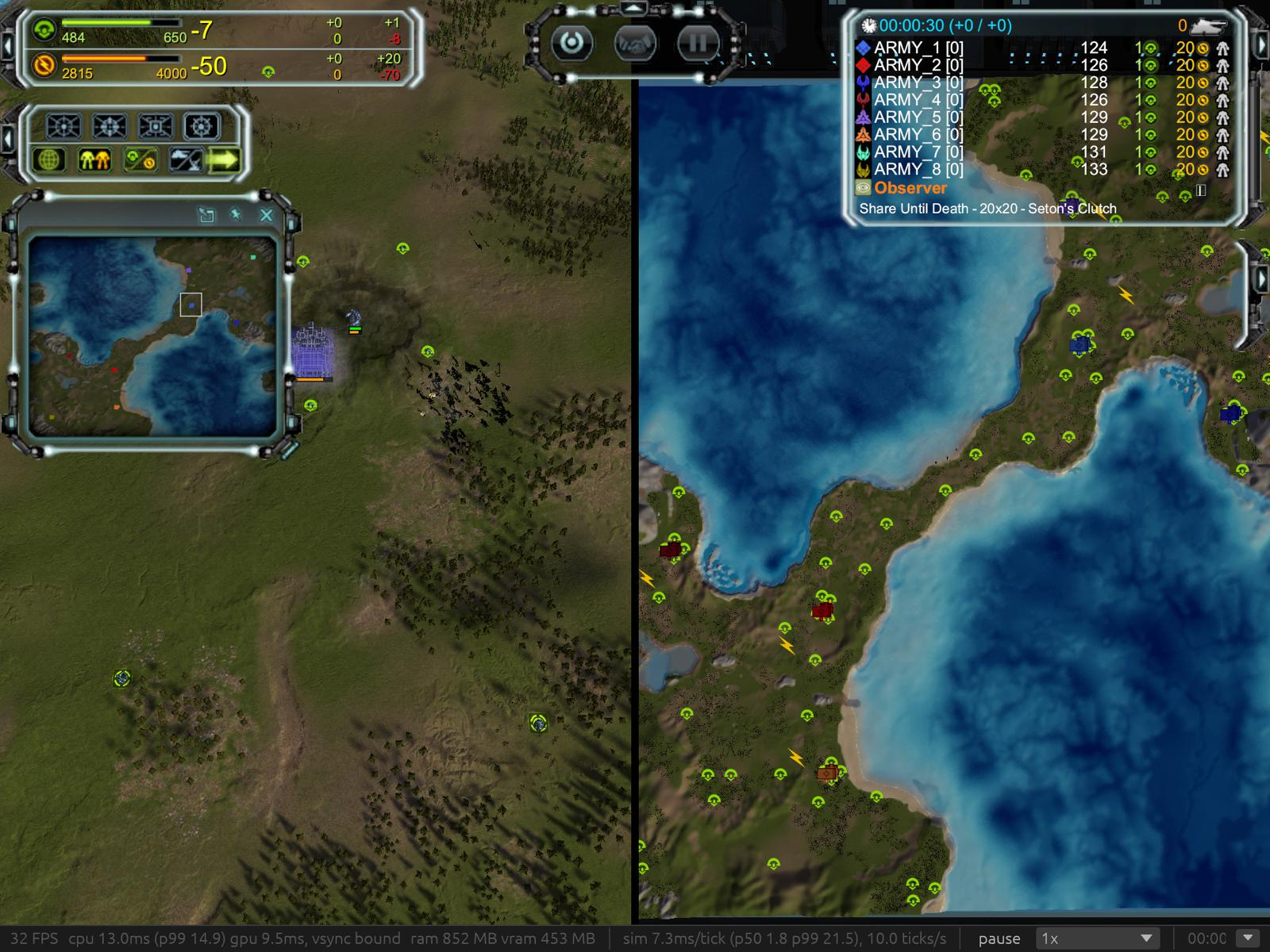
Split screen! and Dual screen!
This was a fair amount of work, and I'm sure will need more testing. It will work on different refresh rate screens with each screen running at its max speed. You can now in the settings set which display is main and secondary screen.
If any one has a 240hz-480hz I'd love to know if it can go that fast
Mod support!
I haven't tested with blackops, but certainly the inbuilt x2 resources now work
Lua documention!
This one is also really nice.
thanks to rust macros, the apis from the engine to the lua, are now auto generated, and output both to luau type file and a emmy lua file that faf uses, I love this sort of feature, it should help things stay in sync, and of course helps me compare my api to fafs
here's an examples of it on the rust side, then the luau and the emmy lua outputthis rust adds the ChangeMaxRadius method to the weapon class, that comment is auto put in to the lua docs too
    lua_method!(lua, moho::Weapon,
        /// Sets the weapon's maximum range (world units) and refreshes the unit's attack range.
        ChangeMaxRadius = |lua, (this, r): (Obj<moho::Weapon>, f64)| {
            with_state(lua, &this, |w| w.max_radius = crate::engine::sim::math::from_lua(r))?;
            refresh_attack_range(lua, handle(&this)?.unit);
            Ok(())
        }
    )?;
Then the generated luau types (a snippet of them)
declare extern type Weapon with
    --- A weapon dies with its unit.
    function BeenDestroyed(self): boolean
    --- True if the weapon is enabled and its fire clock has run out.
    function CanFire(self): boolean
    --- Overrides the weapon's damage.
    function ChangeDamage(self, damage: number): ()
    --- Sets how far (degrees) the turret may be off target and still fire.
    function ChangeFiringTolerance(self, t: number): ()
    --- Sets the weapon's maximum range (world units) and refreshes the unit's attack range.
    function ChangeMaxRadius(self, r: number): ()
the emmylua type
--- Sets the weapon's maximum range (world units) and refreshes the unit's attack range.
---@param r number
function weapon_methods:ChangeMaxRadius(r) end
while I'm sure this is far from perfect, it's just a fantastic example of little things that really can help a project stay manageable, in another time/life, this would have all been manual work of someone.
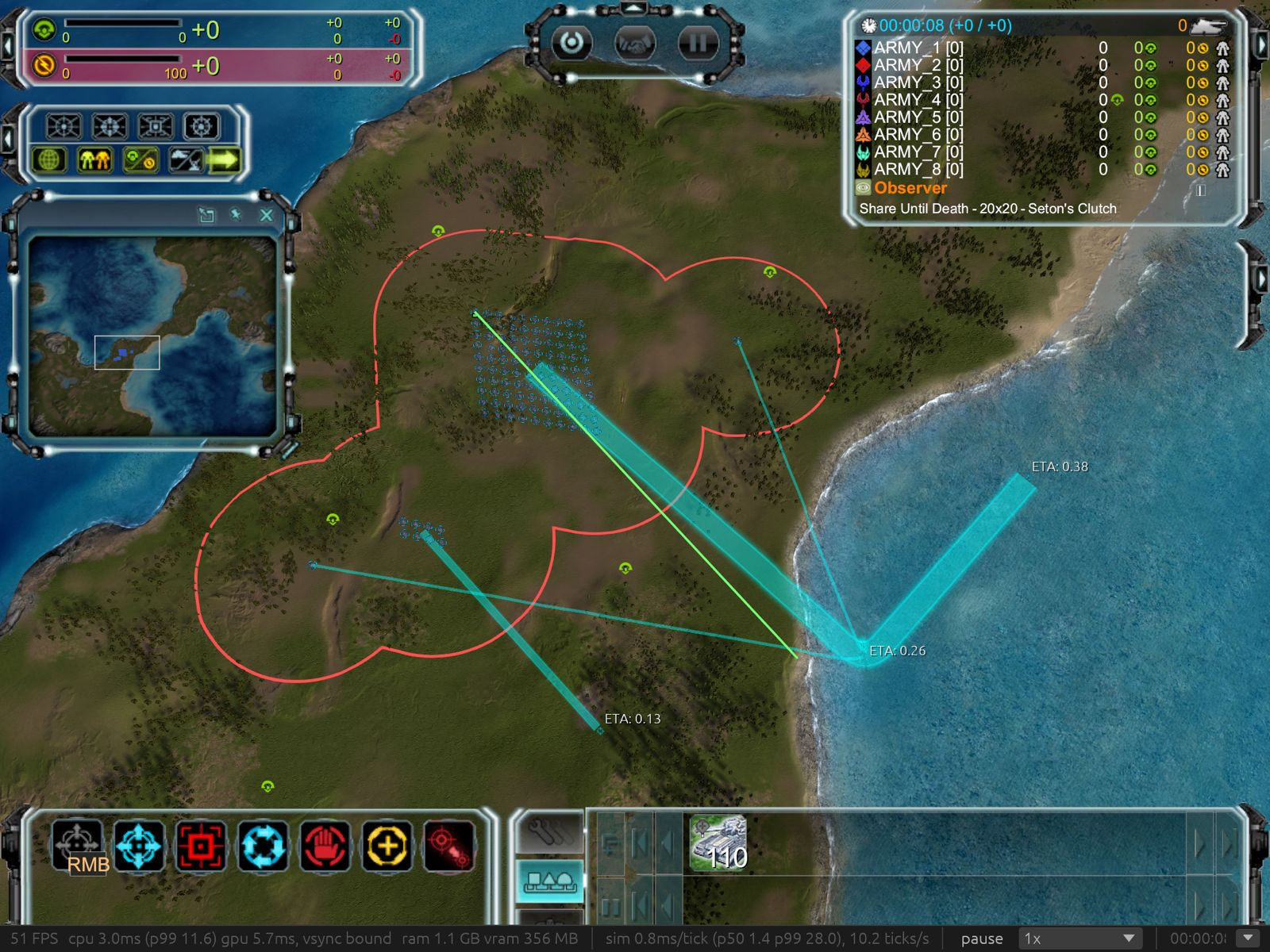
Merge order lines for units sharing a first waypoint.
No more 10k lines over the map causing massive lag
Perf
(I always strive for faster, not only does it mean higher end pcs will run it faster, but it unlocks lower end devices, which is just as important)
Faster startups for lua transformaions
in order to support fafs old lua under a new lua vm, I have to translate the lua.
some things can be done very fast and quickly using find and replace, others require full parsing of the lua scripts which is really slow, I now do a quick check before fully parsing a file to see if the find and replace route worksscripts/translate all FAF .lua (2,798 files, total cpu time over all cores) 538 ms -> 129 ms
scripts/translate Unit.lua 12.1 ms -> 6.65 ms
Headless startup, user CPU 3.62 s -> 2.68 s
Script prewarm wall time (16 cores) 289 ms -> 196 msBetter thread pool allocation
I've then rejigged the thread pools for the engine, taking in to account low core machines, this has helped the startup time on low core machines. (its a small amount, but poco a poco
This is limiting the cores to 4
Headless time to game start 2.23 s -> 2.12 s
Script prewarm 726 ms 624 msTexture loading
Texture loading, textures are now all streamed as efficiently as possible to the gpu, minimising copies, and shifted off the main render thread to worker threads
Render thread upload models ~675 ms -> ~60 ms
Worst frame in upload models 13–21 ms -> ~1 mstotal texture load time (this is limited to 4 cores)
1,465ms -> 658msTerrain loading
we now load terrain much faster, and also much less work is done on the render thread
and when map elevation is changes such as placing a building.81km map (again on a simulated 4core machine)
map textures uploaded (time from launch) 8.4–11.8 s -> 1.4–1.8 s
terrain change, render thread 23–38 ms -> 0.17–0.64 ms (worker: 4–8 ms)Bugs and features
- killed units now stop showing their stragic icons and are no longer selectable
- lods are now based on the distance to the plane of the camera, instead of the camera location, so no more circles of trees
- all of fafs graphics settings are now supported (with bumps to shadow mapping as I now support 2k shadow maps instead of 1k)
- we have edge of map mesh now!
- paused builder updates progress and finishes when assisted
- reclaim progress bar now
- units move clear of a build site before construction starts
- build range needs only touch the target's build skirt
- units being built in a factory are no longer selectable
- box selection leaves out engineers when other units are in the box
- Novax satellite beam reaches the ground, satellite holds its height as well, instead of bobbing up and down
- part of this fixed area damage, which i think effected other units as well
- preferences are saved, and FAF's preferences are now imported on first launch
- reclaim labels show (Alt-R)
- interface settings now work
- Half-built Fatboy - engineer assist offers repair, not the transport cursor
- factory assist takes the queue and destination of the factory it assists
- fixed no borderless windows on windows (how truly awful I let this even pass... serves me right for mainly testing on windows)
- fixed bombers not dropping their bombs
- fixed auto attack on idle, e.g. bombers moving around in their range to hit things




Hello! It looks like you're interested in this conversation, but you don't have an account yet.
Getting fed up of having to scroll through the same posts each visit? When you register for an account, you'll always come back to exactly where you were before, and choose to be notified of new replies (either via email, or push notification). You'll also be able to save bookmarks and upvote posts to show your appreciation to other community members.
With your input, this post could be even better 💗
Register Login