Supcom/Moho engine rewrite
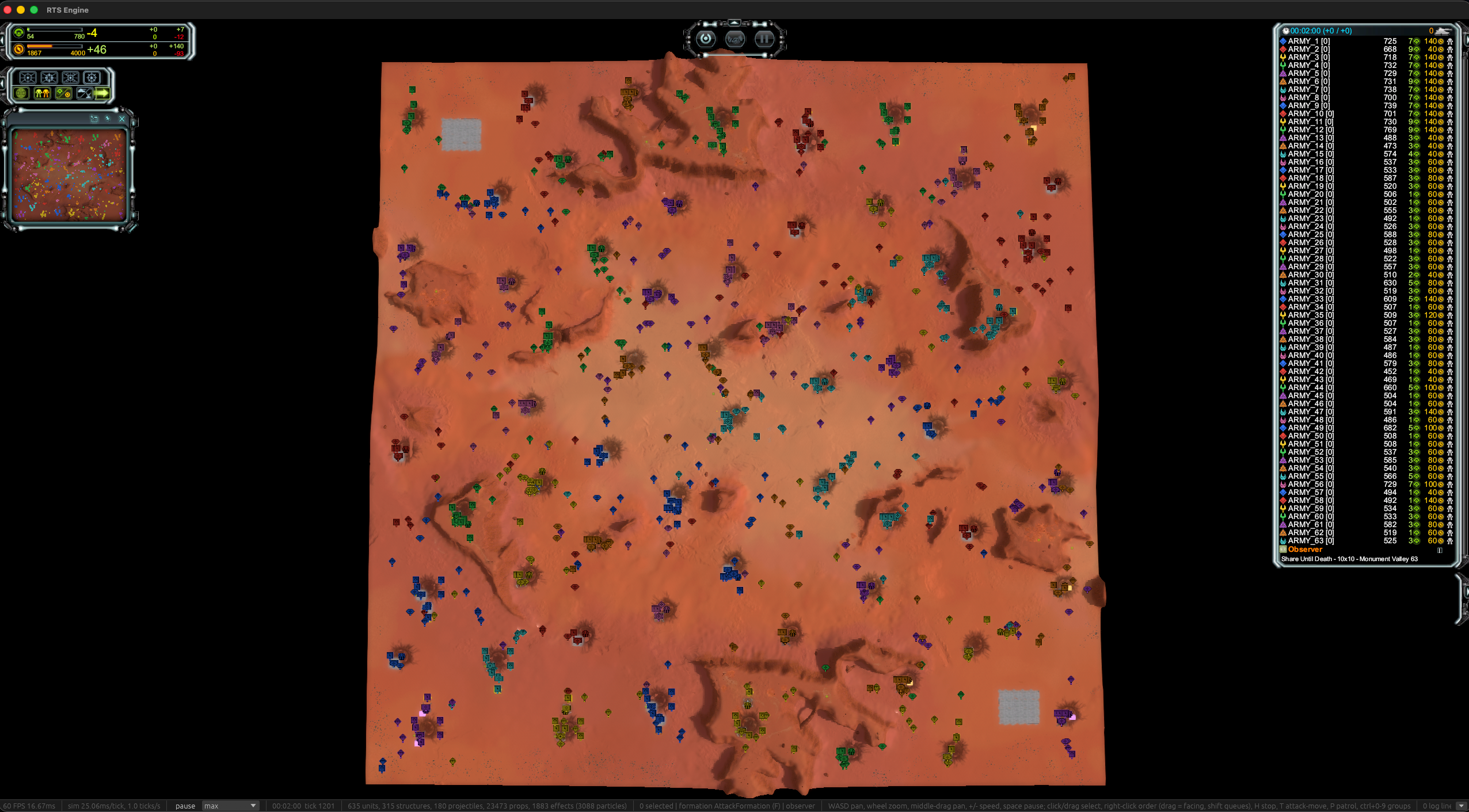
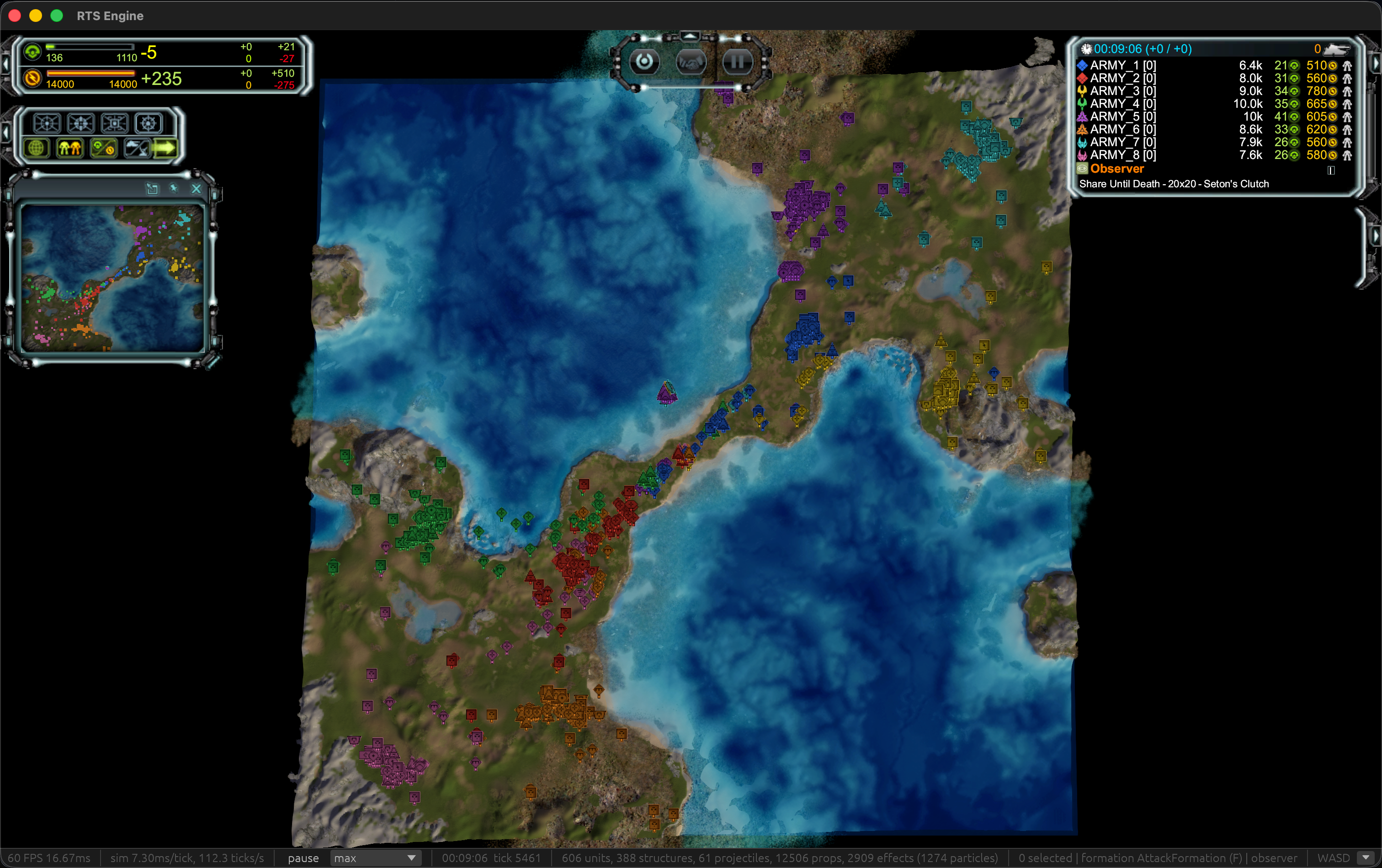
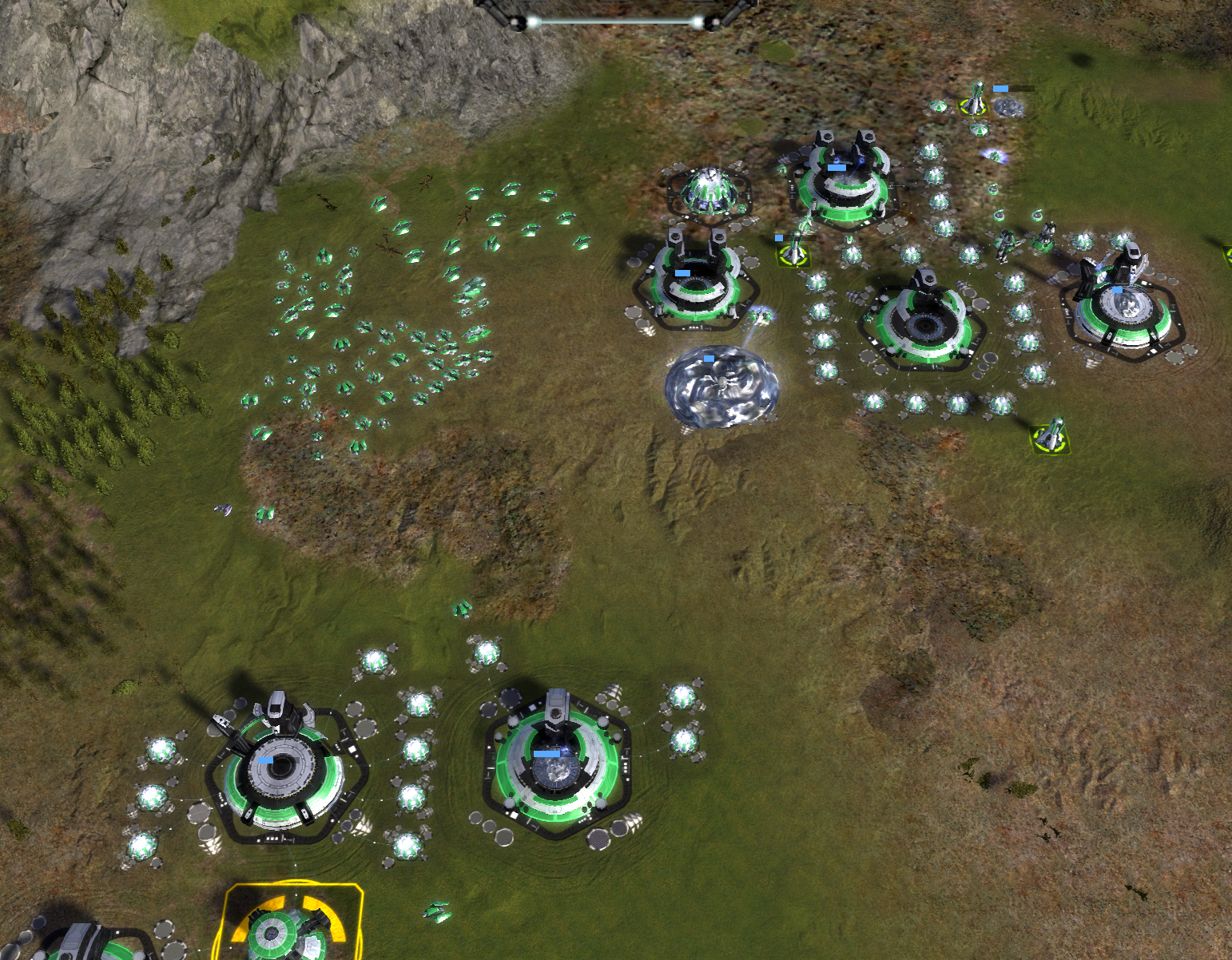
-
Great Work! I was happy to play it easily on my Mac mini. Very impressive what has been done so far. I came along with these bugs so far:
-
The integrated mod "x2" which doubles the incoming resources seems not working, as the resources staying normal even when this mod is activated
-
Sometimes units are built and they are invisible. This happens when you select e.g. factory to build 10 technicans or other units, then the first unit is normal as expected, but every further unit is invisible. Often these units staying stacked in the model of the factory. I didnt tested all factories, but when building multiple T3 battleships, they are not invisible, but e.g. on air factory i got this error with multiple units.
-
When Cybran T4 Soul Ripper is in attack range of an enemy unit, it prioritizes the attack more than moving commands by me. It is then hardly control-able. Often it is attacking the enemy until it is dead, and then i can control it again.
-
Is the damage of the T3 Anti-Air-Sam-Cannon normal? When 5 SAMs attacking 1 T3-Gunboat and they needed 30 seconds to finish it, the damage seems kinda small.
-
Air-Transporter dont seem to be able to transport units? Units can be selected to support the transporter, but i cant get them into the transporter.
-
When air troops are dying, they are crashing into the ground, and sometimes their object is still clickable, showing 0 lifepoints.
-
-
Truly very impressive.
It’s genuinely fascinating to see what this community can achieve through a great deal of ambition and experimentation.
I’m excited to see what this project will bring about in the future.
Keep Up the great Work. -
The Binaries
Mac
https://upload.disroot.org/r/XHFvbT4s#ZaPwUTGTjpmK0IlKXyW8N1f8c9Qu5JgVboD8USbDzxk=
Windows
https://upload.disroot.org/r/M0EnT4kb#Ws6EFNfzgC0s/xGGYsIdzgoQNjfmCodVQ6fozlJDfjQ=
Linux
https://upload.disroot.org/r/tuUFTLuT#27oozpFjzTrcIzBS1lY/AeicAgDbtqv5ns460MpwebQ=
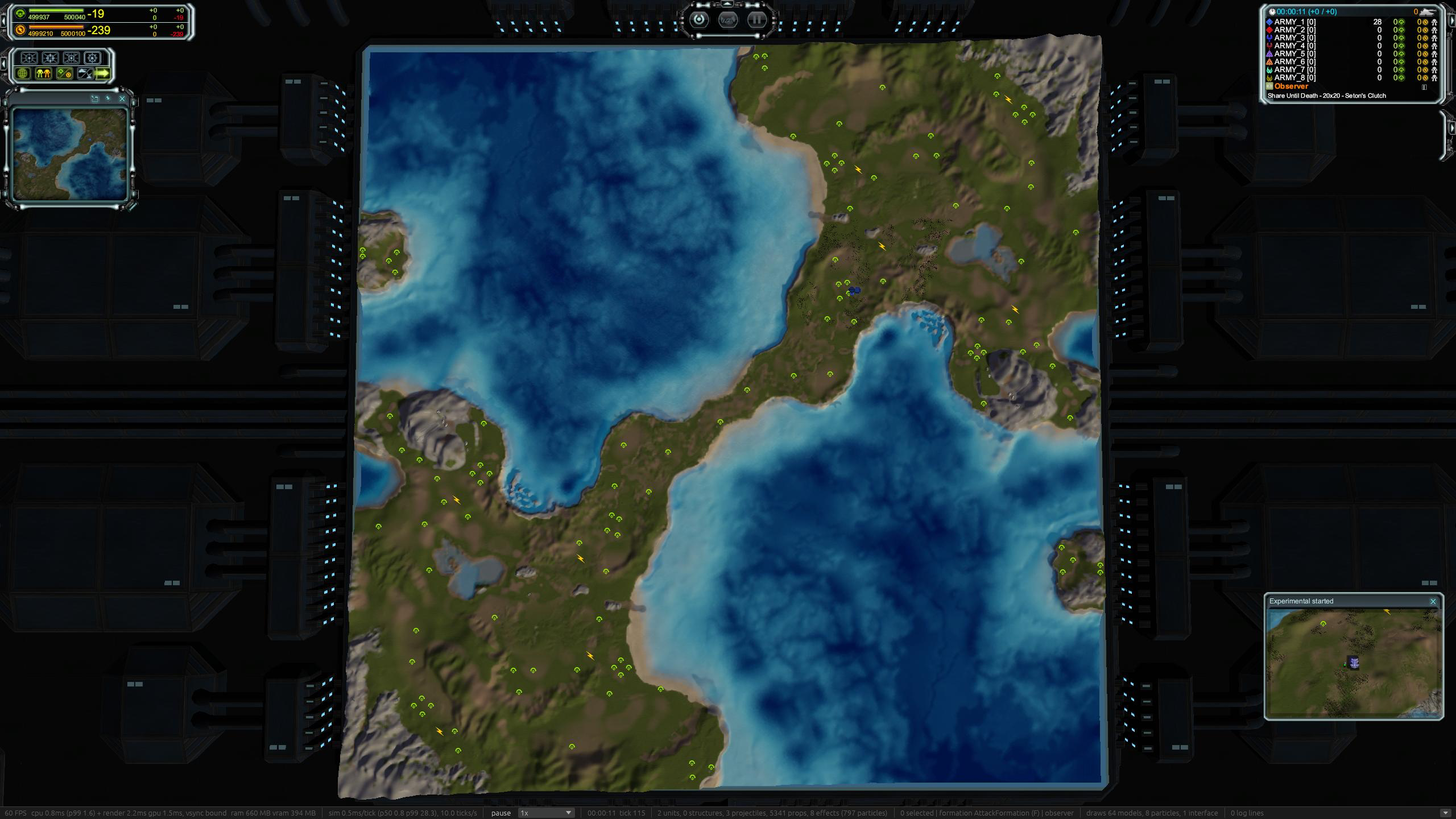
Picture in picture
This is a cool new feature, I was mainly thinking of casters for this.
Now on major events, such as your team building an experimental, or an acu dying, you get a picture popup that you can click on to view the location. it also supports modding, so modders can make new events, I've included an example mod that tells you when your acu is below 10% hp. (I'll make a follow up post about this, as I'm not sure i like the api...)
of course this is all toggleable in the settings, and I'm super open to feedback.
Timeline on replay
Another really cool feature, that was mainly me thinking about casters again. I've added a timeline view, that lets you move to any part in the game, it also highlights key events. Such as (ACU death, Exp built).
Allows you to zoom to selected events, and will shift the camera to just before.
It does support rewind, but at the moment it restarts the game and fast forwards, in the future we could save out keyframes, but i want to avoid game serialisation until later as its a source of endless bugs
I have more ideas for this one, but just wanted to get something basic in for now.
like above this is a setting as well, it can be on either main or second screen, or just turned off.
You can see a video here, although the ai playing makes the scrubbing a bit slow
https://youtu.be/aOz7DxAPm28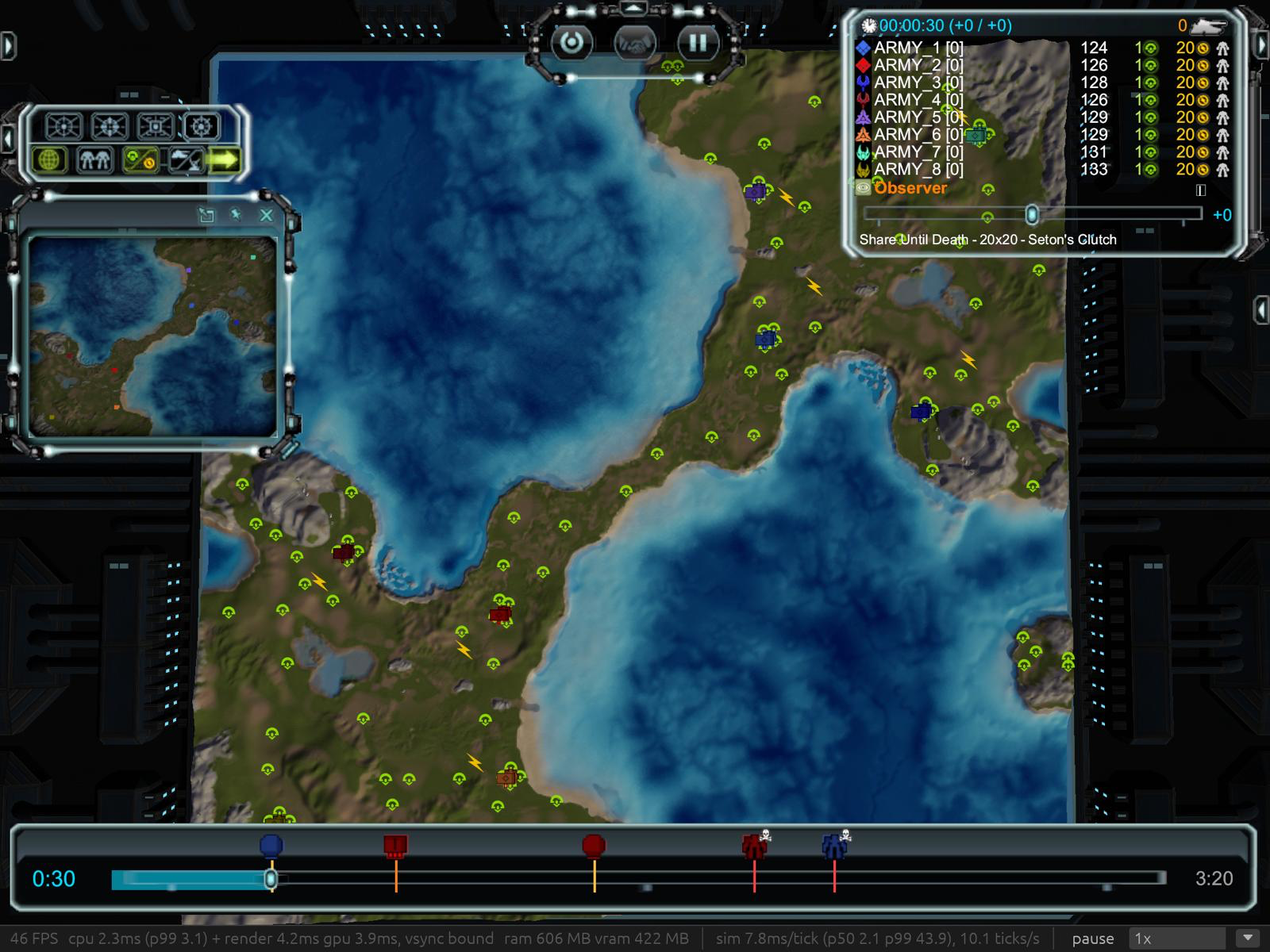
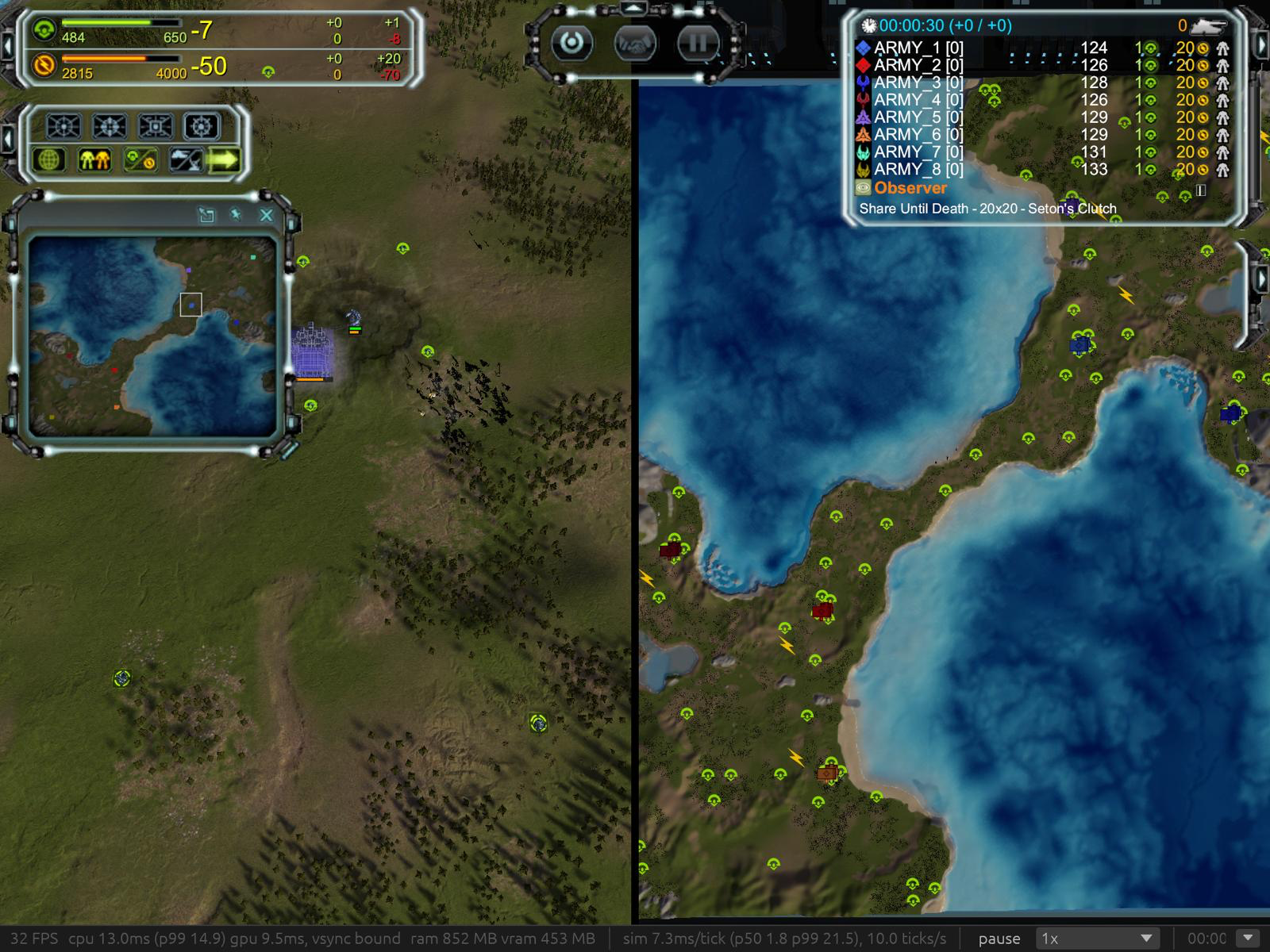
Split screen! and Dual screen!
This was a fair amount of work, and I'm sure will need more testing. It will work on different refresh rate screens with each screen running at its max speed. You can now in the settings set which display is main and secondary screen.
If any one has a 240hz-480hz I'd love to know if it can go that fast
Mod support!
I haven't tested with blackops, but certainly the inbuilt x2 resources now work
Lua documention!
This one is also really nice.
thanks to rust macros, the apis from the engine to the lua, are now auto generated, and output both to luau type file and a emmy lua file that faf uses, I love this sort of feature, it should help things stay in sync, and of course helps me compare my api to fafs
here's an examples of it on the rust side, then the luau and the emmy lua outputthis rust adds the ChangeMaxRadius method to the weapon class, that comment is auto put in to the lua docs too
    lua_method!(lua, moho::Weapon,
        /// Sets the weapon's maximum range (world units) and refreshes the unit's attack range.
        ChangeMaxRadius = |lua, (this, r): (Obj<moho::Weapon>, f64)| {
            with_state(lua, &this, |w| w.max_radius = crate::engine::sim::math::from_lua(r))?;
            refresh_attack_range(lua, handle(&this)?.unit);
            Ok(())
        }
    )?;
Then the generated luau types (a snippet of them)
declare extern type Weapon with
    --- A weapon dies with its unit.
    function BeenDestroyed(self): boolean
    --- True if the weapon is enabled and its fire clock has run out.
    function CanFire(self): boolean
    --- Overrides the weapon's damage.
    function ChangeDamage(self, damage: number): ()
    --- Sets how far (degrees) the turret may be off target and still fire.
    function ChangeFiringTolerance(self, t: number): ()
    --- Sets the weapon's maximum range (world units) and refreshes the unit's attack range.
    function ChangeMaxRadius(self, r: number): ()
the emmylua type
--- Sets the weapon's maximum range (world units) and refreshes the unit's attack range.
---@param r number
function weapon_methods:ChangeMaxRadius(r) end
while I'm sure this is far from perfect, it's just a fantastic example of little things that really can help a project stay manageable, in another time/life, this would have all been manual work of someone.
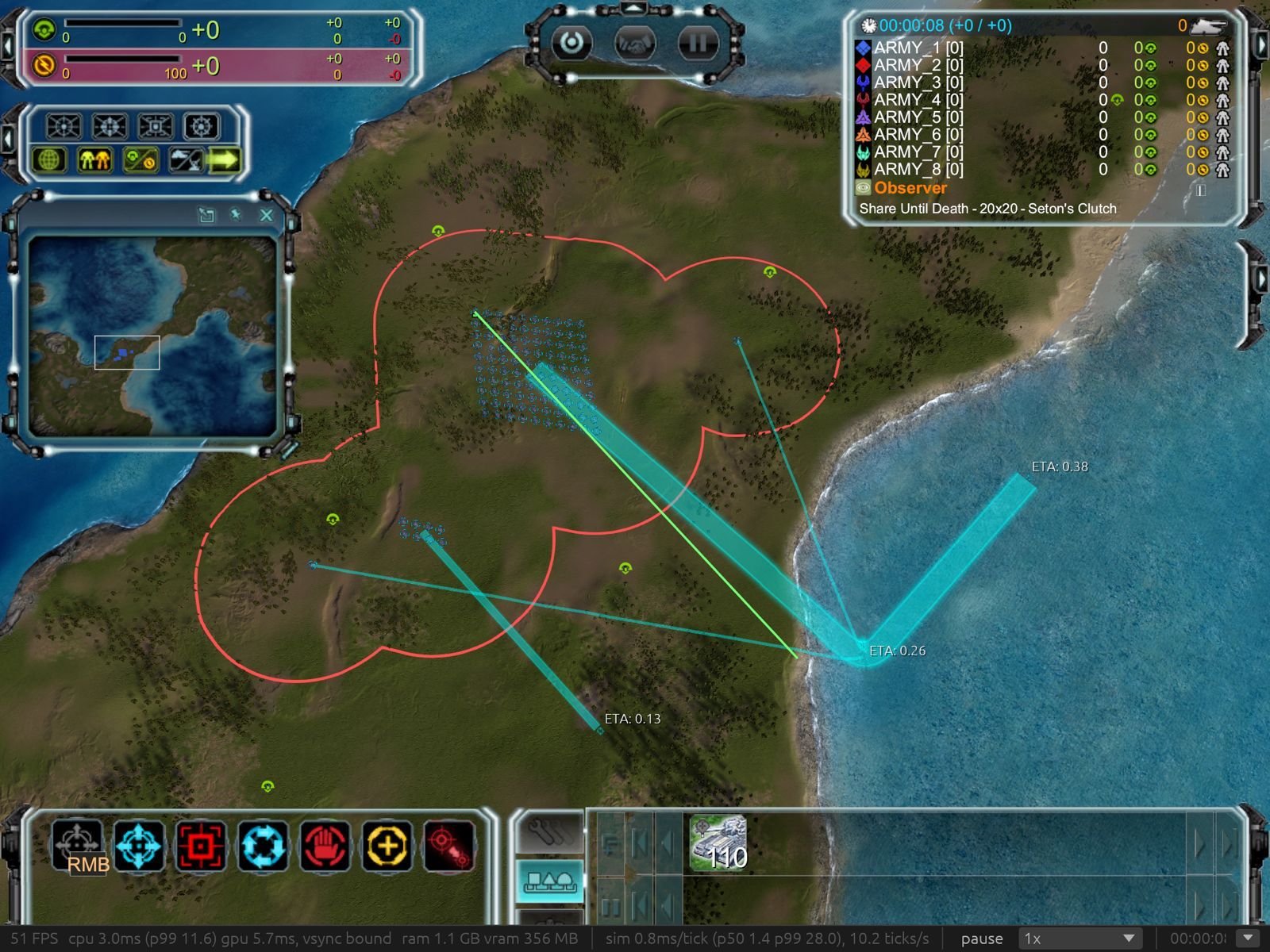
Merge order lines for units sharing a first waypoint.
No more 10k lines over the map causing massive lag
Perf
(I always strive for faster, not only does it mean higher end pcs will run it faster, but it unlocks lower end devices, which is just as important)
Faster startups for lua transformaions
in order to support fafs old lua under a new lua vm, I have to translate the lua.
some things can be done very fast and quickly using find and replace, others require full parsing of the lua scripts which is really slow, I now do a quick check before fully parsing a file to see if the find and replace route worksscripts/translate all FAF .lua (2,798 files, total cpu time over all cores) 538 ms -> 129 ms
scripts/translate Unit.lua 12.1 ms -> 6.65 ms
Headless startup, user CPU 3.62 s -> 2.68 s
Script prewarm wall time (16 cores) 289 ms -> 196 msBetter thread pool allocation
I've then rejigged the thread pools for the engine, taking in to account low core machines, this has helped the startup time on low core machines. (its a small amount, but poco a poco
This is limiting the cores to 4
Headless time to game start 2.23 s -> 2.12 s
Script prewarm 726 ms 624 msTexture loading
Texture loading, textures are now all streamed as efficiently as possible to the gpu, minimising copies, and shifted off the main render thread to worker threads
Render thread upload models ~675 ms -> ~60 ms
Worst frame in upload models 13–21 ms -> ~1 mstotal texture load time (this is limited to 4 cores)
1,465ms -> 658msTerrain loading
we now load terrain much faster, and also much less work is done on the render thread
and when map elevation is changes such as placing a building.81km map (again on a simulated 4core machine)
map textures uploaded (time from launch) 8.4–11.8 s -> 1.4–1.8 s
terrain change, render thread 23–38 ms -> 0.17–0.64 ms (worker: 4–8 ms)Bugs and features
- killed units now stop showing their stragic icons and are no longer selectable
- lods are now based on the distance to the plane of the camera, instead of the camera location, so no more circles of trees
- all of fafs graphics settings are now supported (with bumps to shadow mapping as I now support 2k shadow maps instead of 1k)
- we have edge of map mesh now!
- paused builder updates progress and finishes when assisted
- reclaim progress bar now
- units move clear of a build site before construction starts
- build range needs only touch the target's build skirt
- units being built in a factory are no longer selectable
- box selection leaves out engineers when other units are in the box
- Novax satellite beam reaches the ground, satellite holds its height as well, instead of bobbing up and down
- part of this fixed area damage, which i think effected other units as well
- preferences are saved, and FAF's preferences are now imported on first launch
- reclaim labels show (Alt-R)
- interface settings now work
- Half-built Fatboy - engineer assist offers repair, not the transport cursor
- factory assist takes the queue and destination of the factory it assists
- fixed no borderless windows on windows (how truly awful I let this even pass... serves me right for mainly testing on windows)
- fixed bombers not dropping their bombs
- fixed auto attack on idle, e.g. bombers moving around in their range to hit things
-
I 100% want to make this open source, no worries, I just want a bit more time, as I'm well aware that open sourcing it will open the floor gates. I would also be interested in how this can be transferred over to the faf team as well. I do believe this has real merit to replace the base engine. it already demonstrates a large amount of the game working, and absolutely has the nuts and bolts to go all the way.
So it doesn't get rid of p2p, but I think/hope that it handles it more gracefully than base supcom, the faf team just need to host an iroh relay server, which from my understanding doesn't need to be beefy at all.
Also along with the game being many times faster than the base game, should stop that horrible lag.
and the dynamic input latency.
Thank you very much for play testing! I believe I have fixed all but number 2, although air transports are not perfect

4. I tired to reproduce, but i have fixed some issues with weapons so maybe this has been fixed along the way before i got to your reportagain thank you very much for the feedback.
@giebmasse
Also thank you for testing very much appreciated@cdrmv @garythegoat @downlord @saver @j_w_w @snoog @xanoxis @randomko @limez3_ @nomads @lycanrising
Thank you for your nice words@arkenflame @darien_
Yes I do plan to make it open source, I just want it to bake in the oven a little bit longer as im sure you can imagine. -
This post is deleted! -
this is incredible!
-
Very cool!
Looking forward to try this at some point (without having to trust a random binary downloaded from the internet). -
This is really amazing! Keep up the good work.
-
This could be the greatest thing to happen to FA since FAF
-
I 100% want to make this open source, no worries, I just want a bit more time, as I'm well aware that open sourcing it will open the floor gates. I would also be interested in how this can be transferred over to the faf team as well. I do believe this has real merit to replace the base engine. it already demonstrates a large amount of the game working, and absolutely has the nuts and bolts to go all the way.
You can transfer the repository to the FAForever project and still remain the repo admin. It could also be a private repository if you are worried about cheats etc.
I suggest you contact us in our https://faforever.zulipchat.com, so we can discuss options.
-
Awesome! Some strong competition for another TA spinoff that shall not be named
-
So in this update I really wanted to dial in and spend time on the air behaviour, while still some work is needed, air now behaves much closer to the base game.
You can see below in this video, planes being generally more plane like
https://youtu.be/I4bx095DNqYPlease try out it out and let me know, it's really helpful to get feedback
Windows:
https://upload.disroot.org/r/FcnpXWYB#rq9t4XIPLv/UEhmeibcj0RKEuuvEJq6AZxfQ2f7AWN0=
Mac:
https://upload.disroot.org/r/bz30tWao#83WfQdi7ZiIGjZVe2njAUsuOqNU7b+63eICnlmf75CQ=
Linux
https://upload.disroot.org/r/rar4HZ26#kyjbGpbvSeB7HqYhrphLzJ9JjFJ1epcbDYo6xM3VIkY=
Weapons
Weapons should now behave far more true to the real game.
Engine <-> Lua api
I think I have also come up to parity with the base game on the engine <-> lua api bridge.
This means the engine is much much more closely aligned on how the game should function.
This was massively helped by the lua type documentation generation I talked about in the previous post.Perf
With that 10k v 10k air battle, I noticed crazy lag when actually selecting units, this was a combo of the selection logic and also drawing the selection box, waypoints and rings.
Now through some nifty gpu acceleration, range rings are reduced and culled to only the meaningful ones on the gpu, from 10's of milliseconds now down to sub 1ms.
-
The multiplayer interface does not show anything.
The campain does not work.
But the skirmish against bots does work.Below are the game logs;
[game.log](Invalid MIME type) -
-
Hi, thank you for working on this
You may have seen my answer on HN.I tried this on Linux, it seems to be working fairly well. I haven't launched it for long.
This is a quick list of the issues I found, I have to go to bed, so I can't test more thoroughly right now:
- Bugs:
- (fixed with caveats)
(prerelease fixed but broke vsync) (edit, new): The main window stops rendering when the secondary window is obscured. I would expect only the secondary window to stop rendering. - (fixed in prerelease, broken lua not ignored)
One of my friends (on windows) had an empty window after clicking "Multiplayer LAN" - (fixed in prerelease)
I am on sway (Wayland), the join code was not copied to the clipboard. Pasting works fine. - (kinda fixed, crash on game start, to debug) I had a crash when joining another game, it should at least be an in-game message if the map is missing (ideally transmit it, of course):
2026-10-24T23:06:42.394883Z ERROR rts_core_engine: engine start failed: runtime error: scenario /maps/sentina iii.v0001/sentina iii_scenario.lua is not in the VFS: pass a VFS path like /maps/<folder>/<name>_scenario.lua (vault maps need --vault <dir>)
- (fixed in prerelease)
No stats for unit-related data such as units built, killed etc. - production numbers kept blinking when changing quickly, which is annoyingly attentions grabbing
- (fixed in prerelease)
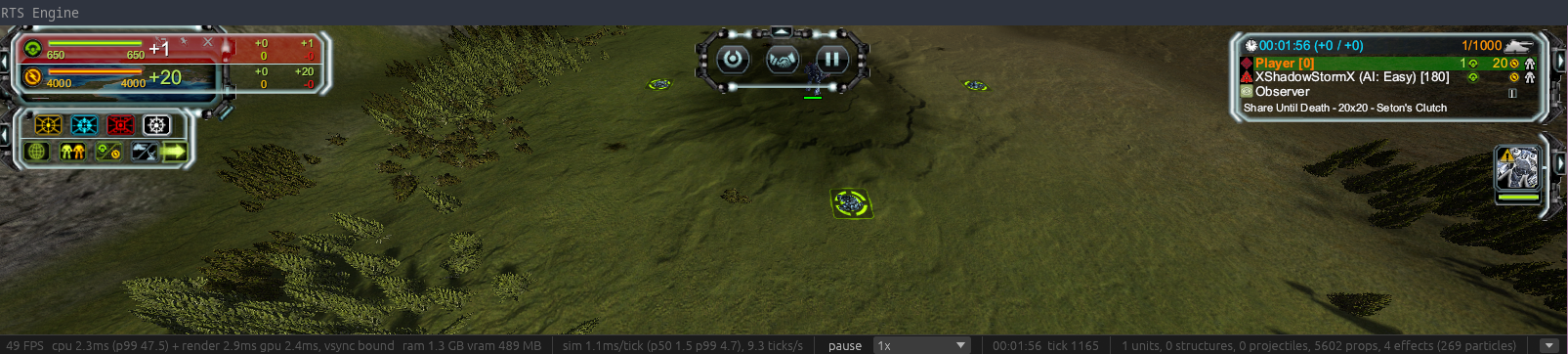
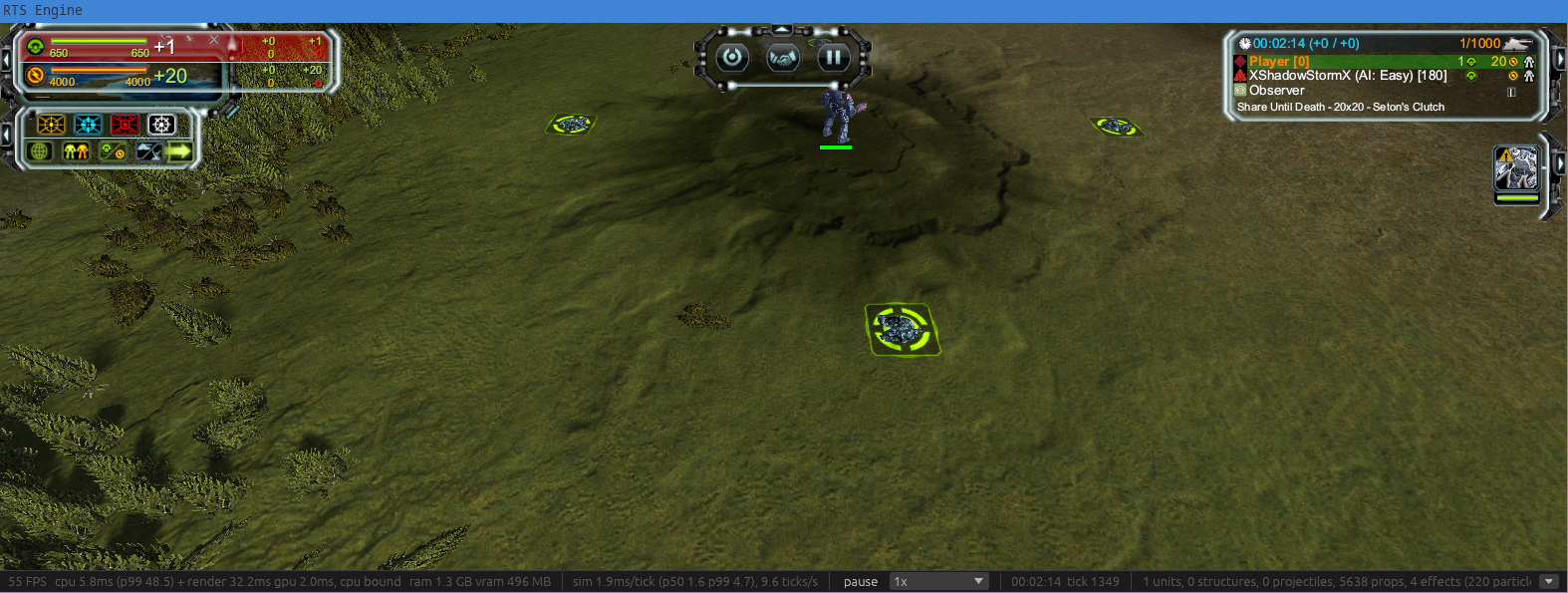
(unsure, TBC) it seems to me that the window content (ground textures, etc) was being stretched when I full screened the window (using a DE shortcut). I didn't double check, but it looked like the window aspect ratio affected the textures' aspect ratio.)Looks like the window aspect ratio affects the FOV. This may be a deliberate choice to accomodate for wide screens, I am not sure it is intended to be noticeable for around 40 px more at 1080p.
- (fixed with caveats)
- Nitpicks / suggestions:
- (invalid)
* (edit2) please print the port number next to the connect string, as it is hard to identify when set to auto (I believe it could also be added to the string)Dev reply: port number does not matter with a connection code. - (workaround in prerelease)
"Exit to windows" is not appropriate in the menu when not running on windows - status bar info (ticks/s mostly I think) keeps shifting the pause button left/right, I think some values could use fixed-width printing (padding left with spaces
- (fixed)
You could have a look at the following script to locate the SC:FA folder, it worked well for me (flatpak Steam, library in a secondary disk). It also puts faf data in$HOME/.faforever(xdg dirs would be better) - Multi-monitor works well (even detected my monitors on Wayland), but:
- (fixed)
Why not allow windowed mode on the secondary display? - Is it really necessary to restart the game when changing video options?
- It was not clear to me what the other options did.
- To simplify usage, would it be possible to add a button to open a new window? This would open a floating window (PiP), with controls to detach it from the game window, pin, resize it, tile, etc. Honestly I would just replace the minimap with this and offer additional controls
- It may be interesting to have a different unit selection per-screen, with the HUD interface, etc: one screen focused on your base, the other on the battlefield
- (fixed)
- (invalid)
New batch of issues (edit 3):
- (fixed in prerelease)
Slow FPS on the "edit restrictions" screen, when hovering over the table (GPU time shoots up, maybe some memoization or pre-computing would help?) - (fixed in prerelease)
Unable to drag waypoints in a patrol itinerary (triggers selection area instead) - Units are trying to follow patrol paths too closely: they will stop at waypoints (visible on the satellite), or slow down and bunch up to turn.
- (fixed in prerelease)
The T4 aeon artillery (salvation) seems to point its cannon opposite to the firing direction - (fixed in prerelease)
Submarines do not seem to submerge - (fixed in prerelease)
The cheat menu can only spawn naval units over land - ETAs displayed on buildings are sometimes wrong (and different constructors can report different ETAs, they get drawn on top on another when multiple engineers are selected). Running out of power when constructing triggered it for me.
- (fixed in release)
No construction queue for ACU upgrades or mobile factories - No drag-and-drop to reorder queues (this may be a nitpick/nice-to-have)
- (fixed in release)
CPU times goes from ~2ms to ~4ms when moving the mouse around (on empty terrain) - (partially fixed in release) I think that obscuring the window drops the FPS to 0 (reported above with secondary window), which... Pauses the simulation? To confirm, but I am not sure this is intended. Possibly the cause of high CPU time on my second screenshot.
We'll try to run an actual multiplayer game soon to check this out.
Looking forward to the source code release
I am also curious what you think of this other reverse-engineering effort. Probably worth contrasting findings. - Bugs:
-
M MayeulC referenced this topic
-
W warrenkc referenced this topic
-
I am very glad that what was previously all but impossible has now become possible.
In case three isn’t enough and you’d like to bring the total to five...
https://drive.google.com/file/d/1TZtdjWtuOvBI3BfwgZBEqfJaJroEpdYC/view?usp=drive_link -
So this is a really big update from my side, tons of things, internally I use issues to track what I have and haven't done, so this time around I've put the issue numbers on what I've done
Open source
First off I've finally released the source code, it took a ton of effort to make this ready for other people, and I'm sure it still needs more, so please be patient with what you find
I have made it as a fresh repo, as understandably when you work on something yourself which you're never sure may see the light of day, you can get sloppy, and I didn't want to risk passwords or what ever being public.
I'm happy for people to raise issues for bugs and such
and I hope people have fun playing around
source code
https://github.com/ThomasMonkman/rts-core-engine
exes:
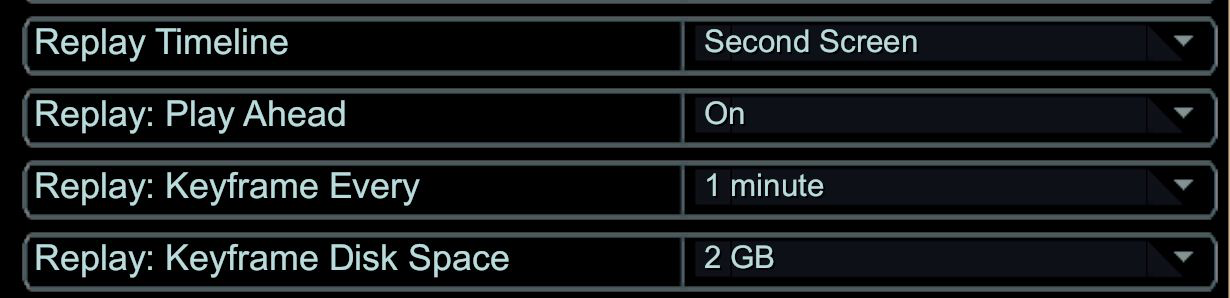
https://github.com/ThomasMonkman/rts-core-engine/releases/tag/v0.1.0#367 Replay keyframes: fast seeking, played ahead in the background
Replays now support quick rewinding! and skip forward (to degree)
when starting a replay, a second process now starts up in the background and plays the replay at max speed saving out "keyframes" of the game. You can see this in the video below as a buffer bar.
You can now skip to anywhere in this buffer bar. a brief delay as the game reloads in at that time.
But you can now go back and forth as you please.
and thanks to differential compression it uses very little storage.
These keyframes stay even after closing the game, so you can quickly look through a replay or preload it, and then scan through the whole replay later with no background processingVideo:
https://youtu.be/0MWgoXI4nQEthis can all be controlled from settings.
#386 The lobby downloads a missing map from FAF's vault
The lobby will now download maps from faf that are missing from clients, this happens as they are selected by the host, so no reloading needed.
Testing
An important part of any modern software development is testing.
As such this project has a few different types.- unit test (very isolated, does the function
add(2, 3)equal5) - benchmarking
- end to end, or real scenarios tests
the scenarios tests are what I want to show below, it's massively sped up so you can actually see it somewhat in a lifetime.
they each test something fairly specific, like "can this tank attack this tank", "is this tanks shot blocked by terrain"
i did spot a few errors during this recording, but that's all part of the process

Naval
- #351 Torpedoes run under the water, naval units start on the surface
- #355 Submarines start submerged
- #357/#358 Submarines surface on their own for carrier loads, unloads and AutoSurfaceToAttack
- #356 Torpedoes fired from a still sub start at rest
- #457 Submarines dive and surface bow first
- #455 Carriers launch aircraft from their launch points, one a tick, without moving
- #418 The cheat menu spawns ships on water
Movement and pathing
- #475 Units ease into a stop and coast to a halt on arrival
- #327 Formations run at 0.85× their slowest unit, and members steer for their final slots
- #329 Units only push moving units on other orders, as fading impulses
- #406 Land units no longer path over cliffs into or out of the water
- #469 Hover units lean a tenth as far and level out after stopping (the seraphim where just bobbing around all over the place )
- #467 Finished ground units stand on the ground under them
- #361 Walk animations follow the unit's speed and turns
- Issue* orders skip units that can't do the order, such as an shield generator being told to attack, or tanks being told to reclaim
Combat and vision
- #347 We now draw nice fog of war instead of pixelated from before
- #345 Weapon target searches skip targets the terrain blocks
- #348 Weapons on hold fire search for no targets
- #342 Aggressive moves and patrols engage a task step late
- #420 Turret pitch is aimed from the barrel bone's own pose
- #370 Persistent blips (FAF's Blip class, destroy hooks, real-game lifetime)
- #468 Fog of war's clear ground is drawn as vision circles
- #499 Czar and some other beams had effects sideways
- Overcharge works
- Weapons in general work better and more faithfully to the base game
- Energy drains are actually paid, so T2 artillery charge-up, teleport and overcharge wait for energy
- Weapons fire the beat after they take a target, as in the real game (i feel like this is something maybe should be changed about the game?)
- Homing missiles steer by their facing. The Corsair's AA darts now fly level and hit, where before they flew into the ground
- Solace torpedo bombers now actaully do damage
- TMDs now actaully work correctly
- Fire Beetle detonates on attack orders and no longer blows up at game start (this was more when doing testing, as you never start the game with fire beetles, but they also had other bugs)
- HARMS sits on the sub layer
- Weapon/damage callbacks now get the real tick number it happened on, instead of the tick n - 1
- GiveStorage / GiveResource apis behave as in the real game
- Anti torpedo weapons now work
Networking, replays, lobby
- #449 Lockstep desync fixes (local-only input, ejected turns, command text, observer sources) and a desync dialog
(this was a nasty little bug, i was double reading local player input once, before the network tick and once after, so it was possible to input commands in to your local sim without sending to others!!) - #454 Desync detection: a checksum every tick, in parts, covering motion, orders and economy
While i've made efforts to build the sim in such a way desyncs should be hard to get, its always still good to have logging for it - #380 One broken map no longer empties the lobby
Building, engineers, factories
- #403 Build sites snap to the cell grid
- #464 Assisting factories share the assisted queue and keep building their own
- #465 An engineer's assist ends when an order is queued behind it
- #451 Engineers parking to assist slide off each other instead of stacking
- #456 Assisting engineers show the progress of what they help build or repair
- #452 Build beams go away when an unfinished structure is destroyed
- #463 Factories keep a queue of rally orders, shown with Shift and kept on upgrade
- #416 The construction panel queue works for mobile factories and ACU enhancements
- #417 One waypoint ETA per structure, at its builders' combined rate
- #459 The ACU upgrade ETA shows without selecting the ACU
- #466 Reclaiming a unit takes its health down with its fraction
- #453 SetMaxHealth leaves health alone
- #458 Excess resources overflow to allies
- #365 Enhancement tabs are in the real game's order
- #507 engineers assisting one of themselves leave its own build queue alone
Camera and interface
- #390 Camera spin (Space + mouse, Insert / Delete, cam_Free)
- #389 Camera field of view and zoom works as in moho
- #394 You can now scroll in and out when tracking a unit with "T"
- #450 Camera SnapTo / MoveTo / RestoreSettings honour heading and pitch
- #360 Queued waypoints and build placements can be dragged to move them
- #414 A test that dragging the build queue reorders the factory queue
- #382 Unit stats for the end-of-game screen
- #385 The stats bar pause button no longer shifts
- #404 The in-game exit says "Exit" on platforms other than Windows
- Minimap shows an earlier game's map, if you play a second game without restarting
- Wrong army in later games, if you play a second game without restarting
- Game freezes when the other player leaves (no clickable buttons, black screen after the score view)
- Process stays running after the window closes → exits on its own after 3s
- Map download "builder error" on Linux, i've added more logging, and a failed download now blocks that player's launch
Visuals
- #470 Seraphim build mesh and Seraphim / Aeon build beams match the real game
- #474 Cybran structures under construction hide what's behind them
- #461 Mesh LOD fixes
- #492 Collision beam's far end starts at its target when enabled (Monkeylord laser)
- #493 Ythotha death: energy being draws, wreck keeps its death pose, no white beam slabs
Platform
- #383 The join code now copies to the clipboard on sway / Wayland
- #384 FAF and Steam are found where faf-linux looks for them
- #413 A hidden window no longer stops the other window drawing, plus you can now window the other window
and in general multi monitor should be much better supported, although their are limitations with wgpu and different platform support - Wayland terminal flooded with clipboard log lines
- No vsync cap on Wayland (1000 FPS in the menu), wayland wasn't giving a framerate limit at startup, we now find the highest refresh rate screen and use that until we get the correct refresh rate
Performance and internals
- #338 Map decals skip lighting their transparent pixels
- #339 Terrain shadow is worked out once a pixel
So one of the only graphics changes i have made to the project is using SMAA for AA and PCF (percentage closer filtering) for shadows, along with up to 2k shadow maps instead of 1k.
the downside to that shadow improvement is the shadow calculations becomes more expensive on the gpu.
While playing around I noticed with just looking at the map was dropping my frame rate which absolutely shouldn't be happening on a game from 2007!
well time to fire up the graphics profilers and have a look.
got to say im very impressed with xcodes metal debugger.
and its profiling instantly shows almost all the gpu time is spent drawing the decals on the map!
you can see here in this image up at the top left hand side that
vs_decal/fs_decal_albedois at 68% of the world stage which its self is 90% of the frames work!
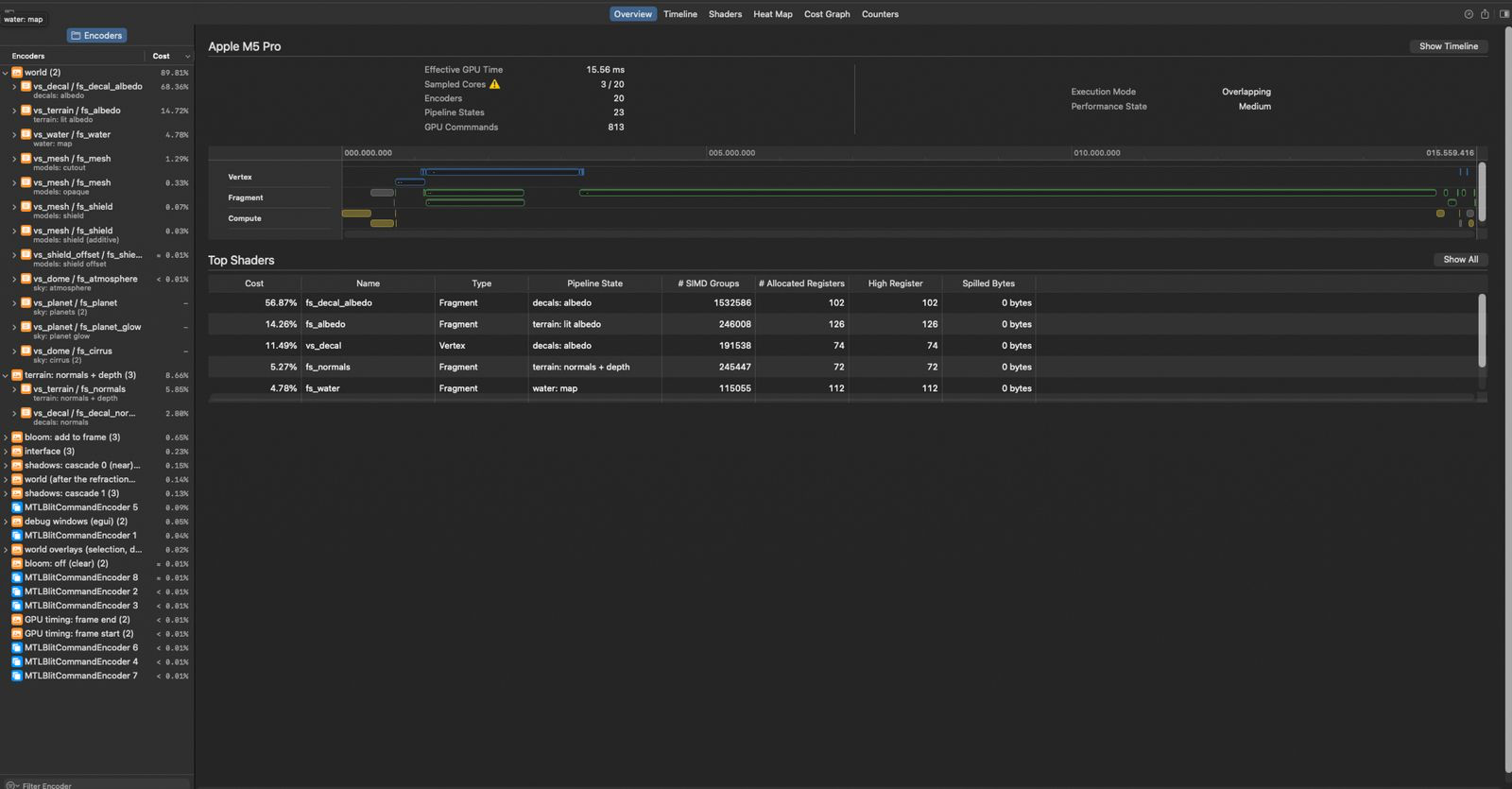
well it turns out now calculating shadows is much more expesnive and its done for all the decals across the whole map.
well the fix is easy, most of the decals texture is transparent.
so right at the start of the shader, if the pixel is transparent stop.
if (alpha <= 0.0) { discard; }this took my frame time from 15.46ms to 11.10ms!
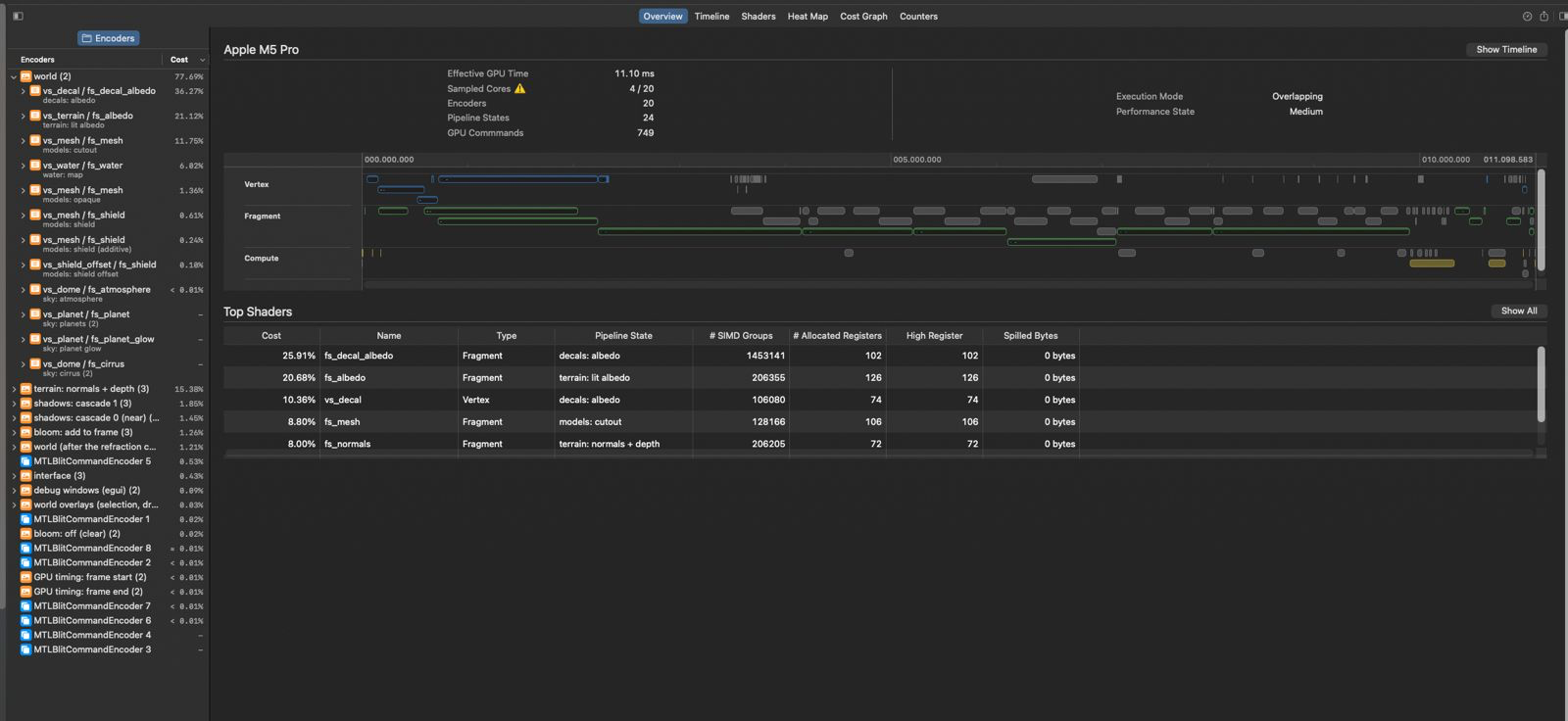
next still for every decal we are calculating the shadows again, as decals can stack on top of each other, this is a lot of extra work.
so we now precalculate the shadows and share between the terrian and decals
this takes 11.10ms to 7.96ms!
~twice as fast as before!
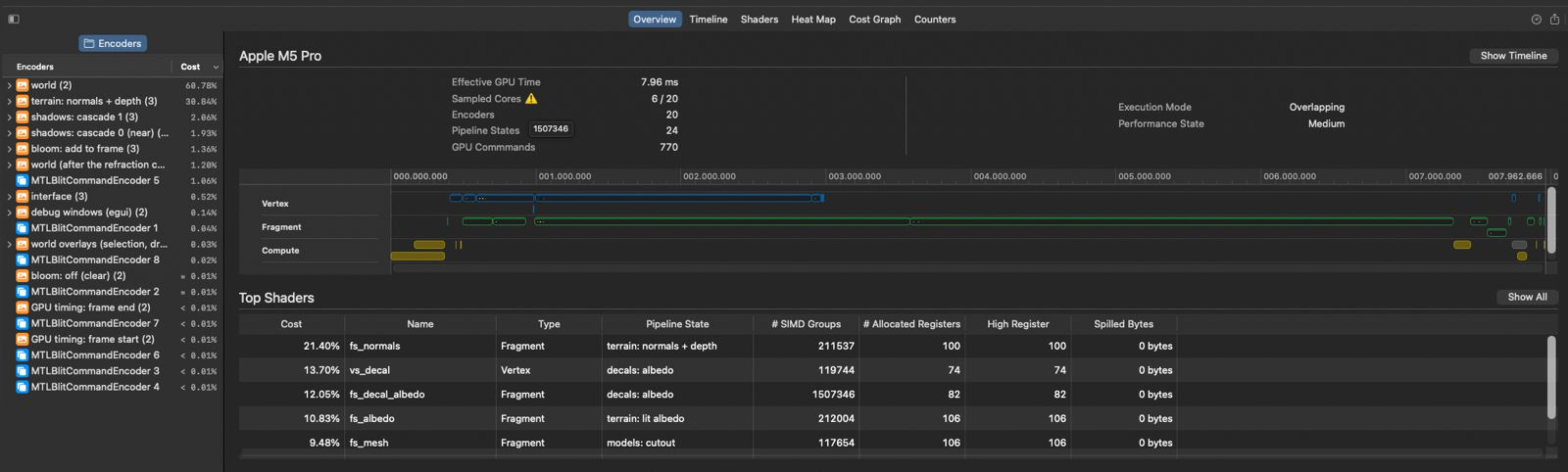
But we can go further! I noticed at large zoomed out views my fps again was dropping. Unacceptable!
Most of the map drawing is dominated by reading lots of textures, but for when the texture is far away, you could use smaller textures right? you see less of it so who cares if its smaller?\
well thats a well known thing in graphics already, called mipmaps. you store with the texture a version of it halfed and halfed until it gets to 4x4.
like so- 512
- 256
- 128
- 64
- 32
- 16
- 8
- 4
then the shader uses the size appropriate in the moment, this saves a lot of memory bandwidth.
this gives me 5.6ms to 3.88ms! (on a different map to the one above, so just look at the change)
In fairness, the base game also does this, i just assumed all textures shipped with mipmaps...
These mipmap textures are saved out to a cached folder, which can be configured both in size and expire date in the settings.
it will make first startup slower- #374 Faster weapon target searches (this really only effects the 64k stress test, but weapons are now twice as fast)
- #376 Effect expiry uses an index instead of scanning every effect
- #368 Landing for aircraft searches are much faster now
- #407 Mouse moves are coalesced, so hovering hit-tests once a frame (especially useful with super high hz mice)
- #421 The interface keeps control layouts between frames (this is very much targeted at the restrictions page which is very heavy on the ui, now its atleast twice as fast)
- maps can now be saved loaded when compressed with zstandard (god I love a good compression algo, this shrinks a 81km map to like 5-24x smaller)
here is a grid of all the inbuilt maps which really shows you how good compression is, and to think they shipped the game on dvd!
Base game map sizes, raw .scmap vs zstd level 19
- SCMP_001 Burial Mounds (20 km) 9.4 MB -> 2.5 MB (3.7x)
- SCMP_002 Concord Lake (20 km) 7.9 MB -> 2.5 MB (3.2x)
- SCMP_003 Drake's Ravine (20 km) 8.8 MB -> 1.7 MB (5.2x)
- SCMP_004 Emerald Crater (20 km) 10.8 MB -> 3.0 MB (3.6x)
- SCMP_005 Gentleman's Reef (40 km) 37.9 MB -> 5.9 MB (6.4x)
- SCMP_006 Ian's Cross (20 km) 10.8 MB -> 2.9 MB (3.7x)
- SCMP_007 Open Palms (10 km) 2.7 MB -> 0.7 MB (3.7x)
- SCMP_008 Seraphim Glaciers (20 km) 9.9 MB -> 2.0 MB (5.0x)
- SCMP_009 Seton's Clutch (20 km) 9.6 MB -> 2.6 MB (3.7x)
- SCMP_010 Sung Island (20 km) 9.9 MB -> 2.3 MB (4.4x)
- SCMP_011 The Great Void (40 km) 31.2 MB -> 1.9 MB (16.1x)
- SCMP_012 Theta Passage (5 km) 1.0 MB -> 0.2 MB (4.0x)
- SCMP_013 Winter Duel (5 km) 0.9 MB -> 0.3 MB (3.5x)
- SCMP_014 The Bermuda Locket (20 km) 11.1 MB -> 2.2 MB (5.0x)
- SCMP_015 Fields of Isis (10 km) 3.9 MB -> 1.2 MB (3.4x)
- SCMP_016 Canis River (5 km) 1.4 MB -> 0.4 MB (3.2x)
- SCMP_017 Syrtis Major (10 km) 3.0 MB -> 1.0 MB (2.9x)
- SCMP_018 Sentry Point (5 km) 2.0 MB -> 0.6 MB (3.5x)
- SCMP_019 Finn's Revenge (10 km) 3.5 MB -> 0.8 MB (4.2x)
- SCMP_020 Roanoke Abyss (20 km) 10.3 MB -> 2.3 MB (4.4x)
- SCMP_021 Alpha 7 Quarantine (40 km) 32.2 MB -> 7.6 MB (4.2x)
- SCMP_022 Arctic Refuge (10 km) 2.5 MB -> 0.8 MB (3.0x)
- SCMP_023 Varga Pass (10 km) 2.5 MB -> 0.8 MB (3.1x)
- SCMP_024 Crossfire Canal (20 km) 12.0 MB -> 3.5 MB (3.4x)
- SCMP_025 Saltrock Colony (10 km) 2.7 MB -> 0.6 MB (4.3x)
- SCMP_026 Vya-3 Protectorate (10 km) 4.0 MB -> 1.0 MB (4.0x)
- SCMP_027 The Scar (20 km) 9.2 MB -> 2.8 MB (3.3x)
- SCMP_028 Hanna Oasis (40 km) 32.5 MB -> 7.7 MB (4.2x)
- SCMP_029 Betrayal Ocean (81 km) 122.0 MB -> 20.3 MB (6.0x)
- SCMP_030 Frostmill Ruins (81 km) 126.8 MB -> 16.6 MB (7.6x)
- SCMP_031 Four-Leaf Clover (10 km) 2.6 MB -> 0.9 MB (3.0x)
- SCMP_032 The Wilderness (10 km) 3.6 MB -> 1.0 MB (3.5x)
- SCMP_033 White Fire (10 km) 3.6 MB -> 0.7 MB (5.0x)
- SCMP_034 High Noon (10 km) 2.9 MB -> 0.7 MB (4.2x)
- SCMP_035 Paradise (10 km) 3.0 MB -> 0.8 MB (3.6x)
- SCMP_036 Blasted Rock (5 km) 1.0 MB -> 0.3 MB (3.0x)
- SCMP_037 Sludge (5 km) 0.8 MB -> 0.3 MB (2.8x)
- SCMP_038 Ambush Pass (5 km) 1.3 MB -> 0.4 MB (3.3x)
- SCMP_039 Four-Corners (5 km) 1.2 MB -> 0.3 MB (3.6x)
- SCMP_040 The Ditch (20 km) 9.7 MB -> 2.4 MB (4.1x)
- X1CA_001 campaign (20 km) 8.7 MB -> 2.3 MB (3.7x)
- X1CA_002 campaign (20 km) 8.5 MB -> 2.7 MB (3.2x)
- X1CA_003 campaign (40 x 20 km) 17.2 MB -> 4.5 MB (3.8x)
- X1CA_004 campaign (20 km) 7.9 MB -> 1.5 MB (5.4x)
- X1CA_005 campaign (20 km) 8.5 MB -> 2.1 MB (4.0x)
- X1CA_006 campaign (20 km) 8.4 MB -> 2.1 MB (3.9x)
- X1MP_001 Crag Dunes (5 km) 1.2 MB -> 0.4 MB (2.7x)
- X1MP_002 Williamson's Bridge (5 km) 1.0 MB -> 0.4 MB (2.5x)
- X1MP_003 Snoey Triangle (10 km) 2.4 MB -> 0.7 MB (3.3x)
- X1MP_004 Haven Reef (10 km) 3.1 MB -> 0.8 MB (3.7x)
- X1MP_005 The Dark Heart (10 km) 2.8 MB -> 1.0 MB (2.9x)
- X1MP_006 Daroza's Sanctuary (10 km) 2.2 MB -> 0.7 MB (3.0x)
- X1MP_007 Strip Mine (20 km) 8.6 MB -> 1.7 MB (5.0x)
- X1MP_008 Thawing Glacier (20 km) 9.1 MB -> 1.8 MB (5.0x)
- X1MP_009 Liberiam Battles (20 km) 8.5 MB -> 2.2 MB (3.8x)
- X1MP_010 Shards (40 km) 33.9 MB -> 7.8 MB (4.3x)
- X1MP_011 Shuriken Island (40 km) 32.4 MB -> 4.6 MB (7.0x)
- X1MP_012 Debris (81 km) 122.2 MB -> 5.0 MB (24.5x)
- X1MP_014 Flooded Strip Mine (20 km) 10.4 MB -> 2.5 MB (4.2x)
- X1MP_017 Eye of the Storm (10 km) 3.0 MB -> 1.0 MB (3.1x)
Total, 60 maps: 862.1 MB -> 152.8 MB (5.6x)
- unit test (very isolated, does the function
-
-
What can I do If I face this error message "ERROR rts_core_engine: engine init failed: invalid Zip archive: Could not find EOCD" Verified the game files and they all checked out ok, If there is something I am maybe missing please let me know, really wanna try it out.
-
@slightlygrilled It might be fun to do an AMA presentation thing in the FAF discord sometime, including an explanation of your project and how you're working on it to people that are not as technically inclined. It would both improve visibility of your project, and be good content for the FAF youtube channel/community, I think.
If you're not in the FAF discord yet, come join us and reach out to me or someone from the news team.
Separate question: saw your testing video. Would your tests be a little bit faster if you used a map that was smaller and had fewer/no assets? I wonder if not loading setons clutch every time might be a (probably minor) significant positive effect on your testing speed.
"Design is an iterative process. The required number of iterations is one more than the number you have currently done. This is true at any point in time."
See all my projects:





Hello! It looks like you're interested in this conversation, but you don't have an account yet.
Getting fed up of having to scroll through the same posts each visit? When you register for an account, you'll always come back to exactly where you were before, and choose to be notified of new replies (either via email, or push notification). You'll also be able to save bookmarks and upvote posts to show your appreciation to other community members.
With your input, this post could be even better 💗
Register Login