The current pre-release of the client ("pioneer" in the version) is only compatible to itself. So you can only play with other testers. Please be aware!
  • Bad connection

    4
    0 Votes
    4 Posts
    482 Views
    maggeM
    Pinpointing lag issues can be very challenging - Especially with Supreme Commander, as it is using P2P. If you are far from other players, this could cause lag with some, but not all players. If your internet connection is poor, you can encounter issues as well. You could try to determine the quality of your connection. If it has no issues, you can try to find out if certain players from other countries cause the lag with you (The country flag in the lobby tells you where they are located) You can try to change the coturn server in the FAF client to something else (see client options), but I have no idea if that will be helpful in your case. But testing does not hurt.
  • Error when trying to join games

    2
    0 Votes
    2 Posts
    299 Views
    MostLostNoobM
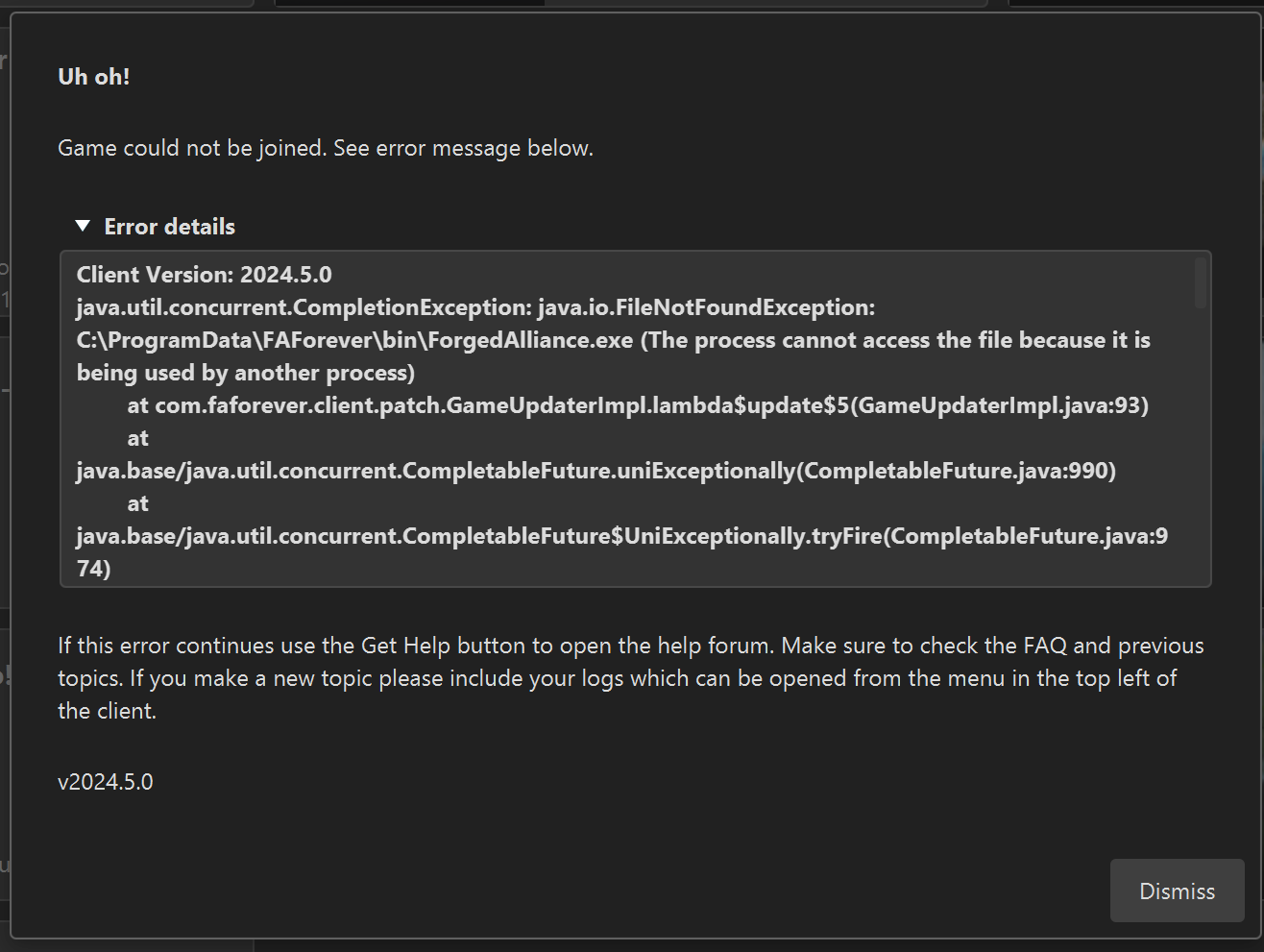
    @lydeker Try adding an exclusion/exception for the FAF Client in your anti-virus software & Windows Security.
  • My chat has been broken for 2 months

    3
    1
    0 Votes
    3 Posts
    236 Views
    ObliiLaCybranceO
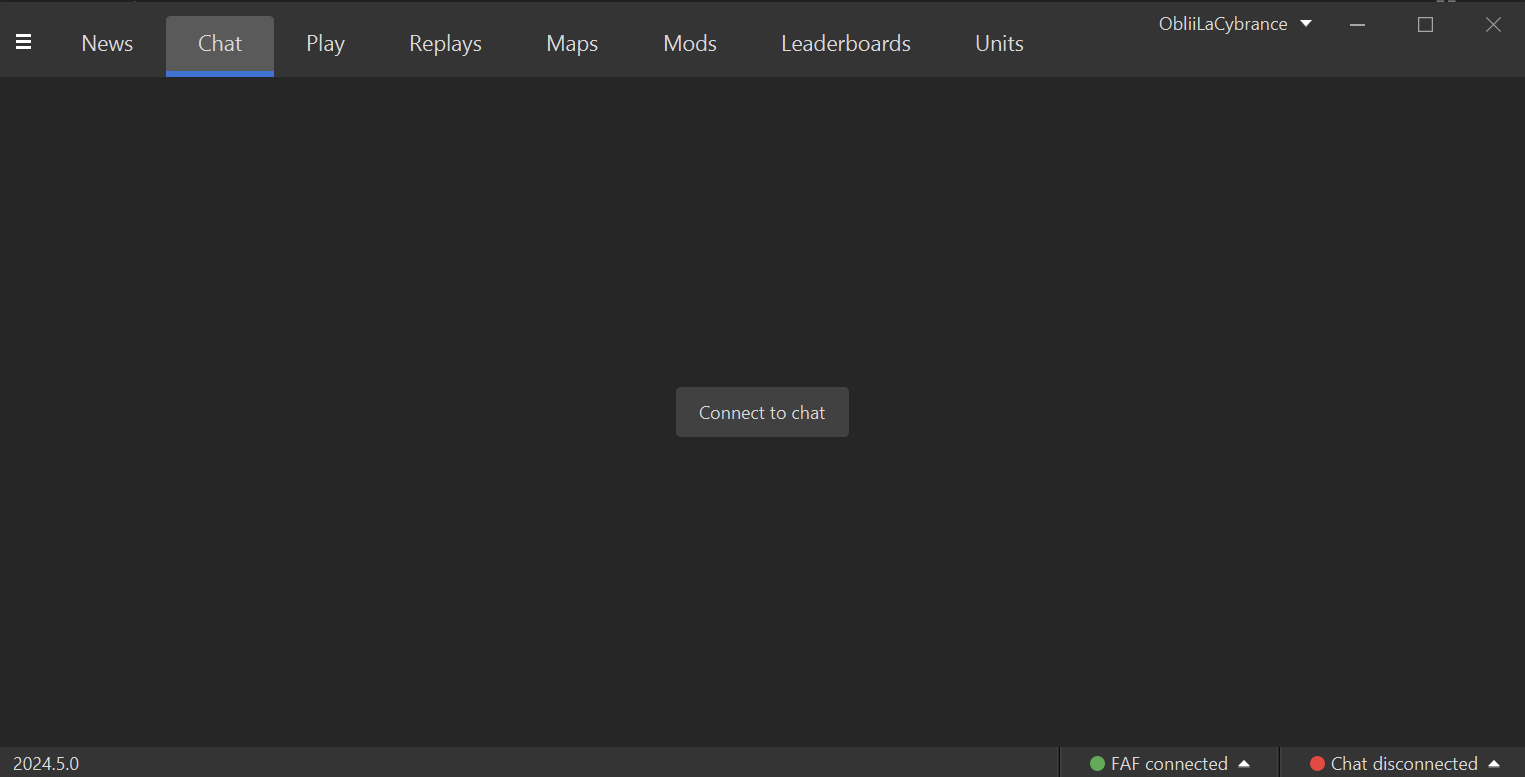
    @MostLostNoob you're a godsend. how was that not fixed when i reinstalled tho. im sure i logged in. well whatever; thanks a lot
  • Cant Create/Join any game

    3
    0 Votes
    3 Posts
    369 Views
    P
    @magge ah yes it was security software interfering, i did take a browse at other peoples problem and saw it was a common issue and it was probably the only solution i didnt test for whatever reason.. Thank you tho appreciate it
  • Freeze and exit code 1

    8
    0 Votes
    8 Posts
    590 Views
    O
    @magge it would appear it was the ai mod, played a three hour game last night only thing was lag which is expected with all the units, changed the map file path so that may have been the fix as well but as of now im finding no issues.
  • Refresh token is invalid

    3
    0 Votes
    3 Posts
    369 Views
    M
    client.log Sorry if this was needed first. First time asking for help
  • Maps and mods

    3
    1
    0 Votes
    3 Posts
    581 Views
    MostLostNoobM
    @blackhart All versions of SCFA have a difficult time with using network storage systems like OneDrive, Dropbox, etc.. To get around this for FAF, you'll need to: go to FAF client > top left menu > Settings > Forged Alliance Forever > Maps and Mods Location > Choose... navigate to a location outside of OneDrive either select an already existing folder or create a new folder for where FAF will store your maps/mods & then select the new folder double-check the new path to ensure that it's not in OneDrive
  • Can't login after update faf. Need help

    4
    0 Votes
    4 Posts
    200 Views
    N
    2024-04-23T22:50:47.702+03:00 DEBUG 1088 --- [FAF Client] [JavaFX Application Thread] c.faforever.client.steam.SteamService : Steam API stopped omg=/ if steam app closed, faf not working. thx
  • Ejected: Invalid Player Data

    11
    0 Votes
    11 Posts
    730 Views
    JipJ
    This should now be fixed
  • FAF Client: Nothing works.

    7
    0 Votes
    7 Posts
    507 Views
    B
    @karbonforms said in FAF Client: Nothing works.: java.lang.RuntimeException: java.io.IOException: Cannot run program "rundll32": CreateProcess error=740, The requested operation requires elevation Caused by: java.io.IOException: Cannot run program "rundll32": CreateProcess error=740, The requested operation requires elevation Caused by: java.io.IOException: CreateProcess error=740, The requested operation requires elevation > java.io.IOException: Cannot run program "C:\ProgramData\FAForever\bin\ForgedAlliance.exe" (in directory "C:\ProgramData\FAForever\bin"): CreateProcess error=2, The system cannot find the file specified > Caused by: java.io.IOException: CreateProcess error=2, The system cannot find the file specified These lines suggest that you have insufficent permissions to run whatever was passed to rundll32, I'm guessing that's launching the browser or You haven't linked the FAF binary correctly.
  • I was banned from my account

    Locked
    5
    1
    0 Votes
    5 Posts
    415 Views
    maggeM
    He has already contacted the Moderator Team.
  • Problem when authorizing Client - ERR_CONNECTION_REFUSED

    7
    0 Votes
    7 Posts
    603 Views
    B
    @mostlostnoob said in Problem when authorizing Client - ERR_CONNECTION_REFUSED: @samae1 Try either changing the Default Browser in Windows Settings &/or clearing your browser cache. @Samae1 May I suggest Vivaldi. I know Windows is getting increasingly obtuse with how you go about changing your default applications like the browser.
  • 0 Votes
    3 Posts
    308 Views
    S
    Still an issue. Any update?
  • Checksum installation problem

    2
    1
    0 Votes
    2 Posts
    160 Views
    P
    Well, we found the problem and it was the anti-virus he had, everything works fine now, thanks to those who have readed my post
  • Ошибка при (авторизоваться)

    4
    0 Votes
    4 Posts
    435 Views
    A
    Короче я исправил баг В командной строке ( через администратора) Я вёл sfc /scannow
  • Error when (login)

    1
    0 Votes
    1 Posts
    92 Views
    No one has replied
  • Bug when changing maps&mod folder

    8
    1
    0 Votes
    8 Posts
    1k Views
    A
    Thanks, magge!
  • This topic is deleted!

    1
    0 Votes
    1 Posts
    3 Views
    No one has replied
  • Error Message when attempting to launch a SC: 1 game.

    2
    0 Votes
    2 Posts
    167 Views
    AmygdalaA
    @rumtin most likely some Antivirus/Firewall setting is blocking FAF. Check both and include exceptions for FAF/SC.
  • My FAF keeps giving me this code, Any advice/help.

    9
    1
    0 Votes
    9 Posts
    371 Views
    MostLostNoobM
    @diobolical OK, 2 things to do for further troubleshooting: Go to your Steam SCFA folder > DirectX, then run the DXSETUP.exe installer to re-install the DirectX files that SCFA uses (just in case those weren't installed correctly). Go to Steam > Library > right-click SCFA > Properties > General > Launch Options > copy/paste this into that field: /log "A:\SteamLibrary\steamapps\common\Supreme Commander Forged Alliance\logs\steamfa.log" I grabbed that file path from your client.log, so you'll need to change it if that's not the correct path to your Steam SCFA install. Try Steam SCFA again after doing the above.