The current pre-release of the client ("pioneer" in the version) is only compatible to itself. So you can only play with other testers. Please be aware!

Subcategories

  • 29 Topics
    260 Posts
    maudlin27M
    FAF's rules are set out on the main FAForever website - by accessing FAF services, you agree to the rules outlined there, which are supplemental to the FAF Terms of Service. For details of how to report rule breaches and/or how the rules are enforced, please refer to the separate page on moderation Separate contribution guidelines exist for those considering contributing to FAF, while there are also official tournament rules that apply to official FAF tournaments.

  • 955 Topics
    5k Posts
    S
    I have seen this with one other player and they have said it happened due to their isp killing their connection. Can you upload logs using the java client with the debug logging turned on so I can inspect.
  • Please provide detailled logs and/or error messages!

    1k Topics
    4k Posts
    S
    What version of the browser are you running?
  • 40 Topics
    160 Posts
    D
    Thanks for your replies, I tested Eternal Strategic Icons, in combination with Penguin's Icon Mod and ACU Highlight (those three mods seem to be compatible), and it looks a lot nicer with the size increase of 150%
  • Cant login to FAF

    6
    0 Votes
    6 Posts
    905 Views
    M
    Alright, I may have found a solution. Step 1: Try and reverify your genuine copy of FA. Step 2: "Make sure the flash message below states you are connected" If it states that the account is connected to another account name, there's your problem. Note the name. Step 3: log in through the client which will send you to a website to log in. Step 4: enter the name you recorded as your username and login. The password doesn't need to change. Step 5: finally access your client.
  • Pls help Java error

    3
    0 Votes
    3 Posts
    233 Views
    RobustnessR
    https://forum.faforever.com/topic/5635/when-logging-in-to-the-client-faf-issues-an-error/4?_=1676392162148
  • Unable to connect to the game

    2
    1
    0 Votes
    2 Posts
    176 Views
    maggeM
    https://forum.faforever.com/post/41558
  • Missing Game Types

    6
    1
    0 Votes
    6 Posts
    472 Views
    D
    Excellent. Thanks for the info. I appreciate it.
  • game crashes mid game with this

    5
    0 Votes
    5 Posts
    363 Views
    JipJ
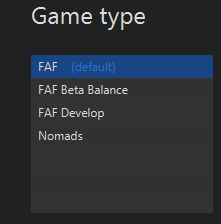
    When you host a game you can choose the faf develop game type [image: 1676237187448-28f38c18-713d-43e3-a6b6-90d74b6be2df-image.png]
  • Can't join Custom Games

    4
    0 Votes
    4 Posts
    298 Views
    maggeM
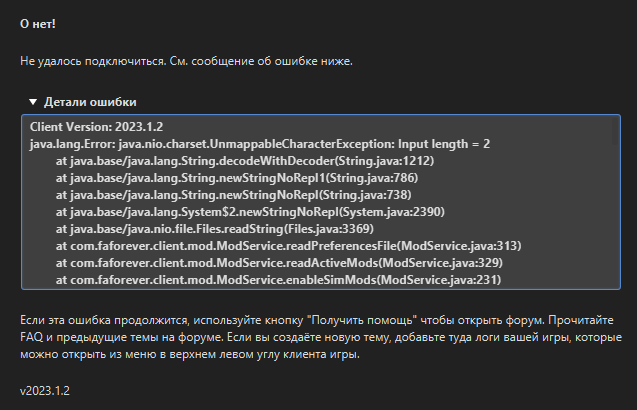
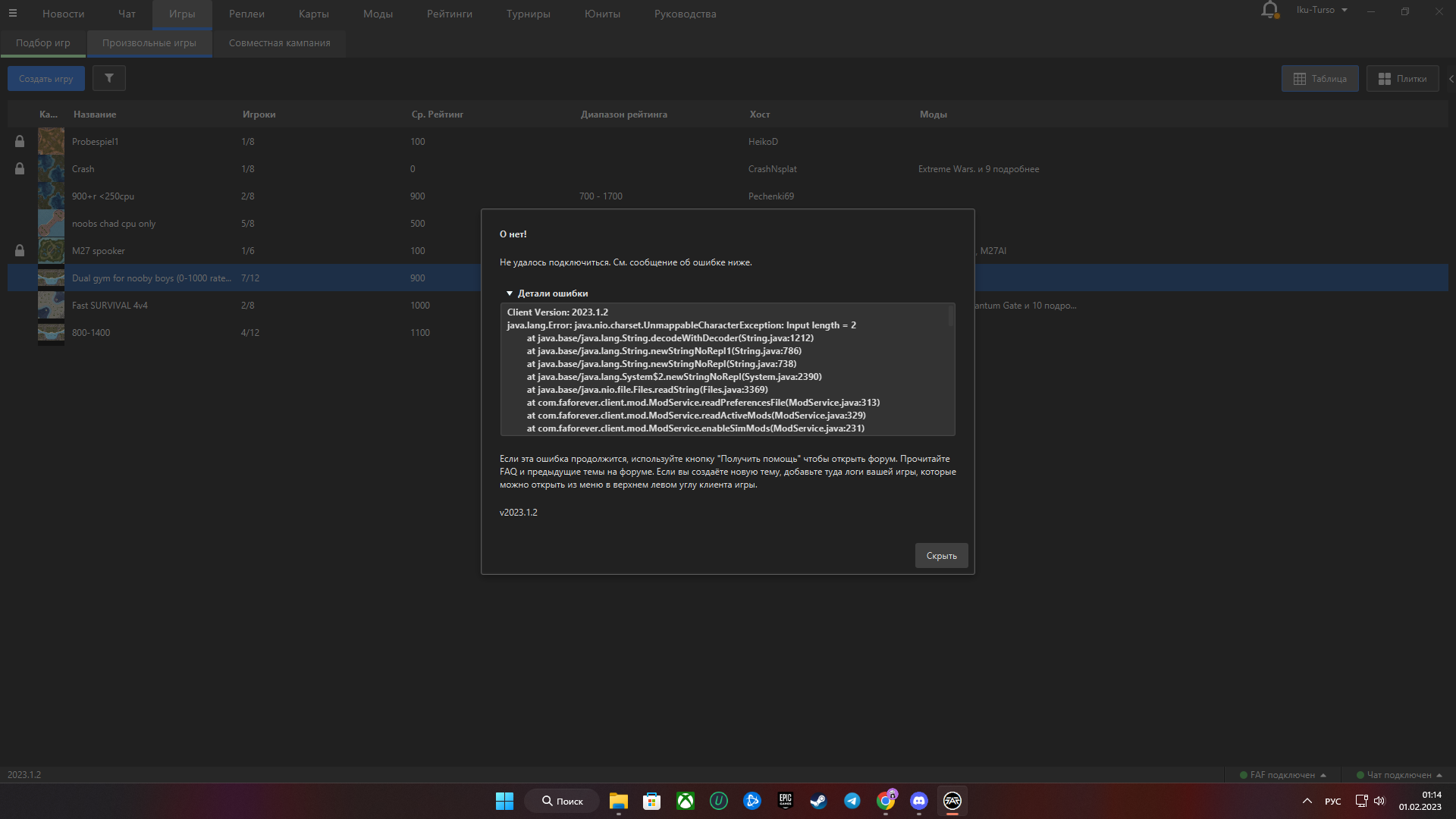
    The fix is only about the decoding about Game.prefs file. Without any log and any error description, I assume your Linux issue is unfortunately not related to that decode-issue.
  • не могу начать игру,выходит ошибка:

    Locked
    5
    0 Votes
    5 Posts
    401 Views
    maggeM
    Same solution https://forum.faforever.com/topic/5589/client-java-lang-error-fix/3?_=1676049988143
  • FAF Client won't login after 2023.1.2 update

    2
    0 Votes
    2 Posts
    193 Views
    maggeM
    There was a short hiccup with the API - It should work now or very soon again.
  • 0 Votes
    21 Posts
    1k Views
    K
    Well, either your security permissions are messed up, or you have third party software messing something up. On a default windows installation your applications never run as admin unless the app itself is reqeusting admin rights, which the FAF client does not do.
  • 0 Votes
    2 Posts
    181 Views
    ZLOZ
    Delete or move (backup) old game.prefs file[image: 1675921768851-f9d51486-51da-48df-bbf4-9efc1f5265a0-image.png]
  • game crashes

    3
    0 Votes
    3 Posts
    177 Views
    L
    @jip Thanks, or maybe this is due to the map, on other maps for example: dualgap, this problem has never been.
  • Ошибка при входе

    1
    0 Votes
    1 Posts
    142 Views
    No one has replied
  • This topic is deleted!

    1
    0 Votes
    1 Posts
    6 Views
    No one has replied
  • Does anyone have a working tripple screen setup?

    8
    0 Votes
    8 Posts
    852 Views
    Z
    My pleasure hopefully it helps someone else too
  • Games keep crashing at 10AM (GMT)

    5
    0 Votes
    5 Posts
    290 Views
    E
    @asreall Because it only takes one of you to freeze the game
  • Cant join a game java.lang.error

    2
    0 Votes
    2 Posts
    302 Views
    maggeM
    https://forum.faforever.com/post/41346
  • cant log onto client

    1
    0 Votes
    1 Posts
    91 Views
    No one has replied
  • Помогите , пожалуйста!!!

    17
    1
    0 Votes
    17 Posts
    2k Views
    S
    Оффлайн игра работает. Дело по всей видимости не в этом файле.
  • This topic is deleted!

    1
    0 Votes
    1 Posts
    7 Views
    No one has replied
  • FAF Failure - Update 2023.1.1+

    Locked
    5
    0 Votes
    5 Posts
    859 Views
    Brutus5000B
    Also you can always downgrade your client to older version to some extent. The downloads are here: https://github.com/FAForever/downlords-faf-client/releases The minimum required version right now is 2022.10.0