Sharing my factory unit queue templates
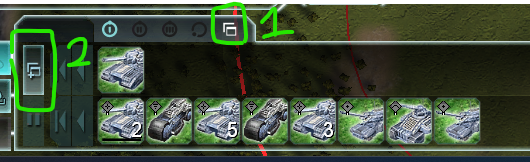
-
WOW, I didn't even know that this function existed within the factories. Thank you!
-
Beetles are very good, Cybran T2/T3 queues should include them.
-
Started using factory templates after this thread and @waffelznoob videos. Coupled them with a "cycle user template + factory build queue templates" hotkey, which I'd normally use when making a walled PD.
The hotkey works, but has some caveats. It works well when there is only one template. When there are more, then number of hotkey presses determines which one. But the thing is, one must press left click right after, otherwise order won't register. So when we want to set a rally point, it needs to be done first, then factory template toggle via hotkey, then left click - either to the ground or selecting something.
-
did T2, T3 templates today. Other thing when using "cycle user template + factory build queue templates" is that while one can use "(1)", "(2)" type of names for ordering in the GUI, it does not work for the hotkey. For the hotkey, one has to go into Game.prefs file and position templates by hand.
So for hotkey use, one would have T3 fac templates, then T2, then T1, so max available level is on the first position, so no toggling.
-
Quick guide, templates order is as they are saved, so I recommend saving t3 first, t2 second and t1 third, so when you select t3 factory you press template hotkey once and it selects the t3 template. Saves time on cycling through templates! I am not at a PC and cannot check the right order on how they are saved so the sequence might be t1 => t2 =>t3 instead but I trust you'd figure this out !
-
You gotta save T3 > T2 > T1 for them to be in said order when cycling through.
-
@panand Hi, I am having trouble where build templates work but not factory templates, hwat excatly do I need to change in the Game.prefs file please?!
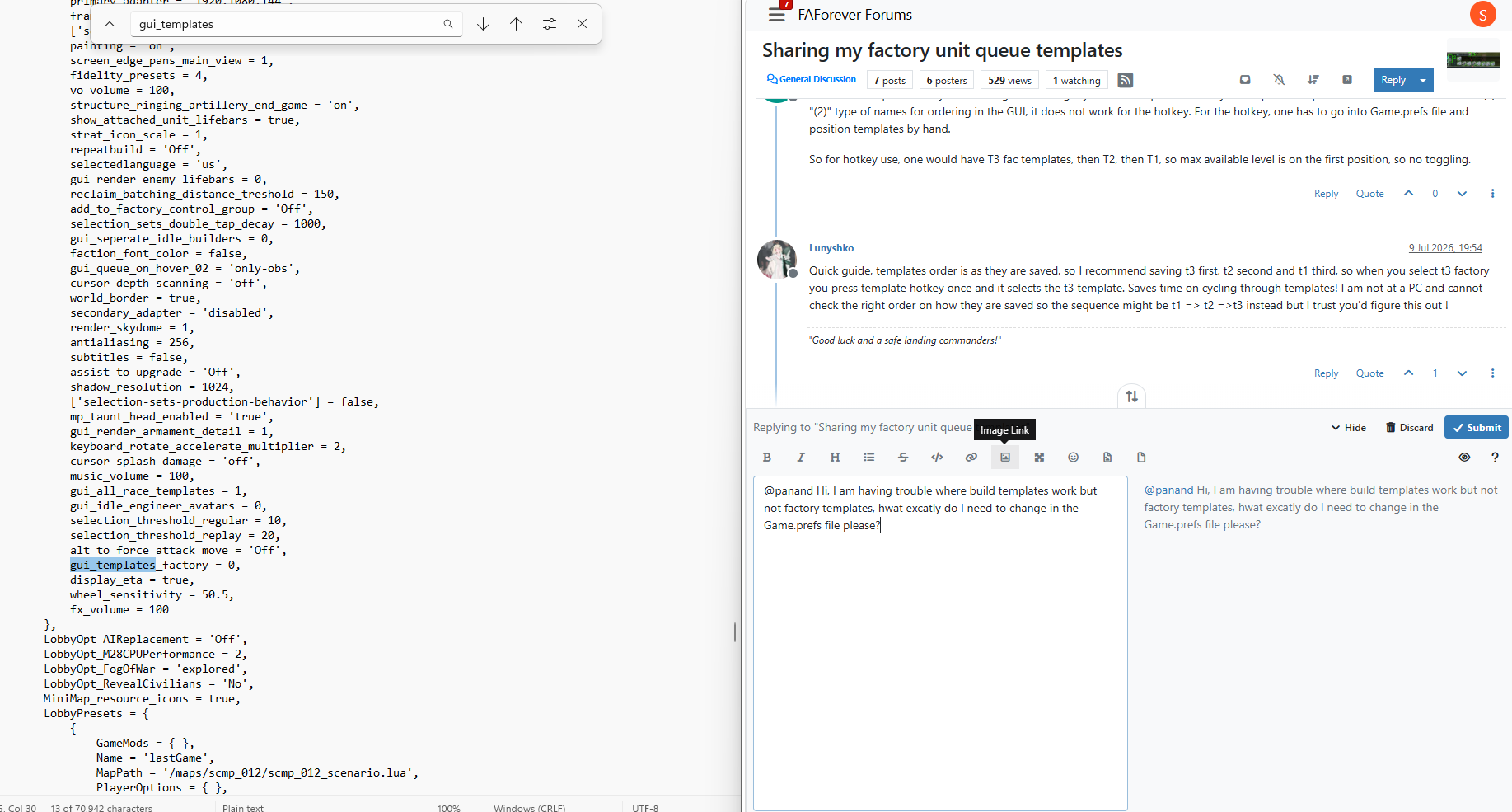 image url)
 -
what am i seeing
-
You can simple use my mods Smart Factory and all of the issues above will be solved, you don't have to cycle through every template, bec ause it automatically picks the matching tech unit instead of cycling and factory template keybinds autoselect the template matching the factory's current tech level
-
I made this tool that might make it faster to copy/paste.
If you share the Lua code that is.
Thanks!
https://forum.faforever.com/topic/10444/template-workshop-tool



Hello! It looks like you're interested in this conversation, but you don't have an account yet.
Getting fed up of having to scroll through the same posts each visit? When you register for an account, you'll always come back to exactly where you were before, and choose to be notified of new replies (either via email, or push notification). You'll also be able to save bookmarks and upvote posts to show your appreciation to other community members.
With your input, this post could be even better 💗
Register Login