Hey hi hello!
I wanted an easier way to create and tweak building templates without opening the game every time, so I put together a Template Workshop.
It lets you open your Game.prefs, view your existing templates, build new layouts on a grid, and save them back into your game profile. It also handles factory production queues.
Especially handy for mass fab farms, shield coverage, and experimenting with adjacency.
What it can do?
- Visual layout editor: starts with a 30×30 grid, expandable up to 120×120. Place, move, remove, rotate, mirror, duplicate, and rename templates, with Undo/Redo.
- Placement cursor controls: center the cursor on the entire layout, or choose a custom anchor including an empty spot reserved for an existing mex etc.
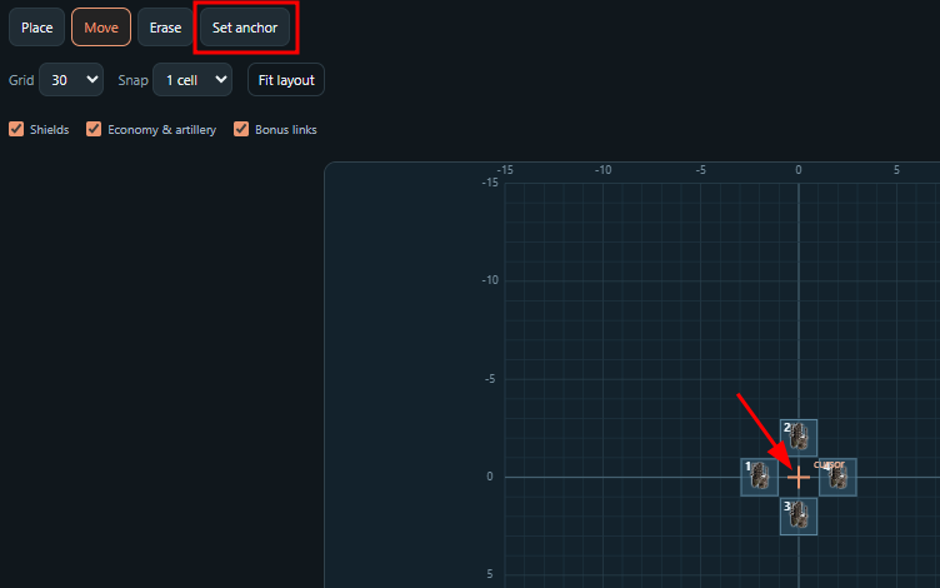
- All four factions: searchable unit catalog with icons, placement footprints, and faction/tech/role filters.
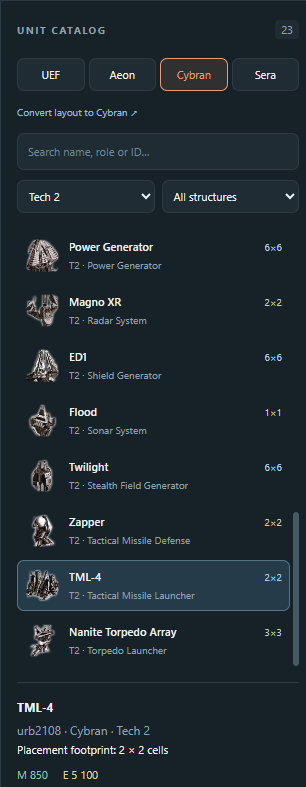
- Shield coverage: see coverage circles directly on the grid. For Cybran, place ED1 or ED4 and preview later upgrades without changing the saved building.
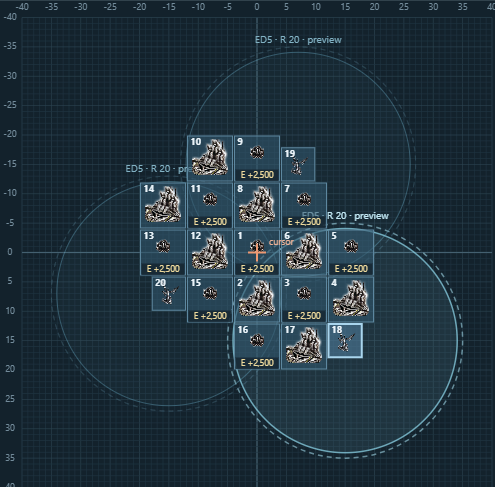
- Live economy values: see production and upkeep on individual buildings, with storage and generator adjacency included.
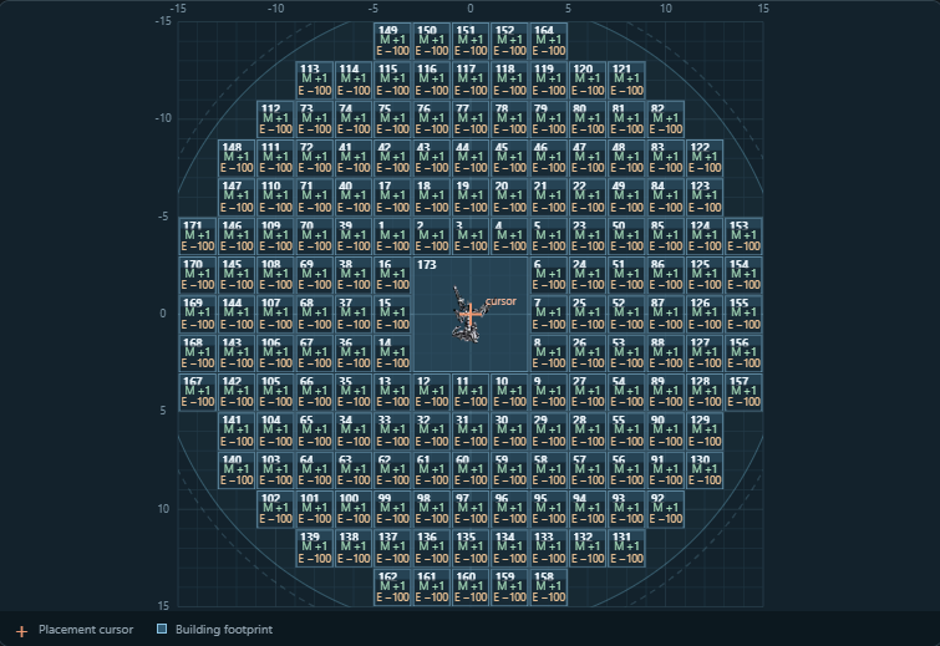
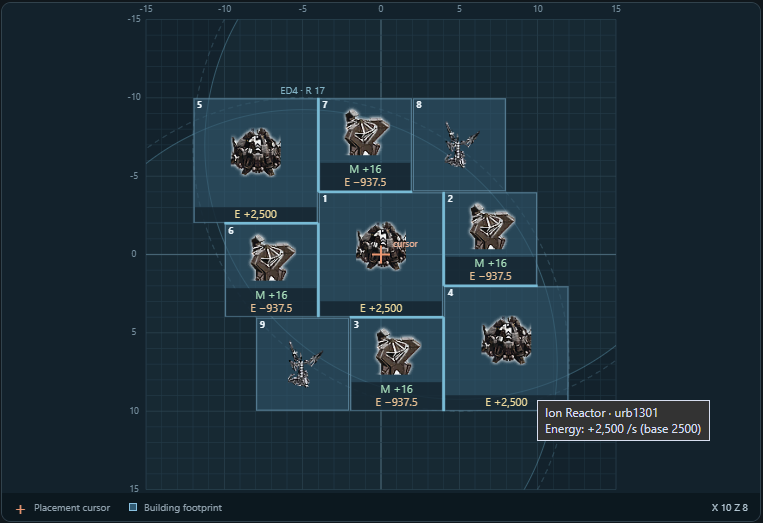
- Whole-layout totals: total mass/energy construction cost, total production, and net income.

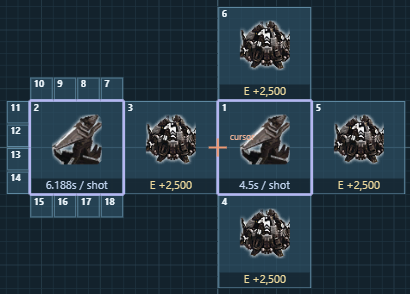
- Artillery statistics: nominal shot intervals and energy per shot for T2, T3, and experimental artillery, including supported adjacency bonuses.
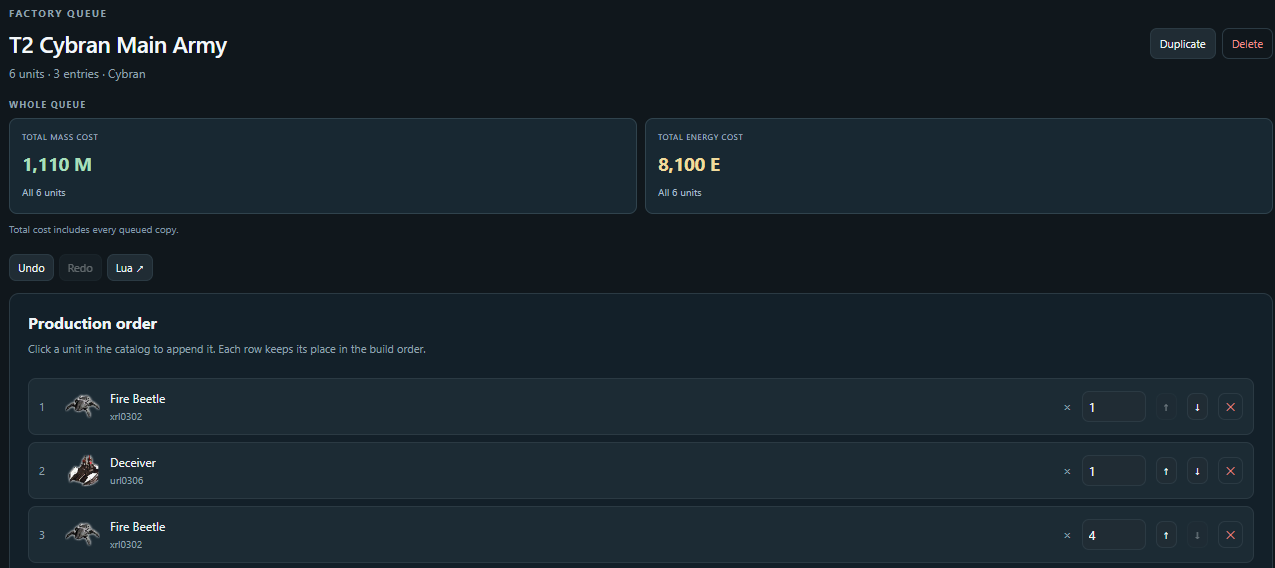
- Factory queues: view and edit production order and quantities, with total mass/energy cost for the entire queue.
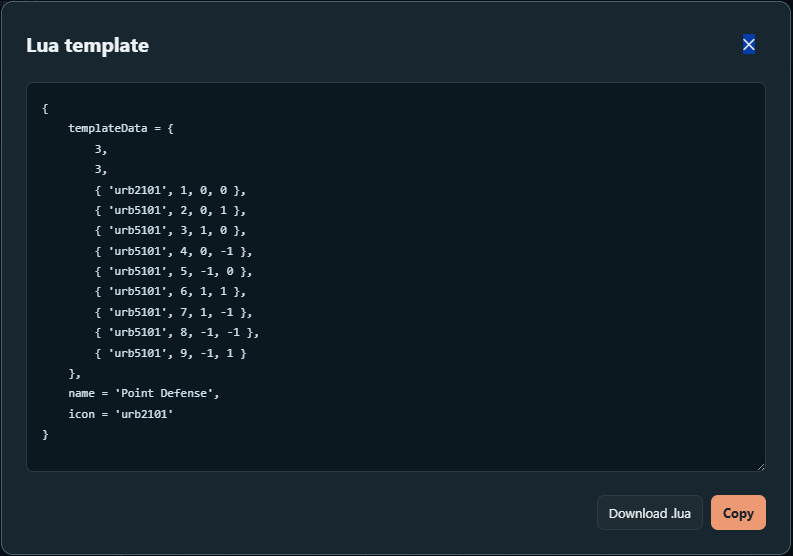
- Lua import/export: paste an existing template snippet, or copy/export a layout to share it.
How to use it?
- Download and extract the ZIP.
- Run FAFTemplateWorkshop.exe. The editor opens in your browser.
- It loads the default Game.prefs if available. Otherwise, click Open prefs, select your file, and choose the correct game profile.
- Edit an existing layout or queue, or create a new one.
- Close the game, then click Save + backup.
Use Quit in the editor when finished. Closing the browser tab alone leaves the local app running.
It’s a portable Windows x64 app. No additional runtime installation is needed, and the bundled catalog and icons work offline.
Saving and backups
Something goes wrong? Don't worry - you can simply reinstall the game and everything will be back to defaults. Just joking of course, the app is careful with working with the Game.pref file:
Every Save + backup creates and verifies a timestamped copy of your original prefs before replacing it. Backups are stored in Game.prefs_backups beside your prefs file, and the Backups button opens that folder.
Only the building-template and factory-queue sections are edited; your other settings are preserved. Saving is blocked if backup creation fails or the prefs file has changed externally since opening it.
A few limits
The bundled unit data is a fixed FAF 3839 snapshot. It doesn’t automatically update or load modded unit data.
FAF’s All faction templates option controls sharing of matching building layouts across factions. Faction-exclusive buildings need their own layouts, and factory queues remain faction-specific.
Creator of this tool is not a programmer so fixing stuff might take some time 
Download Link: FAF Template Workshop 1.2
Hopefully some of you find this useful! If you notice a wrong value, broken layout, or other issue, please let me know and I might take a look into it.
Feel free to share your creations!
