Total Mayhem 1.37 for all game versions
-
@Uveso Alright I'll put it in the mod thanks again for the reply!
-
Good afternoon. I would like to ask the author of "Total Mayhem" mod. Can I copy and use the 3 vehicles you created in my mod?
.Google translate. my english is bad - sorry. -
Unit ID brot3bt doesn't contain the AMPHIBIOUS category, but has a motion type 'RULEUMT_Amphibious' (i.e. to be in line with FA categorisation of units I'd expect it to have the AMPHIBIOUS category)
-
@uveso said in Total Mayhem 1.37 for all game versions:
You try to install the AI-Uveso mod (even if its not working with steam)
https://forum.faforever.com/topic/350
The mod must be switched on, but don't use the AI.Just so we're clear; we are supposed to play Total Mayhem with AI-Uveso mod installed, but not enabled? As in we play with vanilla AI, but keep the mod installed in the background?
-
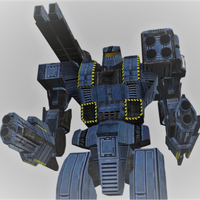
Referencing a bug reported earlier in discord regarding the building animation of two aeon units (BROT3BT and BROT3BT2,) :
https://discord.com/channels/197033481883222026/1213509460207869953 -
A question regarding the Avalanche Cybran superexperimental.
BRMT3AVA_LOD0 to be exact.
I am unable to edit this mesh file. I cannot even import then export it, untouched. Blender v2.80 and v2.82 tried (the second one I regularly use no problem).
Does anyone know why? And how to go around it?It's a simple edit for a standalone unit within another mod - mine, not for TMayhem. Basically I need more bones added on strategic places to attach weapons as adds to it + I want to add 2 more turrets to the back of it and animate a tail opening animation when the unit goes low on hp, so that the turrets exit the tail to deploy and start shooting. It's for one of the end boss variants for my survival.
Any info is appreciated.
-
@DDDX
Hi, I think CDRMV once told me that there's a limit to the number of bones in a model. Maybe that's it. Or the mesh was created using Blender 3.5 or 4.2. -
nah, it's Total mayhem, so it's either 2.82, 2.80, or older. If it's even done with Blender at all

-
@DDDX
Hi, I've taken a look at the unit, but I can't offer a solution yet, as I'm testing with my new hardware and a new version of Blender. So, this is just a preliminary review. What have I tried? First, I tried importing and exporting one of my units via Blender. That seems to work. With the unit you mentioned, I get the following error from Blender:Python: Traceback (most recent call last):
File "C:\Users\Anwender\AppData\Roaming\Blender Foundation\Blender\4.2\scripts\addons\supcom-exporter.py", line 1183, in execute
export_scm(self.directory)
File "C:\Users\Anwender\AppData\Roaming\Blender Foundation\Blender\4.2\scripts\addons\supcom-exporter.py", line 1080, in export_scm
mesh.save(outdir + arm_obj.name + '.scm')
File "C:\Users\Anwender\AppData\Roaming\Blender Foundation\Blender\4.2\scripts\addons\supcom-exporter.py", line 470, in save
face = struct.pack('3H', self.faces[f][0], self.faces[f][1], self.faces[f][2])
^^^^^^^^^^^^^^^^^^^^^^^^^^^^^^^^^^^^^^^^^^^^^^^^^^^^^^^^^^^^^^^^^^^^^^^
struct.error: ushort format requires 0 <= number <= 65535I haven't looked into this yet, but maybe someone else can help with it. The reference seems to be in the export Python file.
-
Asked ChatGPT about it:
One of the vertex_index_x values is greater than 65535
 Why this happens:
The exporter assumes the mesh has fewer than 65536 vertices (so all vertex indices fit in a 16-bit unsigned integer).


Hello! It looks like you're interested in this conversation, but you don't have an account yet.
Getting fed up of having to scroll through the same posts each visit? When you register for an account, you'll always come back to exactly where you were before, and choose to be notified of new replies (either via email, or push notification). You'll also be able to save bookmarks and upvote posts to show your appreciation to other community members.
With your input, this post could be even better 💗
Register Login