FAForever Forums
    • Categories
    • Recent
    • Tags
    • Popular
    • Users
    • Groups
    • Login
    The current pre-release of the client ("pioneer" in the version) is only compatible to itself. So you can only play with other testers. Please be aware!

    Black Screen with mod v6 'Advanced Target Priorities EVO'

    Scheduled Pinned Locked Moved Game Issues and Gameplay questions
    40 Posts 3 Posters 756 Views 1 Watching
    Loading More Posts
    • Oldest to Newest
    • Newest to Oldest
    • Most Votes
    Reply
    • Reply as topic
    Log in to reply
    This topic has been deleted. Only users with topic management privileges can see it.
    • nomadsN Offline
      nomads
      last edited by

      Preset = 'strogo1_1',

      This command doesn't seem to be automatically added

      1 Reply Last reply Reply Quote 0
      • S Offline
        SealingSatyr511
        last edited by

        Can you add it and have a check ?
        i tried multiple scenario where the entries in GamePrefs were missing, and the crud operation works on the preset filename.

        nomadsN 1 Reply Last reply Reply Quote 0
        • nomadsN Offline
          nomads
          last edited by

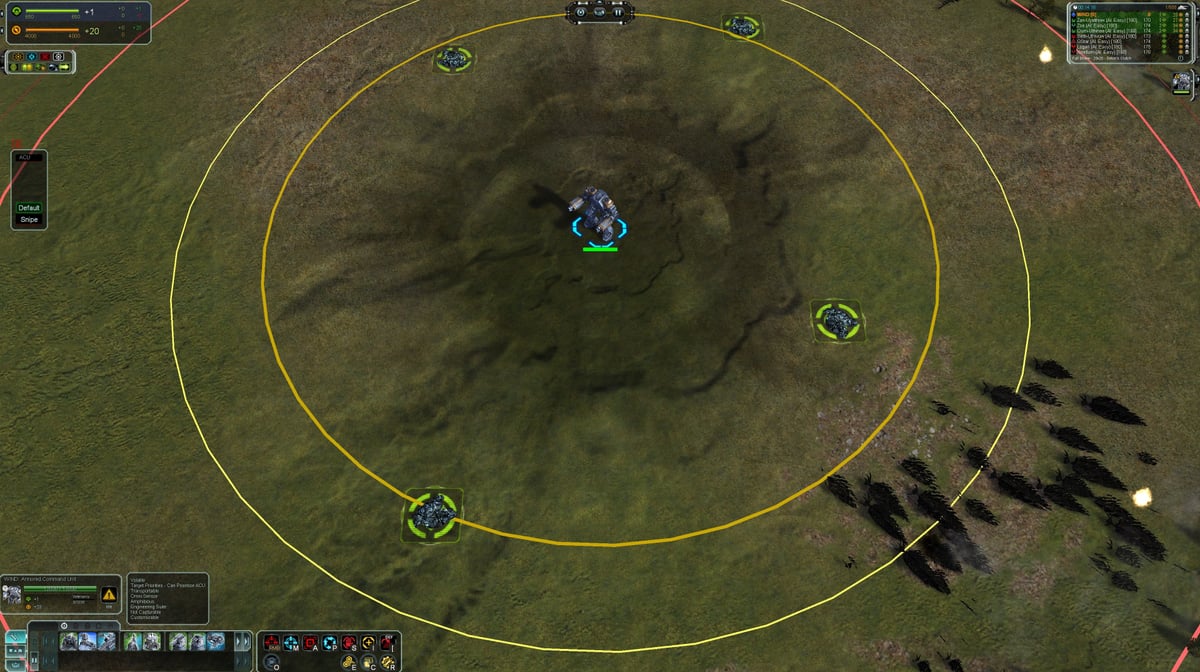
          After the instruction is added, it's okay
          thank you very much.
          x.jpg

          1 Reply Last reply Reply Quote 1
          • S Offline
            SealingSatyr511
            last edited by SealingSatyr511

            if it fix the prb by adding this entry, that mean i must verify the mod pref of the profile and if it is not compliant, delete and rebuilt it on the fly, to prevent any bad old data structure.

            1 Reply Last reply Reply Quote 1
            • nomadsN Offline
              nomads @SealingSatyr511
              last edited by

              unable to add commands, related to Windows system permissions?

              S 2 Replies Last reply Reply Quote 0
              • S Offline
                SealingSatyr511
                last edited by SealingSatyr511

                well, i will do a fix to check the gamePrefs as i described. It can occurs some structure corruption after installing wrong update etc...

                1 Reply Last reply Reply Quote 1
                • S Offline
                  SealingSatyr511 @nomads
                  last edited by SealingSatyr511

                  This post is deleted!
                  1 Reply Last reply Reply Quote 1
                  • nomadsN Offline
                    nomads
                    last edited by

                    Take care of yourself, good night

                    1 Reply Last reply Reply Quote 0
                    • S Offline
                      SealingSatyr511 @nomads
                      last edited by

                      @nomads not sure it was due to that. i prefer do a better control of any existing entries in gameprefs first.

                      The v7 contains several major fixes also.

                      1 Reply Last reply Reply Quote 0
                      • S Offline
                        SealingSatyr511
                        last edited by SealingSatyr511

                        Thank you 🙂

                        1 Reply Last reply Reply Quote 0
                        • S SealingSatyr511 referenced this topic on
                        • S Offline
                          SealingSatyr511
                          last edited by

                          1.0.4 - Fix
                          -Added a test plan execution at startup to prevent GamePrefs issues
                          (version 8 in the vault)

                          1 Reply Last reply Reply Quote 0
                          • maggeM Offline
                            magge Moderator FAF Association Board
                            last edited by

                            With v8 I do not get any black screen anymore, but unfortunately, I do not get any bottom build panel when I select any unit. (no other mods active).

                            warning: Error running '/lua/ui/game/gamemain.lua:OnSelectionChanged': ...\advanced target priorities evo\modules\settings.lua(802): perform arithmetic on expected but got nil
                                     stack traceback:
                                     	...\advanced target priorities evo\modules\settings.lua(802): in function `ApplyCoordinatesToPanels'
                                     	...\faforever\1\gamedata\lua.nx2\lua\ui\game\orders.lua(1881): in function <...\faforever\1\gamedata\lua.nx2\lua\ui\game\orders.lua:1875>
                                     	...\faforever\1\gamedata\lua.nx2\lua\ui\game\orders.lua(1675): in function `SetAvailableOrders'
                                     	...aforever\1\gamedata\lua.nx2\lua\ui\game\gamemain.lua(702): in function <...aforever\1\gamedata\lua.nx2\lua\ui\game\gamemain.lua:625>
                            warning: Error running '/lua/ui/game/gamemain.lua:OnSelectionChanged': ...\advanced target priorities evo\modules\settings.lua(802): perform arithmetic on expected but got nil
                                     stack traceback:
                                     	...\advanced target priorities evo\modules\settings.lua(802): in function `ApplyCoordinatesToPanels'
                                     	...\faforever\1\gamedata\lua.nx2\lua\ui\game\orders.lua(1881): in function <...\faforever\1\gamedata\lua.nx2\lua\ui\game\orders.lua:1875>
                                     	...\faforever\1\gamedata\lua.nx2\lua\ui\game\orders.lua(1675): in function `SetAvailableOrders'
                                     	...aforever\1\gamedata\lua.nx2\lua\ui\game\gamemain.lua(702): in function <...aforever\1\gamedata\lua.nx2\lua\ui\game\gamemain.lua:625>
                            

                            Join a FAFtastic Team | Join the FAForever Association

                            1 Reply Last reply Reply Quote 0
                            • S Offline
                              SealingSatyr511
                              last edited by SealingSatyr511

                              Ok.
                              can you share your GamePrefs "advancedpriotities" ?
                              and what is your current adapter resolution ?
                              Do you use a second monitor ? if yes, left or right display ?

                              1 Reply Last reply Reply Quote 0
                              • maggeM Offline
                                magge Moderator FAF Association Board
                                last edited by magge

                                1. The 'advancedpriotities' entry in the Game.prefs:
                                            AdvancedPriotities = {
                                                windowHeight = 140,
                                                posY = 500,
                                                AttackConstructionLeftValue = 600,
                                                AttackOrdersLeftValue = 50,
                                                Preset = 'strogo1_1',
                                                FactoryConstructionRightValue = 1400,
                                                buttonLayoutSeparate = {
                                                    { },
                                                    { },
                                                    { }
                                                },
                                                windowWidth = 120,
                                                FactoryOrdersLeftValue = 50,
                                                posX = 50,
                                                FactoryConstructionLeftValue = 600,
                                                showSeparateWindow = false,
                                                lockSeparateWindow = false,
                                                hideAbilities = false,
                                                AttackConstructionRightValue = 1400
                                            },
                                
                                1. Primary monitor: 2560 x1440 I use only one monitor for gaming. SC runs only on the main screen.

                                @SealingSatyr511 said in Black Screen with mod v6 'Advanced Target Priorities EVO':

                                Do you use a second monitor ? if yes, left or right display ?

                                1. Yes, bottom.
                                  1a188408-d449-42b2-a385-15f8a7f6a183-image.png

                                Edit: BTW, there is a spelling mistake:

                                For 'advancedpriotities' is the "r" missing; 'advancedpriorities'

                                Join a FAFtastic Team | Join the FAForever Association

                                1 Reply Last reply Reply Quote 0
                                • S Offline
                                  SealingSatyr511
                                  last edited by SealingSatyr511

                                  The gamePrefs is ok, yes it's advancedpriotities (without the r). It's easier for the dev to find in the gameprefs. it's native code of the old 1.1.

                                  here is the code that fails :

                                  -- check the serapate targeting window position
                                  local separateWindow = import("/lua/ui/game/orders.lua").GetSeparateWindow()
                                  local tableRez = mysplit(Prefs.GetFromCurrentProfile('options').primary_adapter,',')
                                  if (prioritySettingsPrefs.posX > tonumber(tableRez[1])-207) or  
                                     (prioritySettingsPrefs.posY > tonumber(tableRez[2])-145) then    
                                          separateWindow.Left:Set(DefaultPosX)
                                          separateWindow.Top:Set(DefaultPosY)
                                          prioritySettingsPrefs.posX = DefaultPosX
                                          prioritySettingsPrefs.posY = DefaultPosY
                                          Prefs.SetToCurrentProfile("AdvancedPriotities", prioritySettingsPrefs)
                                          Prefs.SavePreferences()
                                          resetPosition = true
                                  end
                                  

                                  the condition is line 802 where the bug occurs.

                                  but i m pretty sure it s due to resolution and coordinate retrieved from
                                  Prefs.GetFromCurrentProfile('options').primary_adapter

                                  it put the resolution 2560x1440 to a table, and i check the x and y position of the window.
                                  This code is designed to prevent out of range position.

                                  I don't reproduce this bug (i use a single monitor). the dual monitor may have an impact on how the resolution is retrieved by the game.
                                  Does it take the resolution of the game ? or the windows system ? that's the key i think.

                                  Be sure i m investigating this. I have a laptop with a dual screen (not the computer i run Faf), i m going to install faf on it and check how it works in debug. i must reproduce.

                                  1 Reply Last reply Reply Quote 2
                                  • S Offline
                                    SealingSatyr511
                                    last edited by SealingSatyr511

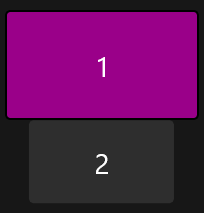
                                    I just tried with the same configuration, dual screen, 1 ON 2 ON, 1080p on both, the 1 up, 2 down. dual screen disabled in FA
                                    I have zero issue, even with dual screen activated in FA

                                    Can you have a try by switching off your second screen ? and put the code in comment to disable it ? (modules/settings.lua)

                                    Is there other guy who experiment the same bug ?
                                    Does it work well for you ?

                                    Thanks for your help, it s a weird bug.

                                    1 Reply Last reply Reply Quote 0
                                    • nomadsN Offline
                                      nomads
                                      last edited by nomads

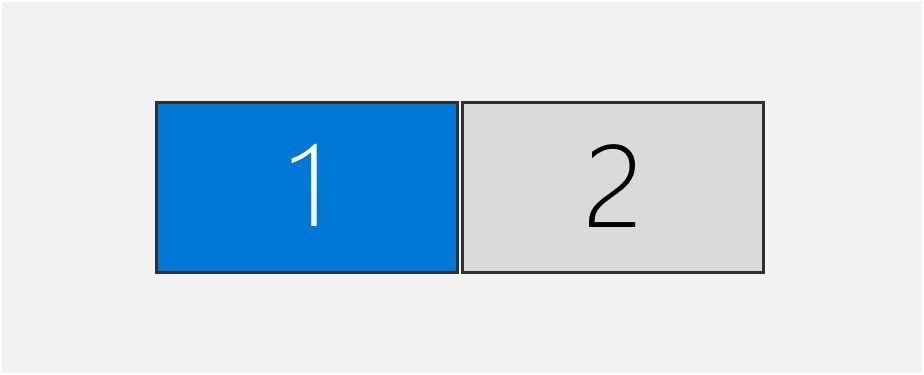
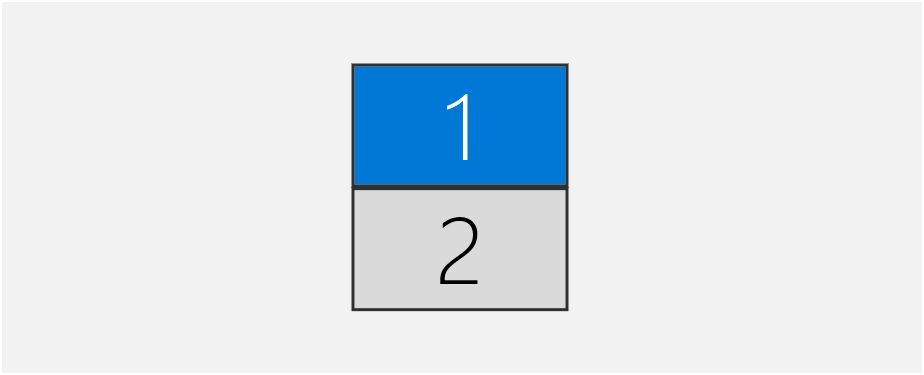
                                      V8 has been tested under dual screen conditions, and the display mod is normal regardless of left-right, and up-down.
                                      PixPin_2025-05-04_21-46-20.jpg

                                      PixPin_2025-05-04_21-46-42.jpg

                                      Conclusion for reference:

                                      1. It seems that only the main screen has a UI toolbar
                                      2. It is recommended to set your preferred screen as the main screen in the system settings before playing the game; The relative position of the screen doesn't matter, just adjust it according to personal habits.
                                      1 Reply Last reply Reply Quote 0
                                      • S Offline
                                        SealingSatyr511
                                        last edited by

                                        Only main screen have UI toolbar yes, it s the native behavior.
                                        So Nomads, you don't have issue if i understand well.

                                        1 Reply Last reply Reply Quote 0
                                        • nomadsN Offline
                                          nomads
                                          last edited by

                                          yes,thank you.

                                          1 Reply Last reply Reply Quote 0
                                          • S Offline
                                            SealingSatyr511
                                            last edited by SealingSatyr511

                                            i don t like this kind of bug, because something is wrong somewhere, maybe in the adapter code of the engine itself.. i don't know.
                                            But i would like to find a way to prevent this. It should not be.
                                            1 Reply Last reply Reply Quote 0

                                            Hello! It looks like you're interested in this conversation, but you don't have an account yet.

                                            Getting fed up of having to scroll through the same posts each visit? When you register for an account, you'll always come back to exactly where you were before, and choose to be notified of new replies (either via email, or push notification). You'll also be able to save bookmarks and upvote posts to show your appreciation to other community members.

                                            With your input, this post could be even better 💗

                                            Register Login
                                            • First post
                                              Last post