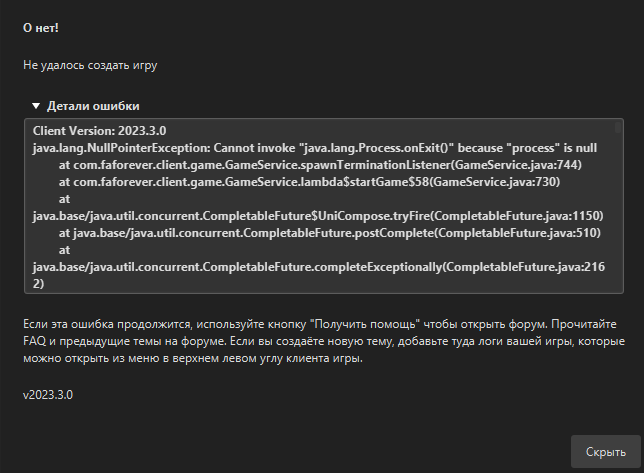
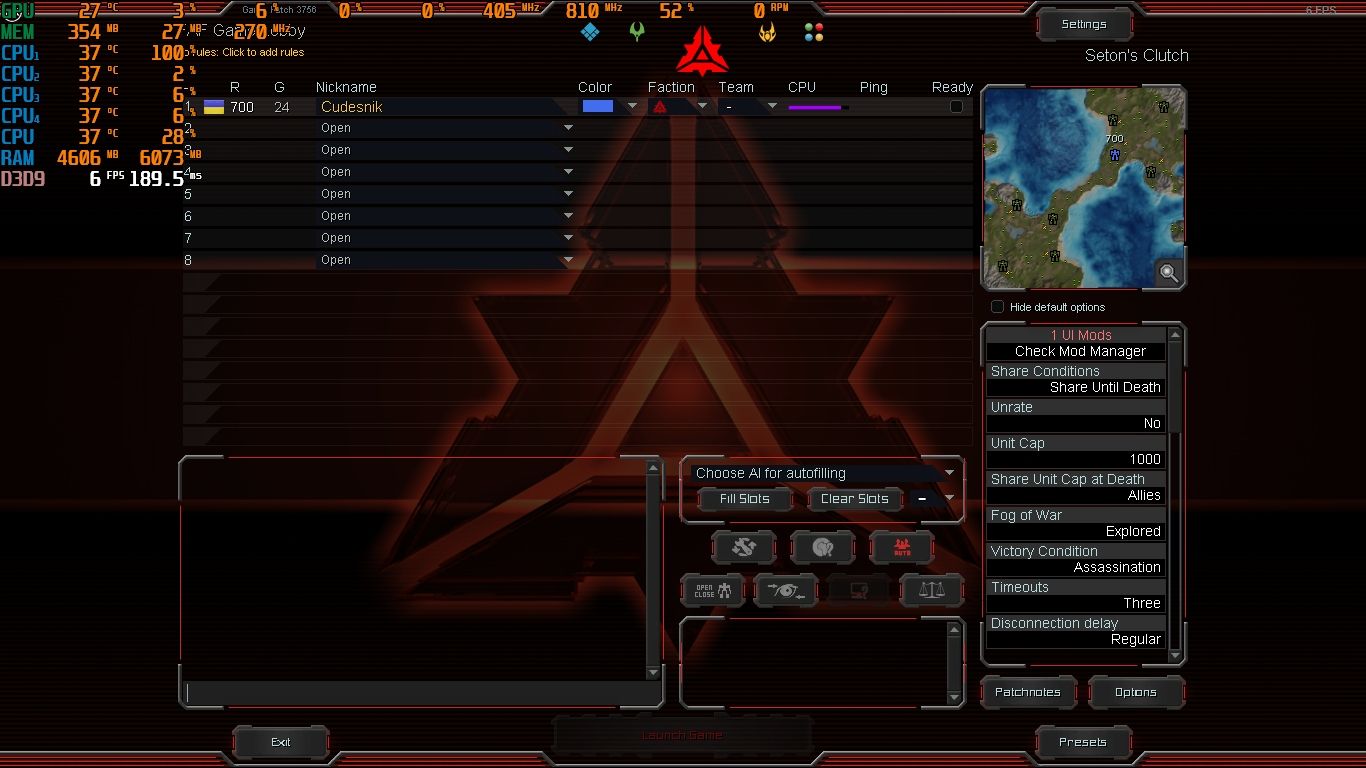
The current pre-release of the client ("pioneer" in the version) is only compatible to itself. So you can only play with other testers. Please be aware!
Same problem
Client Version: 2023.3.0
java.lang.IllegalArgumentException: No redirect uris provided
at com.faforever.client.login.OAuthValuesReceiver.receiveValues(OAuthValuesReceiver.java:55)
at com.faforever.client.login.LoginController.onLoginButtonClicked(LoginController.java:272)
at java.base/jdk.internal.reflect.NativeMethodAccessorImpl.invoke0(Native Method)
at java.base/jdk.internal.reflect.NativeMethodAccessorImpl.invoke(NativeMethodAccessorImpl.java:77)
at java.base/jdk.internal.reflect.DelegatingMethodAccessorImpl.invoke(DelegatingMethodAccessorImpl.java:43)
at java.base/java.lang.reflect.Method.invoke(Method.java:568)
at com.sun.javafx.reflect.Trampoline.invoke(MethodUtil.java:72)
at java.base/jdk.internal.reflect.NativeMethodAccessorImpl.invoke0(Native Method)
at java.base/jdk.internal.reflect.NativeMethodAccessorImpl.invoke(NativeMethodAccessorImpl.java:77)
at java.base/jdk.internal.reflect.DelegatingMethodAccessorImpl.invoke(DelegatingMethodAccessorImpl.java:43)
at java.base/java.lang.reflect.Method.invoke(Method.java:568)
at com.sun.javafx.reflect.MethodUtil.invoke(MethodUtil.java:270)
at com.sun.javafx.fxml.MethodHelper.invoke(MethodHelper.java:84)
at javafx.fxml.FXMLLoader$MethodHandler.invoke(FXMLLoader.java:1855)
at javafx.fxml.FXMLLoader$ControllerMethodEventHandler.handle(FXMLLoader.java:1726)
at com.sun.javafx.event.CompositeEventHandler.dispatchBubblingEvent(CompositeEventHandler.java:86)
at com.sun.javafx.event.EventHandlerManager.dispatchBubblingEvent(EventHandlerManager.java:232)
at com.sun.javafx.event.EventHandlerManager.dispatchBubblingEvent(EventHandlerManager.java:189)
at com.sun.javafx.event.CompositeEventDispatcher.dispatchBubblingEvent(CompositeEventDispatcher.java:59)
at com.sun.javafx.event.BasicEventDispatcher.dispatchEvent(BasicEventDispatcher.java:58)
at com.sun.javafx.event.EventDispatchChainImpl.dispatchEvent(EventDispatchChainImpl.java:114)
at com.sun.javafx.event.BasicEventDispatcher.dispatchEvent(BasicEventDispatcher.java:56)
at com.sun.javafx.event.EventDispatchChainImpl.dispatchEvent(EventDispatchChainImpl.java:114)
at com.sun.javafx.event.BasicEventDispatcher.dispatchEvent(BasicEventDispatcher.java:56)
at com.sun.javafx.event.EventDispatchChainImpl.dispatchEvent(EventDispatchChainImpl.java:114)
at com.sun.javafx.event.EventUtil.fireEventImpl(EventUtil.java:74)
at com.sun.javafx.event.EventUtil.fireEvent(EventUtil.java:49)
at javafx.event.Event.fireEvent(Event.java:198)
at javafx.scene.Node.fireEvent(Node.java:8944)
at javafx.scene.control.Button.fire(Button.java:203)
at com.sun.javafx.scene.control.behavior.ButtonBehavior.mouseReleased(ButtonBehavior.java:207)
at com.sun.javafx.scene.control.inputmap.InputMap.handle(InputMap.java:274)
at com.sun.javafx.event.CompositeEventHandler$NormalEventHandlerRecord.handleBubblingEvent(CompositeEventHandler.java:247)
at com.sun.javafx.event.CompositeEventHandler.dispatchBubblingEvent(CompositeEventHandler.java:80)
at com.sun.javafx.event.EventHandlerManager.dispatchBubblingEvent(EventHandlerManager.java:232)
at com.sun.javafx.event.EventHandlerManager.dispatchBubblingEvent(EventHandlerManager.java:189)
at com.sun.javafx.event.CompositeEventDispatcher.dispatchBubblingEvent(CompositeEventDispatcher.java:59)
at com.sun.javafx.event.BasicEventDispatcher.dispatchEvent(BasicEventDispatcher.java:58)
at com.sun.javafx.event.EventDispatchChainImpl.dispatchEvent(EventDispatchChainImpl.java:114)
at com.sun.javafx.event.BasicEventDispatcher.dispatchEvent(BasicEventDispatcher.java:56)
at com.sun.javafx.event.EventDispatchChainImpl.dispatchEvent(EventDispatchChainImpl.java:114)
at com.sun.javafx.event.BasicEventDispatcher.dispatchEvent(BasicEventDispatcher.java:56)
at com.sun.javafx.event.EventDispatchChainImpl.dispatchEvent(EventDispatchChainImpl.java:114)
at com.sun.javafx.event.EventUtil.fireEventImpl(EventUtil.java:74)
at com.sun.javafx.event.EventUtil.fireEvent(EventUtil.java:54)
at javafx.event.Event.fireEvent(Event.java:198)
at javafx.scene.Scene$MouseHandler.process(Scene.java:3980)
at javafx.scene.Scene.processMouseEvent(Scene.java:1890)
at javafx.scene.Scene$ScenePeerListener.mouseEvent(Scene.java:2704)
at com.sun.javafx.tk.quantum.GlassViewEventHandler$MouseEventNotification.run(GlassViewEventHandler.java:411)
at com.sun.javafx.tk.quantum.GlassViewEventHandler$MouseEventNotification.run(GlassViewEventHandler.java:301)
at java.base/java.security.AccessController.doPrivileged(AccessController.java:399)
at com.sun.javafx.tk.quantum.GlassViewEventHandler.lambda$handleMouseEvent$2(GlassViewEventHandler.java:450)
at com.sun.javafx.tk.quantum.QuantumToolkit.runWithoutRenderLock(QuantumToolkit.java:424)
at com.sun.javafx.tk.quantum.GlassViewEventHandler.handleMouseEvent(GlassViewEventHandler.java:449)
at com.sun.glass.ui.View.handleMouseEvent(View.java:551)
at com.sun.glass.ui.View.notifyMouse(View.java:937)
at com.sun.jna.Native.invokeLong(Native Method)
at com.sun.jna.Function.invoke(Function.java:427)
at com.sun.jna.Function.invoke(Function.java:360)
at com.sun.jna.Library$Handler.invoke(Library.java:244)
at jdk.proxy2/jdk.proxy2.$Proxy90.CallWindowProc(Unknown Source)
at ch.micheljung.fxwindow.DecorationWindowProcedure.callback(DecorationWindowProcedure.java:192)
at jdk.internal.reflect.GeneratedMethodAccessor27.invoke(Unknown Source)
at java.base/jdk.internal.reflect.DelegatingMethodAccessorImpl.invoke(DelegatingMethodAccessorImpl.java:43)
at java.base/java.lang.reflect.Method.invoke(Method.java:568)
at com.sun.jna.CallbackReference$DefaultCallbackProxy.invokeCallback(CallbackReference.java:520)
at com.sun.jna.CallbackReference$DefaultCallbackProxy.callback(CallbackReference.java:551)
at com.sun.glass.ui.win.WinApplication._runLoop(Native Method)
at com.sun.glass.ui.win.WinApplication.lambda$runLoop$3(WinApplication.java:185)
at java.base/java.lang.Thread.run(Thread.java:833)
The most likely answer is this: Some time in the past (any time in the last 10 years), you registered an account with FAF, with the username "Octane"
A search within the FAF client shows that the Octane account was used to play games in FAF from December 2018 to basically the present (a couple weeks ago). Have you been playing FAF all this time?
I think you created a new account in the last 2 weeks or so. You need to log in to FAF using your Octane login. not this new account "Neulovimiy."
@gpt-95_kz
here is a list with the most common issues.
yours seems to be point 2
Something is blocking the client to have access to the internet, or you have a very unstable connection.
-->
Check if your internet connection is stable
Check if firewall is blocking the access
Disable security software for testing purpose
Try a VPN from a different country
@staxes
Client can not detect that you are logged in from browser
-> Change default web browser to firefox or chrome
info from this list of common errors (yours is point 3)
https://forum.faforever.com/topic/4256/solutions-for-common-errors-with-the-faf-client-launcher-or-supreme-commander
Oh. That doesn't make sense to me because in order to use my package manager my system time has to be set to the current time. Why is the server time so far ahead?
EDIT: My system time was set to 7 hours behind. What the heck, how did that happen? So weird. TYVM for the help.
for me the error was
Error! The link token couldn't be found on your profile. Make sure to set your status.
the solution was to remove enter after the code {{FAF:....}} in about section