[MOD UI] Build Grid
-
Place one building normally, and the mod calibrates a world-aligned build grid.
It works out of the box without requiring any configuration. Everything can be customized.
It is meant to make spacing, symmetry, and adjacency placement easier.
Main features:
- World grid anchored from your first building placement. (reset possible)
- Every value customizable; colour/style settings are saved automatically.
- Hover reveal while placing buildings. It is based on the same calibrated world grid.
- Vision-grid display around your selected builders
Quick Demo:
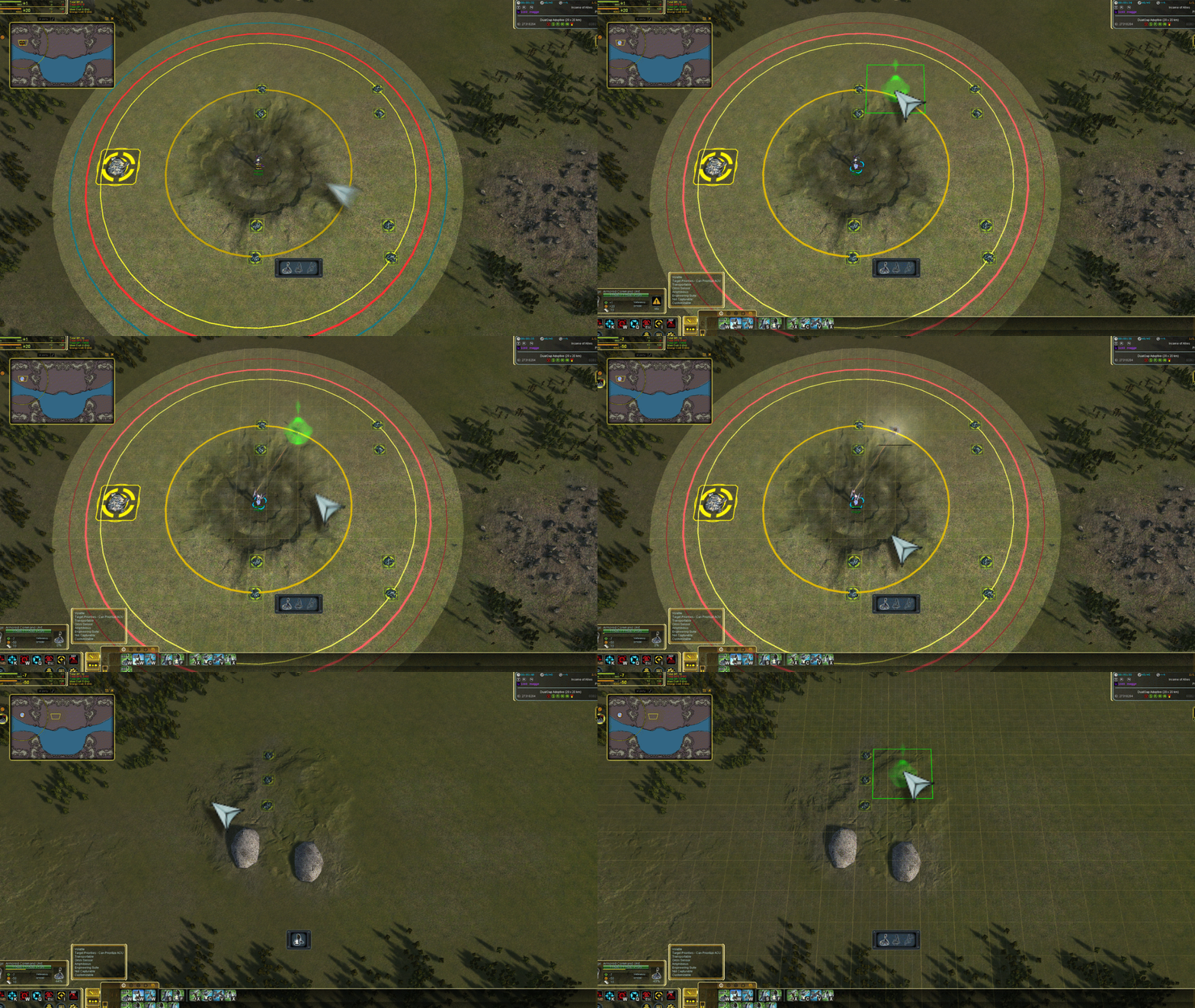
How it works:
- The first building sets the grid anchor.
- The build mode / selecting an engineer will show the calibrated grid.
- If the first building was misplaced, use
Reset Anchorand try again.
Settings window:
A
Toggle Build Grid Panelhotkey action is available in FAF key bindings under theBuild Gridcategory.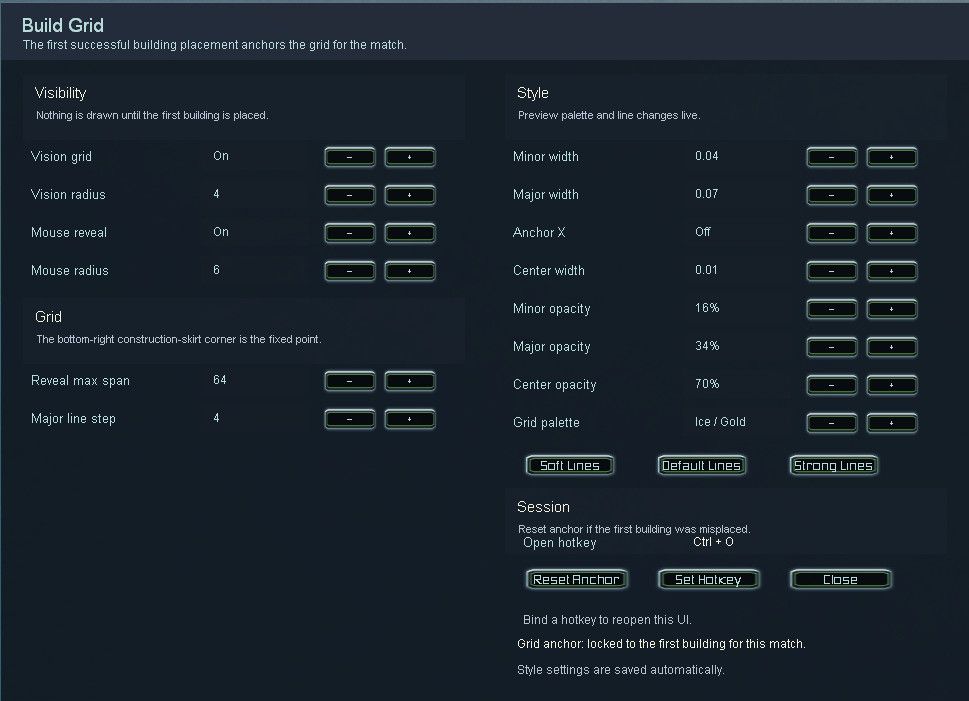
Disclaimer:
This mod was developed with Codex, then manually reviewed and adjusted in-game.
Notes / Limitations
-
Can the Shift build overlay be enabled permanently?
No. The in-game build overlay is hardcoded. Keeping it active would require engine modifications. And simulating a key press would interfere with hotkeys.
-
Not every mex / hydro spot fits perfectly on the grid?!
The map author has placed them with a different grid offset. You can either re-anchor the grid near those affected, or kindly ask the map author to make the whole map a little more grid-friendly.
-
Is it terrain sensitive?
Not yet. The grid uses a fixed height for every line, so hills and slopes may cause minor visual issues. Height support needs more testing.
Credits:
Thanks to @c0rtex and @nomander for sparking the idea and providing feedback.
Bugs? Report, please!
-
 I IndexLibrorum referenced this topic on
-
Fabulous!

Hello! It looks like you're interested in this conversation, but you don't have an account yet.
Getting fed up of having to scroll through the same posts each visit? When you register for an account, you'll always come back to exactly where you were before, and choose to be notified of new replies (either via email, or push notification). You'll also be able to save bookmarks and upvote posts to show your appreciation to other community members.
With your input, this post could be even better 💗
Register Login