FAForever Forums
    • Categories
    • Recent
    • Tags
    • Popular
    • Users
    • Groups
    • Login
    The current pre-release of the client ("pioneer" in the version) is only compatible to itself. So you can only play with other testers. Please be aware!

    FAF doesnt recognize I have supcom
    Scheduled Pinned Locked Moved FAF support (client and account issues)
    19 Posts 10 Posters 1.4k Views
    Loading More Posts
    • Oldest to Newest
    • Newest to Oldest
    • Most Votes
    Reply
    • Reply as topic
    Log in to reply
    This topic has been deleted. Only users with topic management privileges can see it.
    • arma473A Offline
      arma473
      last edited by

      The most likely situation is that you don't actually have SC:FA on Steam.

      Probably you have "family sharing" and someone else is the owner of SC:FA

      Or you might be trying to link your FAF account to the wrong Steam account

      1 Reply Last reply Reply Quote 0
      • E Offline
        Eszusz
        last edited by Eszusz

        I can confirm I literally own the SC and SC:FA on Steam and I trying to use my only one STEAM account so this cannot be the problem.
        The Link button now just refresh this page and write the red error message that I mentioned in the previous post. It seems the website has the problem.

        Any other soulution?

        E 1 Reply Last reply Reply Quote 0
        • E Offline
          Eszusz @Eszusz
          last edited by Eszusz

          @eszusz I can't buy it because I already have...
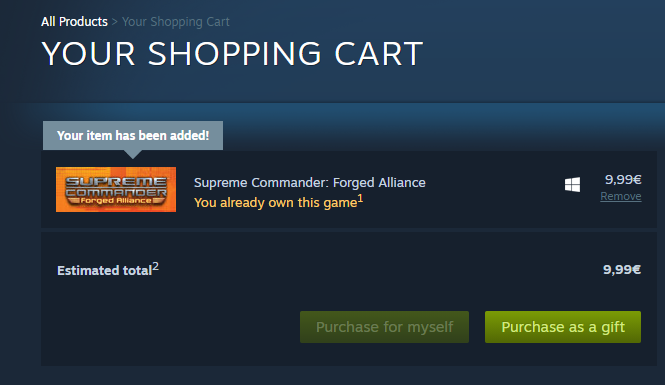
          540979e5-42ec-429b-97ce-dc1218bdb85f-image.png

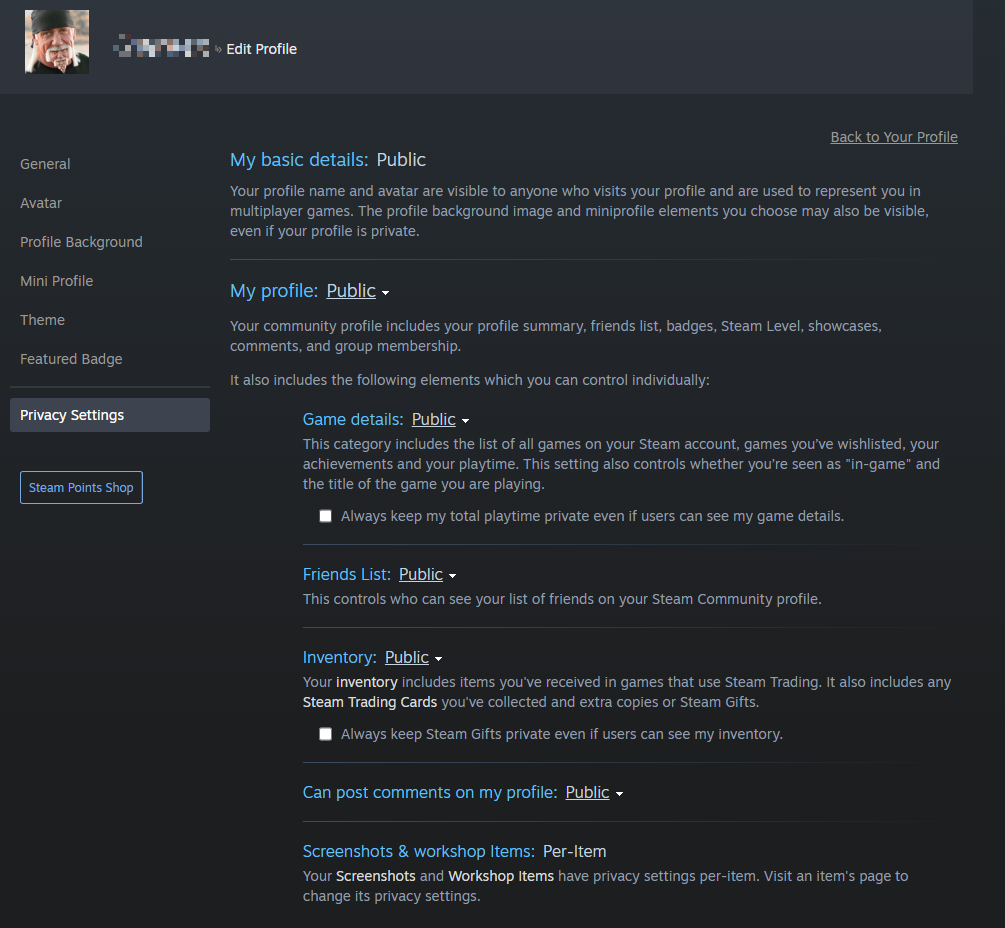
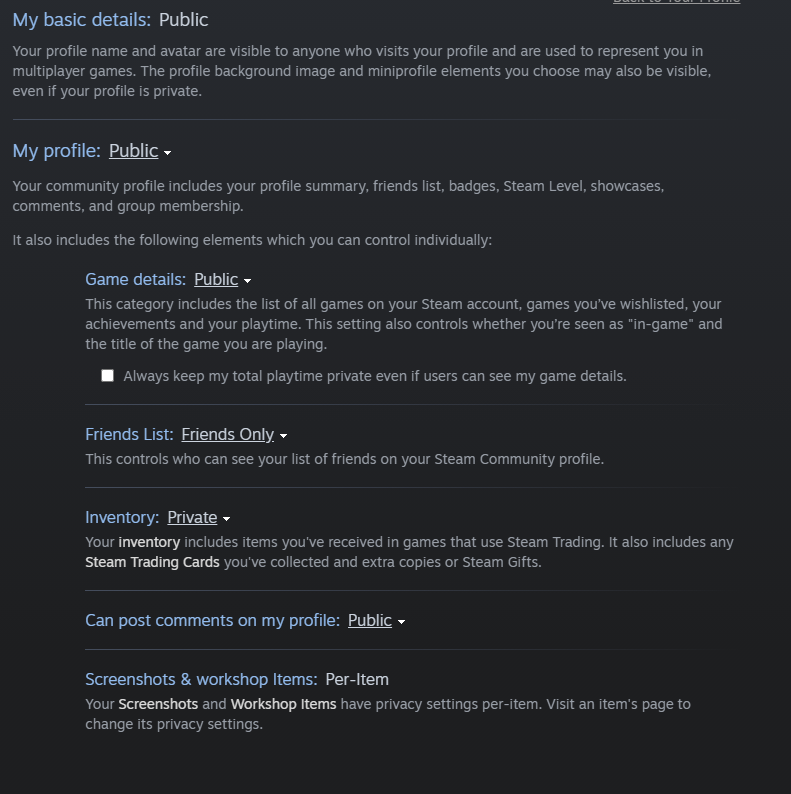
          There is my privacy settings:
          46719f28-a4e9-413a-bbbf-841eceb5e041-image.png

          1 Reply Last reply Reply Quote 0
          • Brutus5000B Offline
            Brutus5000 FAF Server Admin
            last edited by Brutus5000

            None of you successfully linked the accounts you use in this forum to Steam (I looked it up in the database).
            If you think you did this successfully, it was probably on a different account name. In that case try to do a password reset via Steam to reveal which account that was.

            He said, "I've been to the year 3000
            Not much has changed, but they live underwater
            And your great-great-great-granddaughter
            Is playin' FAF, playin' FAF"

            E 1 Reply Last reply Reply Quote 0
            • E Offline
              Eszusz @Brutus5000
              last edited by

              @brutus5000 Thank you for the answer!
              I tried to reset password via steam, unfortunately I got the following error messages:
              {"requestId":"e7d332ae-cdbb-4e20-b38a-848c3cce7808","errors":[{"status":"422","title":"Unable to resolve steam id","detail":"The Steam ID '76561198049802665' does not match any account.","code":"193","meta":{"args":["76561198049802665"]}}]}

              I think I couldn't connect my steam account then.

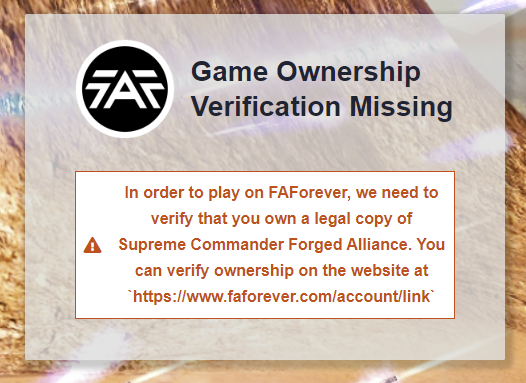
              Now I tried to link my steam account again. After I press the "yellow" colored "Link your FAF account to Steam", the page suddenly refres it self and I get the red error message, without any redirection to steam sign in.
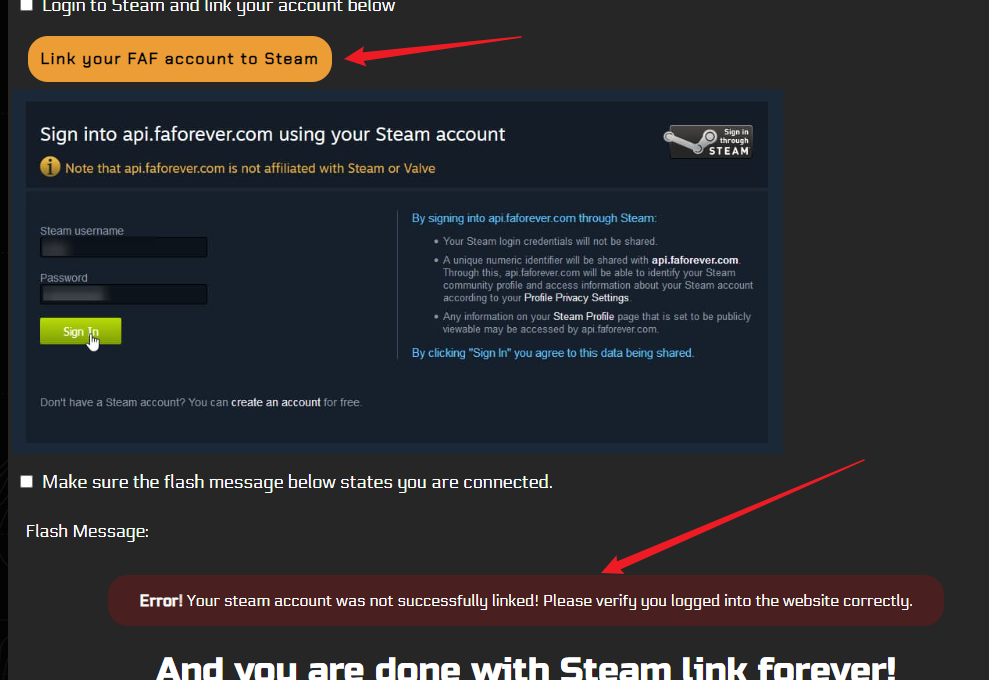
              6a5b15d9-e6a5-4aaf-9880-446b584449d5-image.png

              What can prevent me from linking? I followed the guidelines, also tried some "solution" from the forum. I'm absolutely lost.

              1 Reply Last reply Reply Quote 0
              • Brutus5000B Offline
                Brutus5000 FAF Server Admin
                last edited by

                Last idea is logout and relogin on the website.
                I'll try testing with my account later on to see if the process maybe is broken.

                He said, "I've been to the year 3000
                Not much has changed, but they live underwater
                And your great-great-great-granddaughter
                Is playin' FAF, playin' FAF"

                E 1 Reply Last reply Reply Quote 0
                • E Offline
                  Eszusz @Brutus5000
                  last edited by Eszusz

                  @brutus5000

                  I tried it before. I gave it another chance, though.
                  Now I got this:
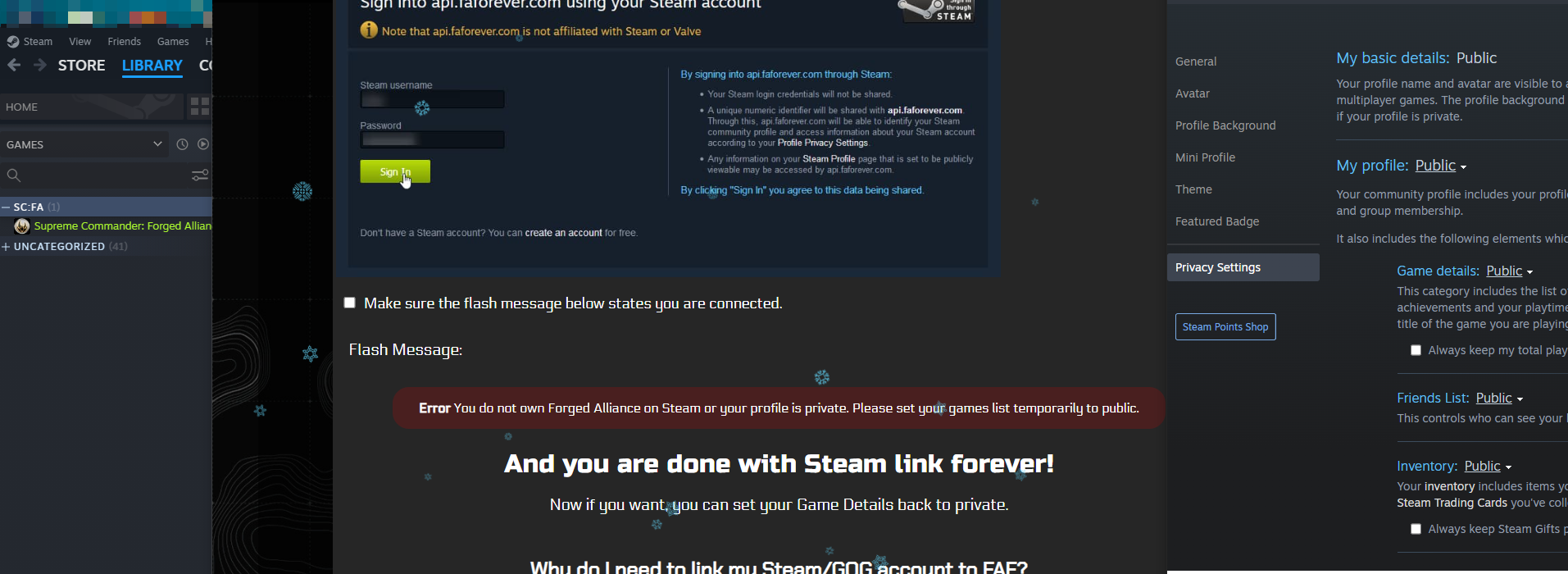
                  36d13121-48ed-4cb1-aacb-ee96ecf8a88f-image.png

                  I would appreciate if you'll test it.
                  Thank you.

                  PS: I tried it from another PC, still error 😞

                  E 1 Reply Last reply Reply Quote 0
                  • E Offline
                    Eszusz @Eszusz
                    last edited by

                    Finally.
                    I have successfully linked my account!

                    I tried to figure out what can be the problem and noticed that the SC:FA was marked as private, therefore FAF cannot recognize I have SC:FA regardless my privacy settings.

                    To help someone in the future:
                    Navigate here in the steam via browser:
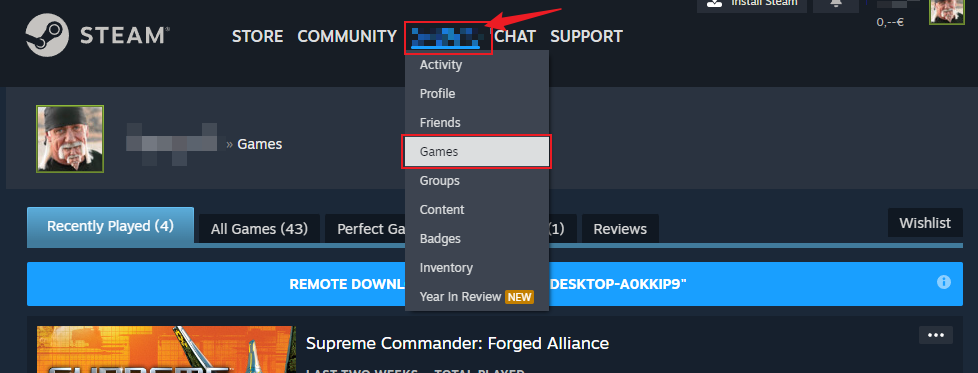
                    3b42873a-4785-48f1-98d4-67042288bb51-image.png

                    Then search for Supreme Commander and Supreme Commander: Forged Alliance and click to this icon(picture) or click on the three dot and select "unmark as private"
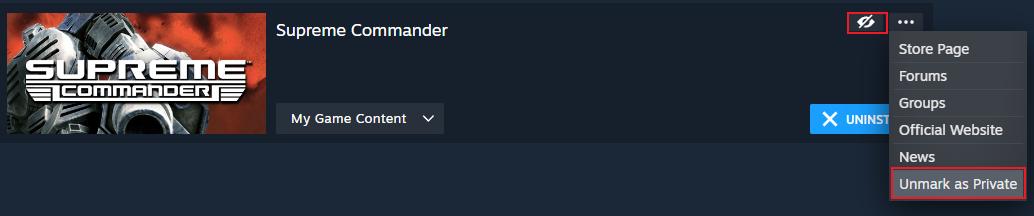
                    780a52c9-5b1e-49c5-b66b-38547ed66605-image.png

                    To be honest I don't have any idea why it was marked as private because I haven't marked it before.

                    GL & HF everybody!

                    1 Reply Last reply Reply Quote 3
                    • Brutus5000B Offline
                      Brutus5000 FAF Server Admin
                      last edited by

                      I wasn't even aware this was possible for single games.

                      He said, "I've been to the year 3000
                      Not much has changed, but they live underwater
                      And your great-great-great-granddaughter
                      Is playin' FAF, playin' FAF"

                      E 1 Reply Last reply Reply Quote 0
                      • MostLostNoobM Offline
                        MostLostNoob
                        last edited by

                        It's a recent change from Steam, but AFAIK, it's opt-in, so I'm surprised that SCFA was set like that automatically.

                        1 Reply Last reply Reply Quote 0
                        • ipconfig-releaseI Offline
                          ipconfig-release
                          last edited by

                          It might be worth adding this to the FAQ to avoid future headaches.

                          1 Reply Last reply Reply Quote 0
                          • maggeM Offline
                            magge Moderator FAF Association Board
                            last edited by

                            Maybe even in the onboarding process itself — I raised an issue: https://github.com/FAForever/website/issues/538

                            Join a FAFtastic Team | Join the FAForever Association

                            1 Reply Last reply Reply Quote 1
                            • E Offline
                              Eszusz @Brutus5000
                              last edited by

                              @brutus5000 Me neither.
                              But now I'm happy and enjoying the FOF.

                              You guys made very great work with SC! 🙂

                              1 Reply Last reply Reply Quote 0

                              Hello! It looks like you're interested in this conversation, but you don't have an account yet.

                              Getting fed up of having to scroll through the same posts each visit? When you register for an account, you'll always come back to exactly where you were before, and choose to be notified of new replies (either via email, or push notification). You'll also be able to save bookmarks and upvote posts to show your appreciation to other community members.

                              With your input, this post could be even better 💗

                              Register Login
                              • First post
                                Last post