FAForever Forums
    • Categories
    • Recent
    • Tags
    • Popular
    • Users
    • Groups
    • Login
    1. Home
    2. Tokyto_
    3. Posts
    The current pre-release of the client ("pioneer" in the version) is only compatible to itself. So you can only play with other testers. Please be aware!
    T Offline
    • Profile
    • Following 0
    • Followers 0
    • Topics 1
    • Posts 3
    • Groups 0

    Posts

    Recent Best Controversial
    • RE: Sharing my factory unit queue templates

      I made this tool that might make it faster to copy/paste.

      If you share the Lua code that is.

      Thanks!

      https://forum.faforever.com/topic/10444/template-workshop-tool

      posted in General Discussion
      T
      Tokyto_
    • RE: Template Workshop Tool

      Glad you like it and thank you for testing!

      Did you build T3 Air HQ before? Might just be unable to build those T3 support air factories. Tested your setup and worked fine...

      Might also be some other issue. If it still won't work, can you send me your Game.pref? 🙂

      posted in Modding & Tools
      T
      Tokyto_
    • Template Workshop Tool

      Hey hi hello!

      I wanted an easier way to create and tweak building templates without opening the game every time, so I put together a Template Workshop.

      It lets you open your Game.prefs, view your existing templates, build new layouts on a grid, and save them back into your game profile. It also handles factory production queues.

      Especially handy for mass fab farms, shield coverage, and experimenting with adjacency.

      What it can do?
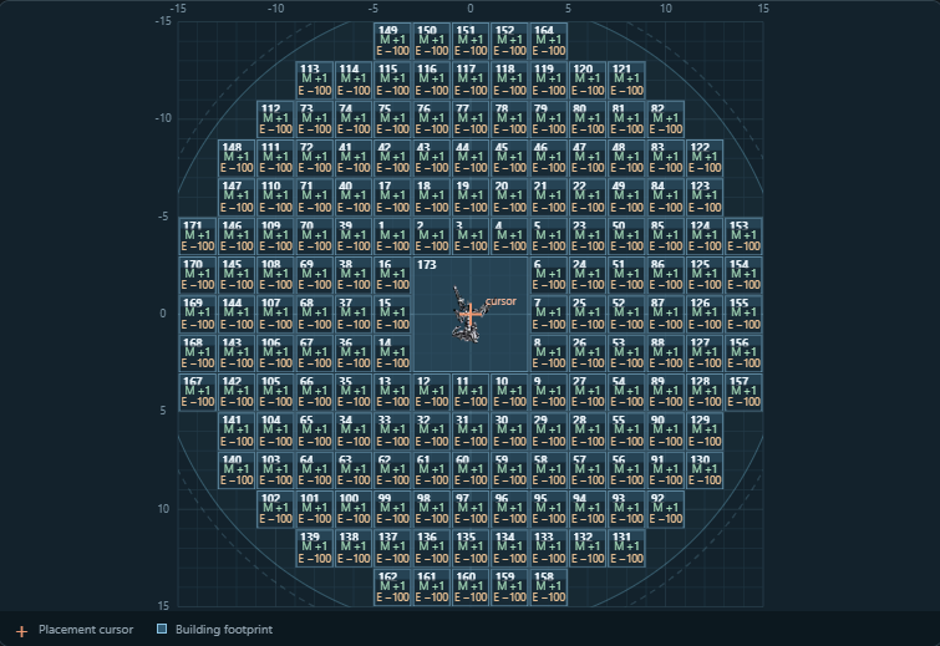
      • Visual layout editor: starts with a 30×30 grid, expandable up to 120×120. Place, move, remove, rotate, mirror, duplicate, and rename templates, with Undo/Redo.
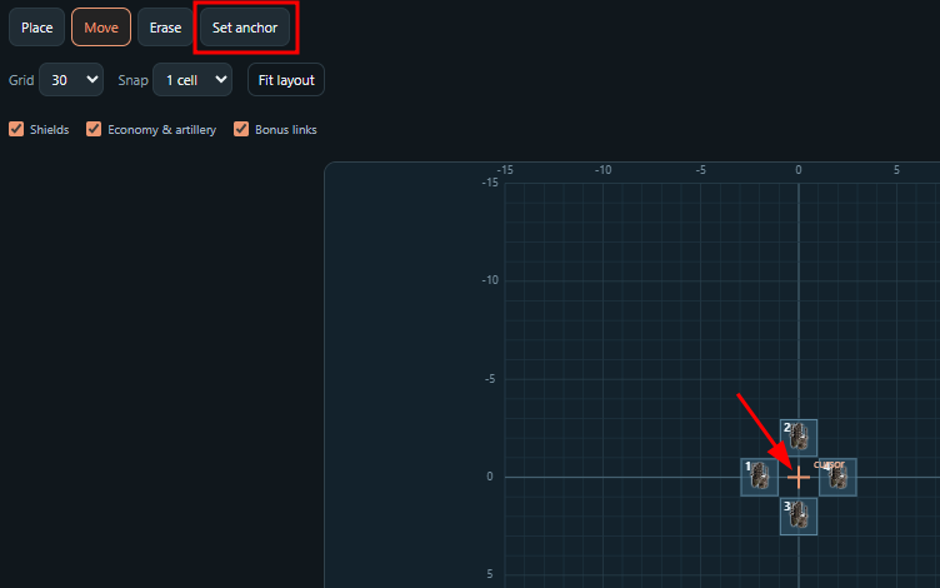
      • Placement cursor controls: center the cursor on the entire layout, or choose a custom anchor including an empty spot reserved for an existing mex etc.
        1003cb69-e86a-4af1-904a-d6d1118553a6-image.png
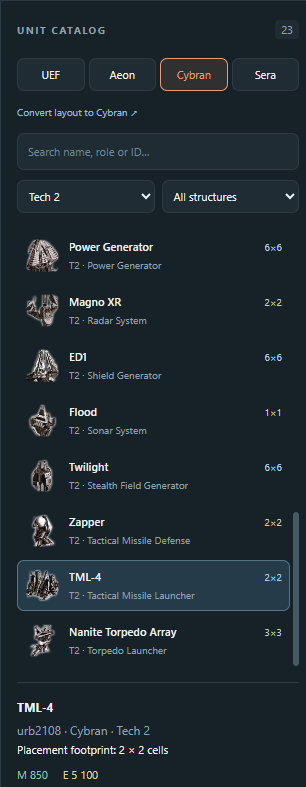
      • All four factions: searchable unit catalog with icons, placement footprints, and faction/tech/role filters.
        2b6fc92f-f62c-48c5-9873-8aa910582eec-image.png
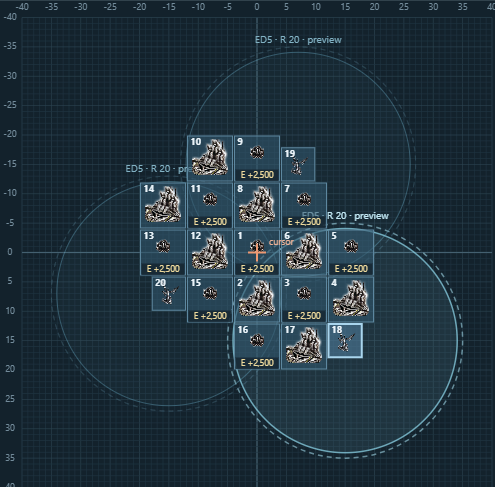
      • Shield coverage: see coverage circles directly on the grid. For Cybran, place ED1 or ED4 and preview later upgrades without changing the saved building.
        9080d982-760d-4dd5-a1f7-20776b075a93-image.png
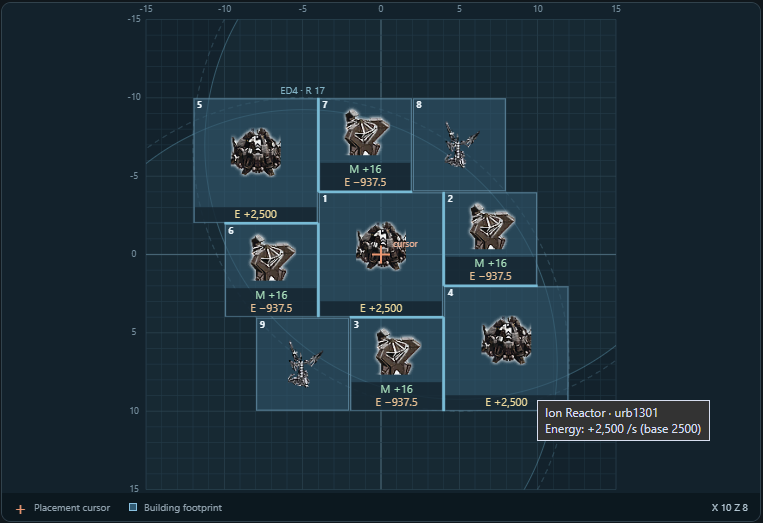
      • Live economy values: see production and upkeep on individual buildings, with storage and generator adjacency included.
        ff9d7d42-587f-4bc8-a58b-38c832930dc3-image.png
        f4110db6-0c92-400b-9fc7-f9008e6e7ede-image.png
      • Whole-layout totals: total mass/energy construction cost, total production, and net income.
        97795629-96c8-46c2-a24e-e55f35960283-image.png
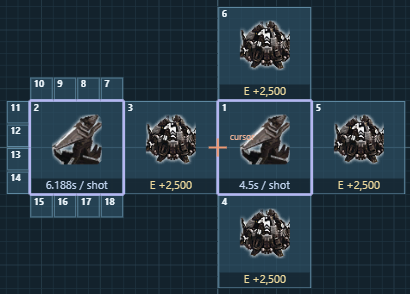
      • Artillery statistics: nominal shot intervals and energy per shot for T2, T3, and experimental artillery, including supported adjacency bonuses.
        7852d63c-f6dd-4d5b-a044-0b3573f921a2-image.png
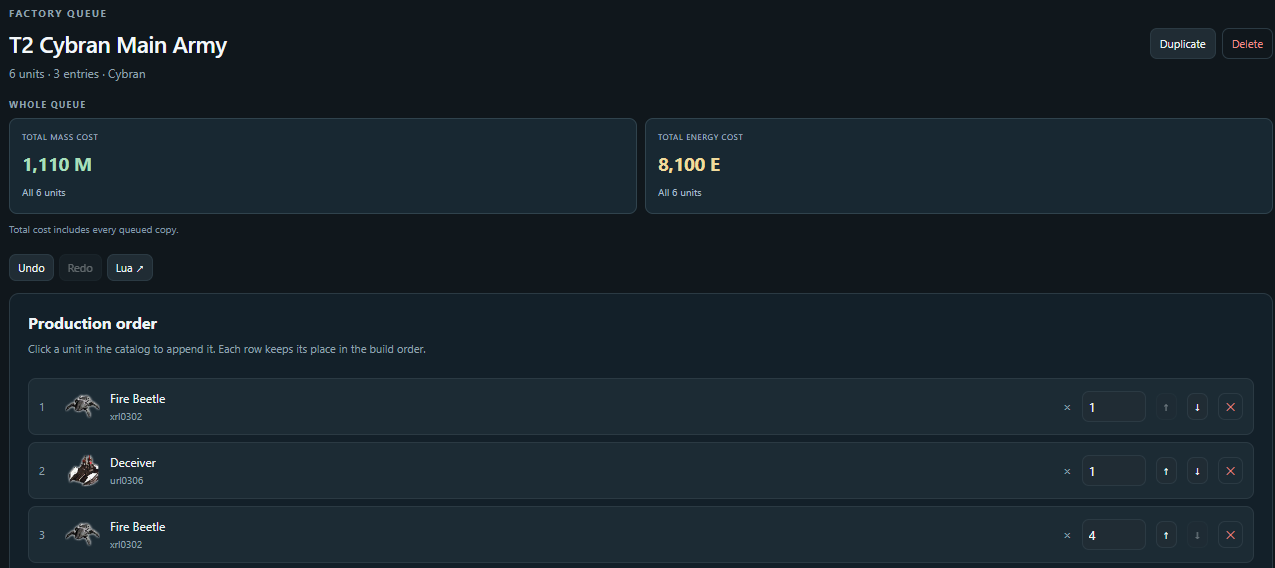
      • Factory queues: view and edit production order and quantities, with total mass/energy cost for the entire queue.
        94a9d74f-a2f5-475a-a1ec-e548a1c367eb-image.png
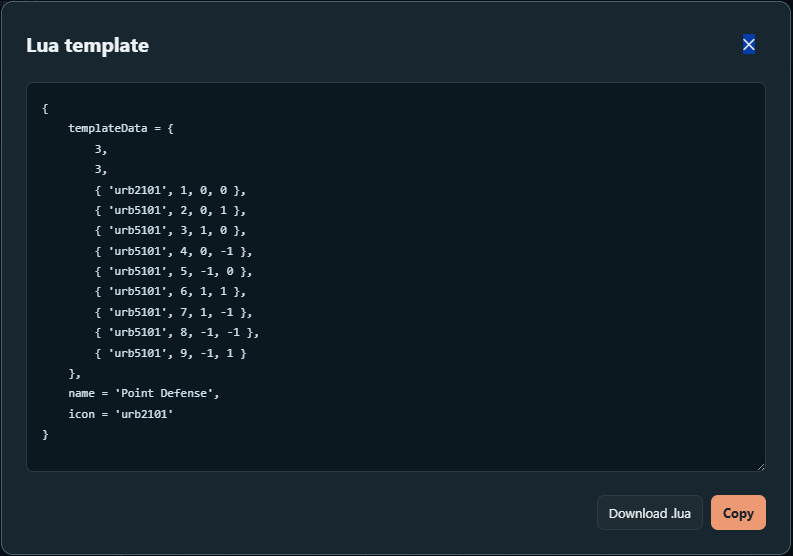
      • Lua import/export: paste an existing template snippet, or copy/export a layout to share it.
        5be0670b-938b-4e64-a0d1-17214a71d458-image.png

      How to use it?

      1. Download and extract the ZIP.
      2. Run FAFTemplateWorkshop.exe. The editor opens in your browser.
      3. It loads the default Game.prefs if available. Otherwise, click Open prefs, select your file, and choose the correct game profile.
      4. Edit an existing layout or queue, or create a new one.
      5. Close the game, then click Save + backup.

      Use Quit in the editor when finished. Closing the browser tab alone leaves the local app running.

      It’s a portable Windows x64 app. No additional runtime installation is needed, and the bundled catalog and icons work offline.

      Saving and backups

      Something goes wrong? Don't worry - you can simply reinstall the game and everything will be back to defaults. Just joking of course, the app is careful with working with the Game.pref file:

      Every Save + backup creates and verifies a timestamped copy of your original prefs before replacing it. Backups are stored in Game.prefs_backups beside your prefs file, and the Backups button opens that folder.

      Only the building-template and factory-queue sections are edited; your other settings are preserved. Saving is blocked if backup creation fails or the prefs file has changed externally since opening it.

      A few limits

      The bundled unit data is a fixed FAF 3839 snapshot. It doesn’t automatically update or load modded unit data.

      FAF’s All faction templates option controls sharing of matching building layouts across factions. Faction-exclusive buildings need their own layouts, and factory queues remain faction-specific.

      Creator of this tool is not a programmer so fixing stuff might take some time 😄

      Download Link: FAF Template Workshop 1.2

      Hopefully some of you find this useful! If you notice a wrong value, broken layout, or other issue, please let me know and I might take a look into it.

      Feel free to share your creations!

      posted in Modding & Tools
      T
      Tokyto_