Voice problems in the co-op missions of SC1
-
Apologies for the necro, but I was having a similar issue and this was the only thread I came across when searching for solutions. I’m not sure it’s worth a new thread, and I think it’s more likely to be seen by someone having the same issue if I post this here.
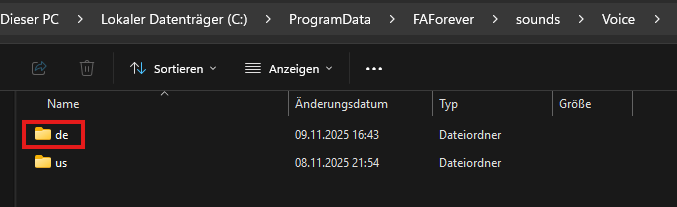
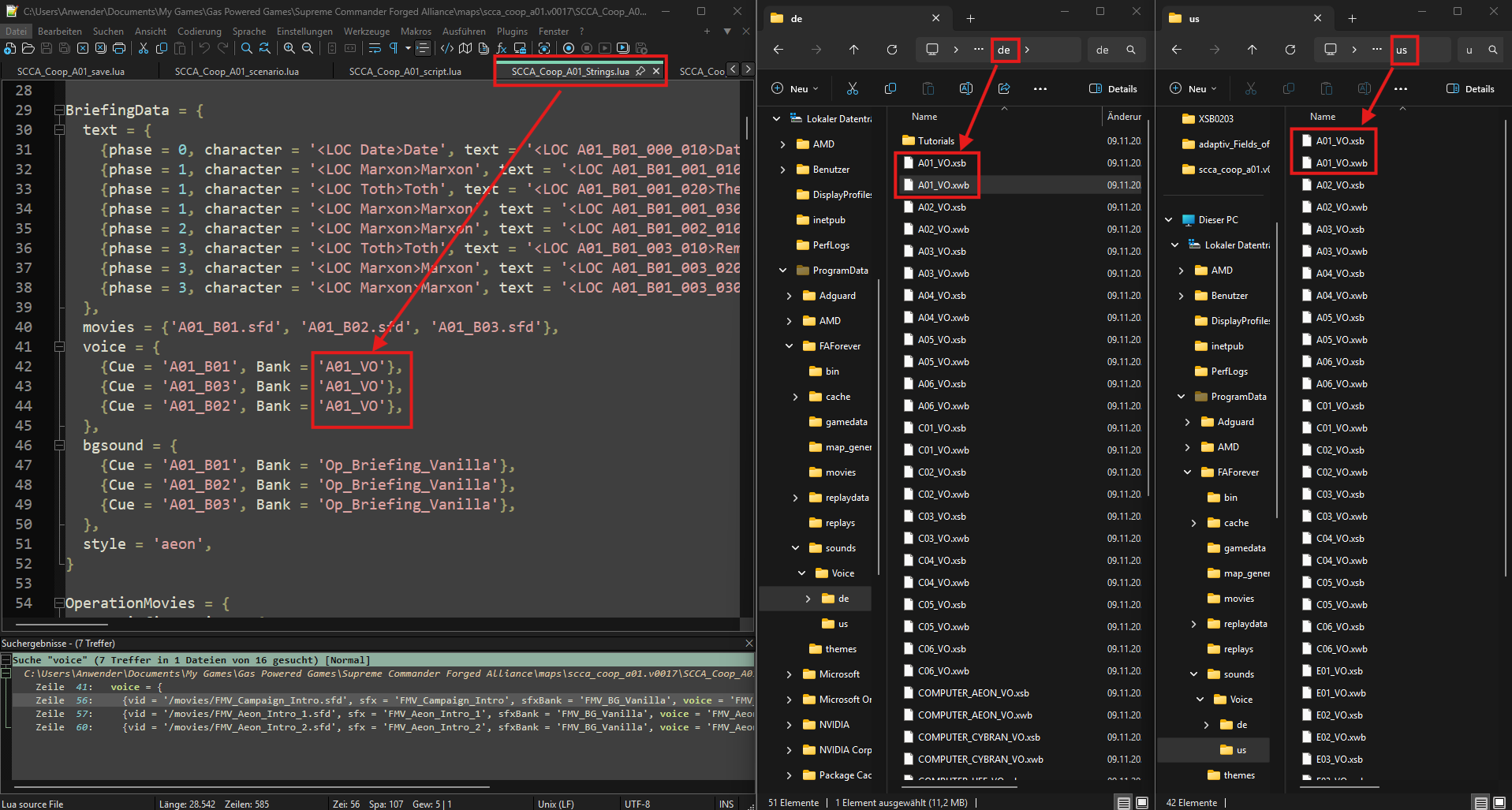
I’m using the Linux client and was unable to hear the npc voice lines while playing co-op with a friend. I figured out this was due to the voice files being downloaded to the wrong folder.
The npc voice files were downloaded to .faforever/sound/Voice/us (Uppercase V) but they need to be in .faforever/sound/voice/us (lowercase v) moving the files from one folder to the other fixed the issue.
It’s a tiny difference, and I can see how it happened. On windows files and folders are case insensitive but on Linux they are case sensitive , and so it’s possible to have two files/folders with the same name.
-
@Abigyil Hi, your approach is perfectly fine, and thank you for sharing your solution here.
Most of the threads I've created so far have been about my own questions or helping other users. However, since the problem you described is specifically related to Linux and the default language settings, it might be better to create a separate post for your solution. That way, other people will be able to find it more easily.
-
I can certainly do that.

Hello! It looks like you're interested in this conversation, but you don't have an account yet.
Getting fed up of having to scroll through the same posts each visit? When you register for an account, you'll always come back to exactly where you were before, and choose to be notified of new replies (either via email, or push notification). You'll also be able to save bookmarks and upvote posts to show your appreciation to other community members.
With your input, this post could be even better 💗
Register Login