FAForever Forums
    • Categories
    • Recent
    • Tags
    • Popular
    • Users
    • Groups
    • Login
    The current pre-release of the client ("pioneer" in the version) is only compatible to itself. So you can only play with other testers. Please be aware!

    Campaign start cinematic doesn't end

    Scheduled Pinned Locked Moved I need help
    8 Posts 5 Posters 157 Views
    Loading More Posts
    • Oldest to Newest
    • Newest to Oldest
    • Most Votes
    Reply
    • Reply as topic
    Log in to reply
    This topic has been deleted. Only users with topic management privileges can see it.
    • J Offline
      Jacist
      last edited by

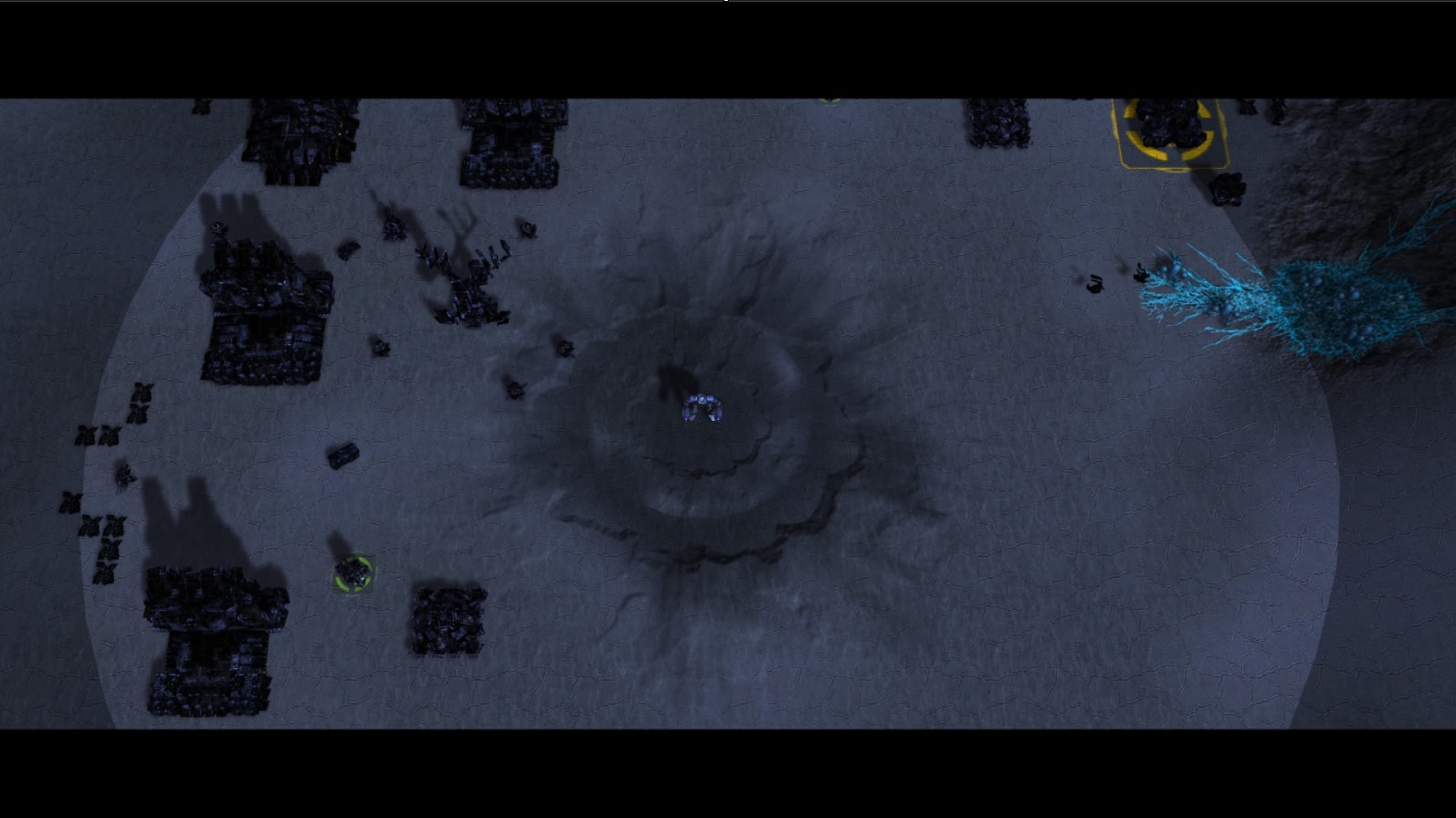
      I'm having this issue all of a sudden where if I start a co-op campaign, it'll play through the initial cutscenes but when it gets to my ACU spawning in, it just remains in the cinematic view with the black bars covering the top and bottom of my screen. I can't interact with the game, pause it, control anything but it is active and running. I will occasionally see an AI ship fly over the ACU.

      I've tried running a new campaign mission Black Dawn as well as Meltdown, or some of the unofficial missions. I disabled any mods I had and the issue persists. I've tried a complete reinstall of the game and the FAF launcher as well.alt text

      1 Reply Last reply Reply Quote 1
      • W Offline
        Wang_Dangler
        last edited by

        I'm experiencing the exact same problems since the latest patch. It makes any co-op mission with a "black-bar" cinematic unplayable.

        1 Reply Last reply Reply Quote 0
        • H Offline
          hareamao
          last edited by

          see this post:
          https://forum.faforever.com/topic/9154/co-op-campaign-issues-from-current-update-2025.5.0

          1 Reply Last reply Reply Quote 0
          • G Offline
            gugae
            last edited by

            I still have this issue but not at the start. I can never leave the first cut scenes after 10 minutes. Is there a solution for it?

            1 Reply Last reply Reply Quote 0
            • JipJ Offline
              Jip
              last edited by Jip

              @gugae Have you downloaded the latest game files by playing online?

              You can confirm your game version in the lobby. You can hover over the 'Game version XYZW' text. It should show something like this:

              b285487f-bc1b-45b3-a903-05751cca2f05-image.png

              A work of art is never finished, merely abandoned

              1 Reply Last reply Reply Quote 0
              • G Offline
                gugae
                last edited by

                Screenshot 2025-07-19 183039.png
                Yes i tried it with the newest patch.

                1 Reply Last reply Reply Quote 1
                • JipJ Offline
                  Jip
                  last edited by

                  Then please share a game log where this happened. And perhaps it is a UI mod that is causing issues. You can try disabling them, see if that helps.

                  A work of art is never finished, merely abandoned

                  1 Reply Last reply Reply Quote 0
                  • G Offline
                    gugae
                    last edited by

                    i disabled all the mods and here is the log
                    game_25260727.log
                    1 Reply Last reply Reply Quote 0

                    Hello! It looks like you're interested in this conversation, but you don't have an account yet.

                    Getting fed up of having to scroll through the same posts each visit? When you register for an account, you'll always come back to exactly where you were before, and choose to be notified of new replies (either via email, or push notification). You'll also be able to save bookmarks and upvote posts to show your appreciation to other community members.

                    With your input, this post could be even better 💗

                    Register Login
                    • First post
                      Last post