The current pre-release of the client ("pioneer" in the version) is only compatible to itself. So you can only play with other testers. Please be aware!
Game Log files
-
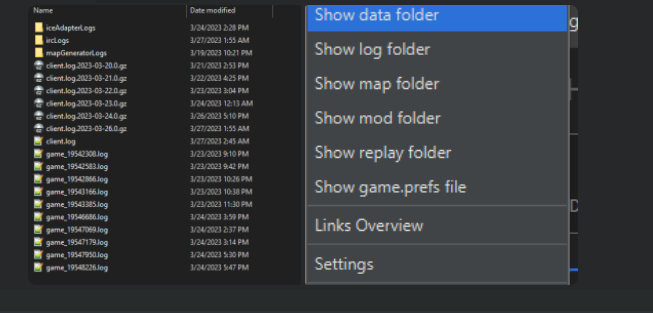
How do I find the game log files on my computer?
-
⇉ You can navigate to the folders via the FAF client itself (see attached image)
Overview
client.log→ Contains information about the FAF Client itself. Important when the client crashes or behaves unexpectedly.game_replay_id.log→ Contains information about a specific played game. Important when the game crashes or encounters issues.client.prefs→ JSON configuration file containing game settings such as installation paths, preferences, hotkeys, notes, enabled mods, mod/map directories, chat and notification settings, window size and position, and the last game type/title.
Default log location:
On Windows:
C:\Users\%username%\AppData\Roaming\Forged Alliance Forever\logsOn Linux: ~/.faforever/logs
client.prefs location:
On Windows:
C:\Users\%username%\AppData\Roaming\Forged Alliance ForeverOn Linux: ~/.faforever

Hello! It looks like you're interested in this conversation, but you don't have an account yet.
Getting fed up of having to scroll through the same posts each visit? When you register for an account, you'll always come back to exactly where you were before, and choose to be notified of new replies (either via email, or push notification). You'll also be able to save bookmarks and upvote posts to show your appreciation to other community members.
With your input, this post could be even better 💗
Register Login