Game connection issues - step 9 nothing works!
-
Hi all,
I am having issues with connecting to games... sometimes i can get trough in seconds but more often i can't connect to 1 or 2 players. I have followed the steps from the forum (https://forum.faforever.com/topic/8579/how-to-fix-connection-issues-in-faf-client-and-supreme-commander) but unfortunately no success.
Now i ended up at step 9 nothing works. I attached the data mentioned there, please someone help :') i just want to play and not bother other people with failure to connect.
(not sure if i should cover the ip adresses in the WinMTR pic but i saw it done on the forum hence i do it aswell)
Thanks

Put everything in a zip because i was only allowed to upload 3 files (client log, ice adapter log, advanced ice adapter log, game log and the WinMTR results)
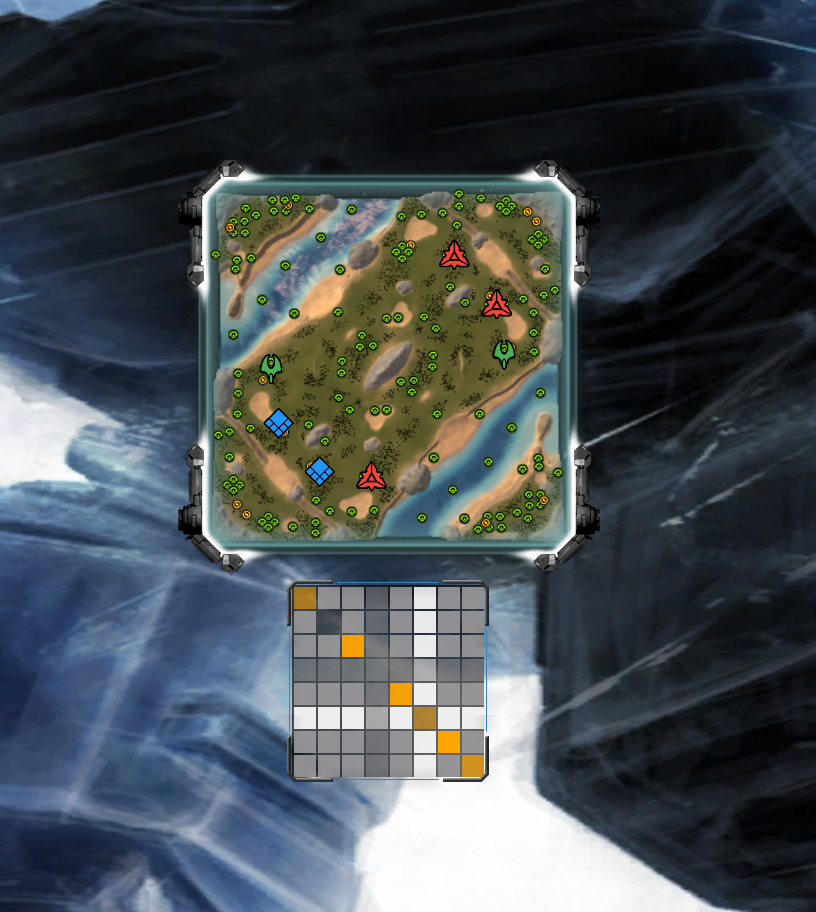
FYI - this game i got to a green or yellow connection to everyone, usually i at least one player does not even show up as a colored square (no clue what to call it so ill just name it based on what it looks like)
advanced-ice-adapter.log.2025-12-01.zip -
- What is your OS?
- What is your security software?
- What is your network environment?
- What country are you from?
Context: unpacked .zip:
client.log
game_26023673.log
ice-adapter.log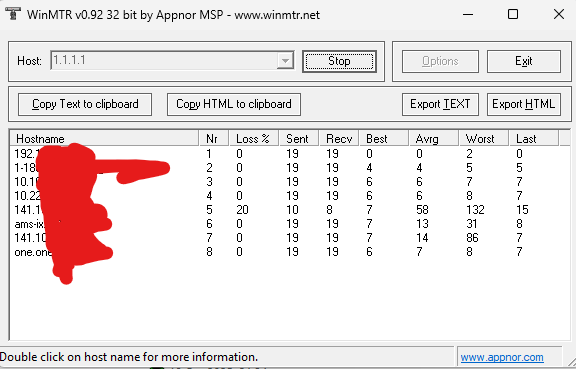
-
What is your OS?
Windows 11 x64What is your security software?
Windows protector and firewall, set exceptions in both for FAFclient and supcomfaWhat is your network environment?
Not sure what you mean by this? Im on a wired network in my home on a TP link router. Speedtest is 150mbs, stable with low ping/latency. No issues with other online gamesWhat country are you from?
Netherlands -
To be sure: you tried using a VPN, and you encountered the same issue, correct?
-
@magge correct, i used NordVPN (not on the logging i just provided though) but same problem...
Also turned off my routers firewall and turned on ping via WAN but no difference. During this test I had everything turned back to normal as there was no effect.
-
- What does "more often I cannot connect" mean in numbers?
E.g, does it happen every game or every tenth game? - Is there any pattern, such as being unable to connect to players from a specific country? e.g. RU ?
Or is it "randomly" across all players?
- What does "more often I cannot connect" mean in numbers?
-
Today I tried to connect to 5 or 6 matches but all failed, other days i can play 1 for every 2 or 3 failing.
I don't know about the nationalities tbh, how can I check? I play via the matchmaking, not custom games.
Usually during the loading when you see that screen with the squares indicating connection, one square doesn't even show up. Others are commonly green, some yellow. And rarely a games doesn't start even though al squares are visible, but obviously not all green. When a game does start its often very quickly, like just 10 seconds. And sometimes its waiting for one yellow square for 20 seconds or so and then finally connects/starts.
Generally games go without issue for me when started. I had some other people disconnect in 3v3 or 4v4 matches but I always stayed connected.
-
Thank you for the detailed information so far.
I am not sure where the issue could potentially come from. You mentioned that other games work without any problems, and if FAF would cause network issues (which would be an explanation if everything on your side is functioning correctly), then I would expect to see a clearer pattern.
It could be that the other games you play are all server-based, and you only encounter issues with SC because it uses a p2p architecture, and somehow that causes issues.
There are some additional steps you might try to narrow it down:
- Check whether your router or any security software interferes with p2p traffic. Some might block those connections attempts, because they see it as potential malicious. Simply adding SC to an exclusion list, might be not enough for p2p related traffic.
- Test it with another network, e.g. a mobile hotspot or the internet network of a friend.
- You could also test with IPv4 only and then with IPv6 only.
-
@magge and thank you for the help so far!
Thats unfortunate but i'll put some more effort into playing with the network settings. I will also try to reinstall everything because im unsure what the settings are right now, maybe i made it worse... and you're right, those are all server based games so i suspect the issue is indeed in the p2p traffic as in some cases i can start without any issues. There must be a common denominator.
Is there a way to see what countries i'm connecting to if I play via matchmaking?
Do you perhaps have a suggestion for a country to set the VPN to? It takes time to even find a match so i can only try so many vpn locations in an evening.
-
Any European IP exit should be fine. To speed things up, you do not need to wait for matchmaker to find a match. You can simply join any random hosted game. If you cannot connect to any player, you will notice it immediately in the lobby.
You cannot see which country the other player is from on the matchmaker screen, but you can see it in a custom lobby.
-
This post is deleted! -
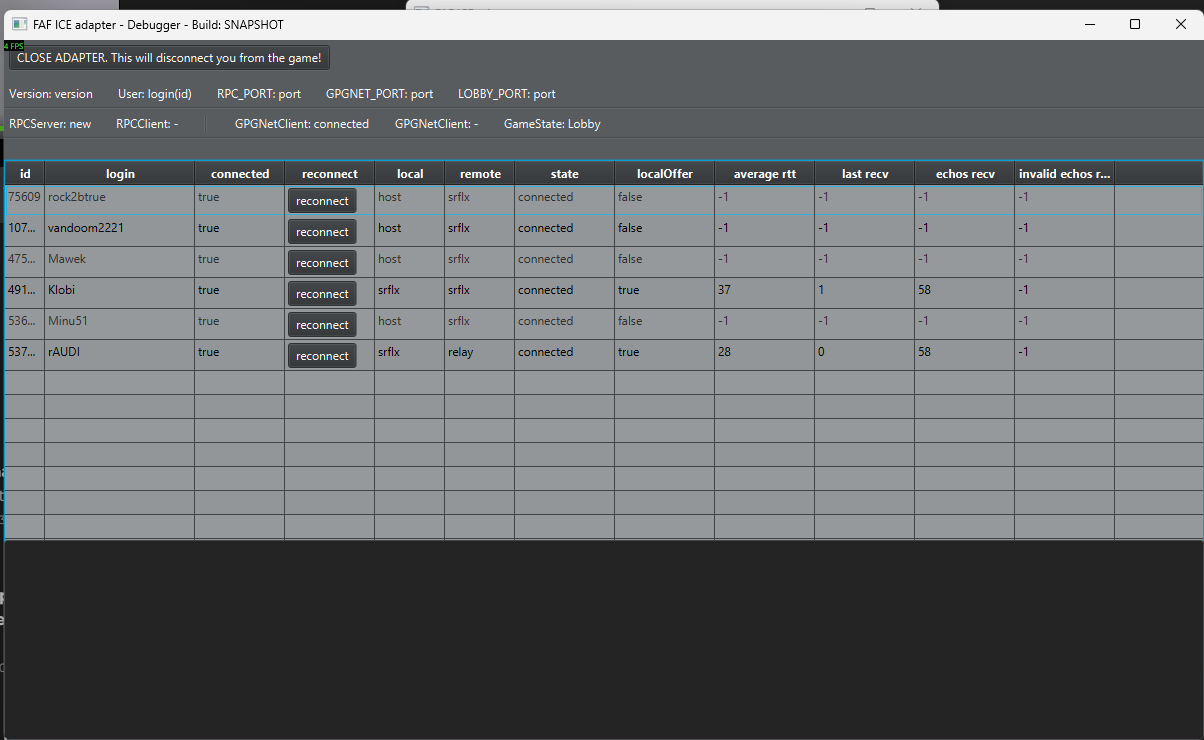
Yesterday i joined a 4v4 game in custom games instantly no issues, so today i tried matchmaking again but was unable to even establish any connection to 1 person as you can see in the debugger which only shows 6 out of 7 players. This time i was using the VPN btw.
Is there anything you can get out of this information perhaps?
-
I have no explanation for that occurrence, nor any idea why custom games work for you but MM does not.
You can share the logs related to the MM attempt here. If someone else with more expertise has an idea, they may be able to tell us.
-
@magge I reinstalled everything, set all exceptions in defender/firewall and now its working 80% of the time, only in matchmaking it fails occasionaly
thanks for your time and support.

Hello! It looks like you're interested in this conversation, but you don't have an account yet.
Getting fed up of having to scroll through the same posts each visit? When you register for an account, you'll always come back to exactly where you were before, and choose to be notified of new replies (either via email, or push notification). You'll also be able to save bookmarks and upvote posts to show your appreciation to other community members.
With your input, this post could be even better 💗
Register Login