The current pre-release of the client ("pioneer" in the version) is only compatible to itself. So you can only play with other testers. Please be aware!
  • Problem where Supreme keeps crashing me

    3
    0 Votes
    3 Posts
    40 Views
    ipconfig-releaseI
    I see XACT error, please refer to the FAQs
  • 0 Votes
    8 Posts
    139 Views
    SkratS
    @galactozavr3000 https://github.com/Flowseal/zapret-discord-youtube/releases/tag/1.9.8c https://github.com/Flowseal/zapret-discord-youtube/issues/8405?ysclid=mmc8zf5cpu385516727
  • The FAF lobby won't load.

    2
    0 Votes
    2 Posts
    40 Views
    maggeM
    Please share the related game and client log. (How?)
  • Can't log in to FAF Client

    2
    0 Votes
    2 Posts
    71 Views
    QuantumTyphoonQ
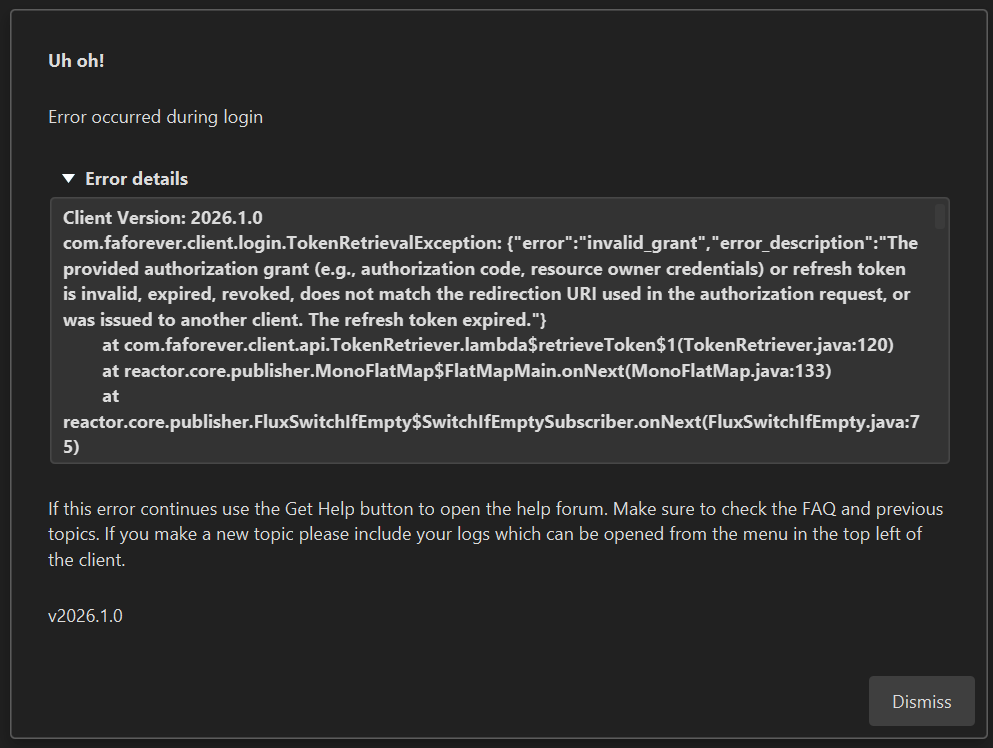
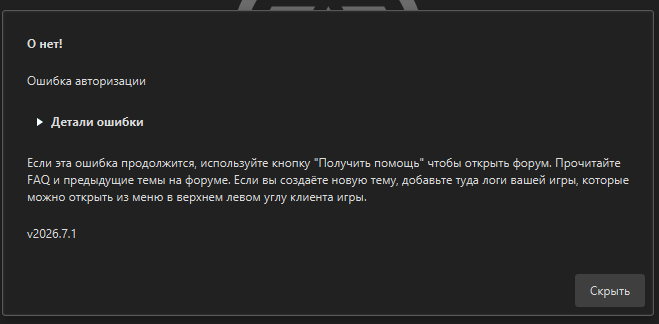
    I cant login either. I click login in the client and nothing happens. No browser is launched very weird. Then I clicked my bookmarked link to login and I get this message. [image: 1777779834211-screenshot-2026-05-02-214302.png]
  • Unlink old FAF account of my friend from his Steam acoount

    5
    0 Votes
    5 Posts
    53 Views
    N
    @Sheikah Thanks, my friend was a little inattentive.
  • FAF client won't attempt to open the browser

    4
    0 Votes
    4 Posts
    67 Views
    S
    The other option is antivirus stopping the child process of the browser
  • Presistent Grey Screen and broken UI

    4
    1
    0 Votes
    4 Posts
    59 Views
    C
    Yes, tried that and it was still the same. I figured out this is not related to mods, because I am running game fine with mods. For example now I was having issues connecting and I disabled WindowedLobby and it helped to get game started, also before disabling WindowedLobby helped to get games started more times than with WindowedLobby but still randomly I get either grey screen or I am stuck at connecting, even after disabling ipv6, I was stuck in loading screen.
  • Error on startup

    4
    1
    0 Votes
    4 Posts
    358 Views
    C
    @Sheikah said: Delete the client installation directory and reinstall thank you ! It worked but uninstalling didn't do it, i had to delete all data files. It was short lived because first game launched, second one had a grey screen, i found another thread and they recommended to delete game.prefs file , I did and it worked, just then it was pain to copy all the important settings back.
  • This topic is deleted!

    1
    0 Votes
    1 Posts
    44 Views
    No one has replied
  • How to fully reinstall the game (I have an annoying bug I cannot fix)

    2
    1 Votes
    2 Posts
    75 Views
    maggeM
    @freemp said: How can I make sure my reinstallation is entirely fresh ? To quote point 2.1 from this thread: magge said: Make sure no leftover files are in: (Path may be different, if you have the GOG version, or you have selected a different installation path.) C:\Program Files (x86)\Steam\steamapps\common\Supreme Commander Forged Alliance C:\Users\%username%\Documents\My Games\Gas Powered Games\Supreme Commander Forged Alliance C:\ProgramData\FAForever %LOCALAPPDATA%\Gas Powered Games\Supreme Commander Forged Alliance\ %APPDATA%\Forged Alliance Forever If you wanna save your blueprints and FAF settings for debugging/recovery purposes, you can make a backup of the Game.prefs, before deleting it. Unfortunately, I have never heard of such a UI bug that you encountered, and if resetting everything and disabling mods does not resolve it, then it seems that the core issue is related to something else. Some ideas/suggestions to look into: Is the Windows scaling percentage different? Are you using a different monitor resolution or a multi-monitor setup? Any overlays/tools that could interfere with the click zone? If you use your PC for gaming and not for work-related purposes, it would likely be the quickest way to simply reinstall Windows and trying it in the most cleanest environment again. That would already eliminate many potential causes of the issue.
  • Can you delete a map from the map value please.

    4
    0 Votes
    4 Posts
    74 Views
    IndexLibrorumI
    Contact vault team in discord, or if you need help trying to fix your map join the discord mapping channel. Should get you the fastest response.
  • onedrive

    4
    0 Votes
    4 Posts
    197 Views
    B
    The quoted forum thread didn't really help me at all and I'm having the same issues. What's more, I uninstalled OneDrive and the Microslop365 suite months ago, but it's still giving me this OneDrive error.
  • Cant login to FAF Client

    4
    0 Votes
    4 Posts
    202 Views
    L
    https://forum.faforever.com/topic/9887/fyi-latest-microsoft-updates-cause-crashes-regarding-authentication
  • FYI: Latest Microsoft Updates cause crashes regarding authentication

    3
    0 Votes
    3 Posts
    174 Views
    L
    I haven't done anything which helped. I just tried many times just out of frustration. Then suddenly it worked. It is completely random. I updated my Windows to 25H2, but i still have this issue. It is depending of the update the system (might) has installed.
  • Desync on Gap map every time. Other maps working Fine

    3
    0 Votes
    3 Posts
    115 Views
    O
    removing this map folder helped \Documents\My Games\Gas Powered Games\Supreme Commander Forged Alliance\maps\dualgap_adaptive.v0014
  • Client Crash after start

    11
    0 Votes
    11 Posts
    165 Views
    M
    So I reinstalled .NET Framework by going to: Control Panel → Programs → Turn Windows features on or off This didn´t help. Did you use a different way of updating it?
  • -3 Votes
    3 Posts
    132 Views
    Z
    @PandafromUkrain When does this occur? When you start the launcher? When you login? At some other point?
  • Game error on new PC, unable to play FAF

    21
    1
    0 Votes
    21 Posts
    522 Views
    Z
    @Giebmasse Oh yeah amazing stuff haha. Well I'm happy it's all sorted out and working now. Would've been nice if it did download the necessary data, to run at all, when using offline mode though. Thanks a lot! Your time and effort are very much appreciated
  • W11 Smart App Control blocks FAF now?

    3
    0 Votes
    3 Posts
    121 Views
    B
    Thank you for responding! In the end, uninstalling FAF and then installing it again solved the issue.
  • Проблема с подключение FAF

    4
    0 Votes
    4 Posts
    120 Views
    T
    • Подробнее отвечаю что у тебя за проблема • на каком этапе она возникает: Я долго жду битву. Когда дождался я вылетаю. Автоматическая регистрация перестала работать. • возникала ли она всегда или началось в какой-то момент Началось давно • ошибка вылезает каждый раз или через раз? Бывает по разному в один момент очень часто. • методы обхода блокировок типо DPI или VPN пробовал? Их я не использую.