[MOD UI] Advanced Target Priorities EVO - Presets management - New clean UI - Graphics enhancement - Free layout
-
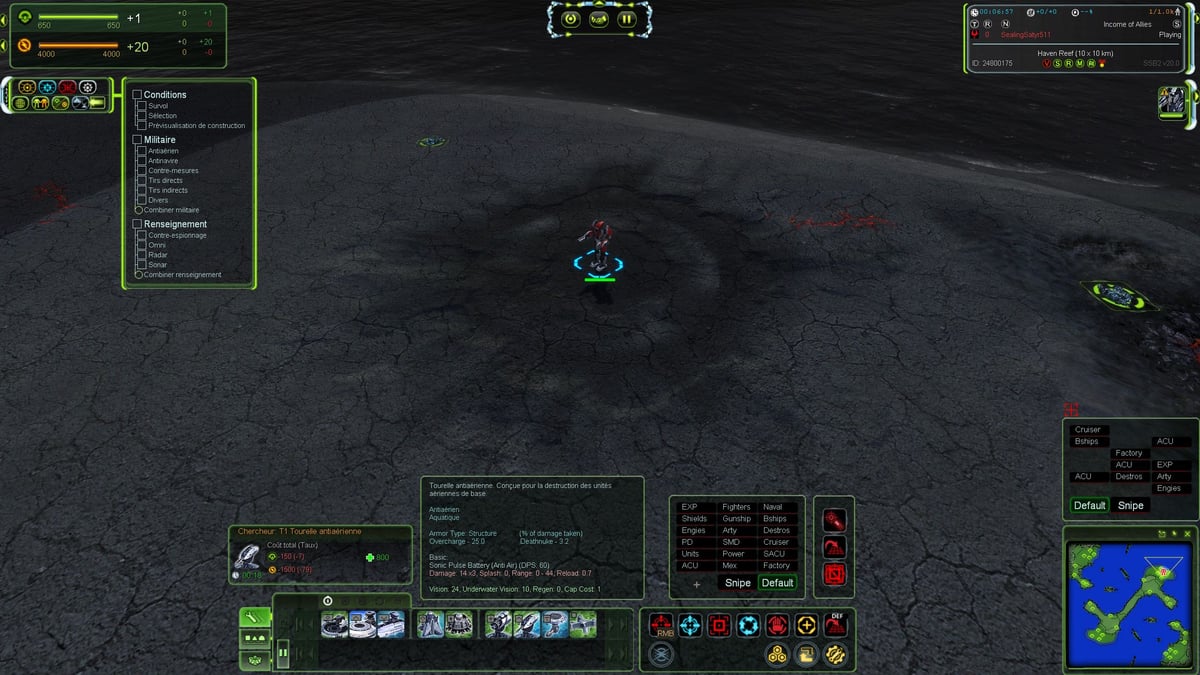
I think the UI is the good balance between old-school graphics and modern.
a nostalgic feeling mixed with modern art.I don't have plan to add other modernized part of the UI to the Evo version.
But i could make an optional UI mod extension to extend the modern gfx to the others parts like multifunction, avatar, and Supreme Scoreboard. Azot scoreboard have some built-in colors selectors.I also have an idea about promoting a new feature, as an extension mod to Evo, the group actions (create, join, leave, merge, split) The game have too much keybinds to memorize for my brain

A dedicated panel, user friendly, smooth with reactive buttons (not a panel full of buttons) should do the trick.
i will upload another fix soon.
-
This one is looking actually great! Right now I'm reworking whole UI by creating components from scratch. And I think you have same goal as me

I think you'll be interested in this one as well https://forum.faforever.com/topic/7228/actions-grid-panel?_=1746273595947 -
1.0.4 - Fix
-Added a test plan execution at startup to prevent GamePrefs issues
(version 8 in the vault) -
Actually the mod doesn't support the windowed mode.
I m working on a workaround to make it compatible.
-
Very nice. Small thing: Can you make it such that the optional seperate window is pre-filled with all categories of the presets?
-
@Katawunga The separate window was not designed to be the mirror of the priorities as shown from the action button. It's a DIY panel. But i understand the quality of life aspect of the feature you ask for. So i will see in a future update to add the capability to pre-fill the panel.
-
Here is a screenshot of the new windowed mode. I have reworked the UI logic. the UI prevent all the out of range issues due to resolution change and window resize. All the current features still works as usual.
100% scaling, 1024x768 minimum native windowed mode :
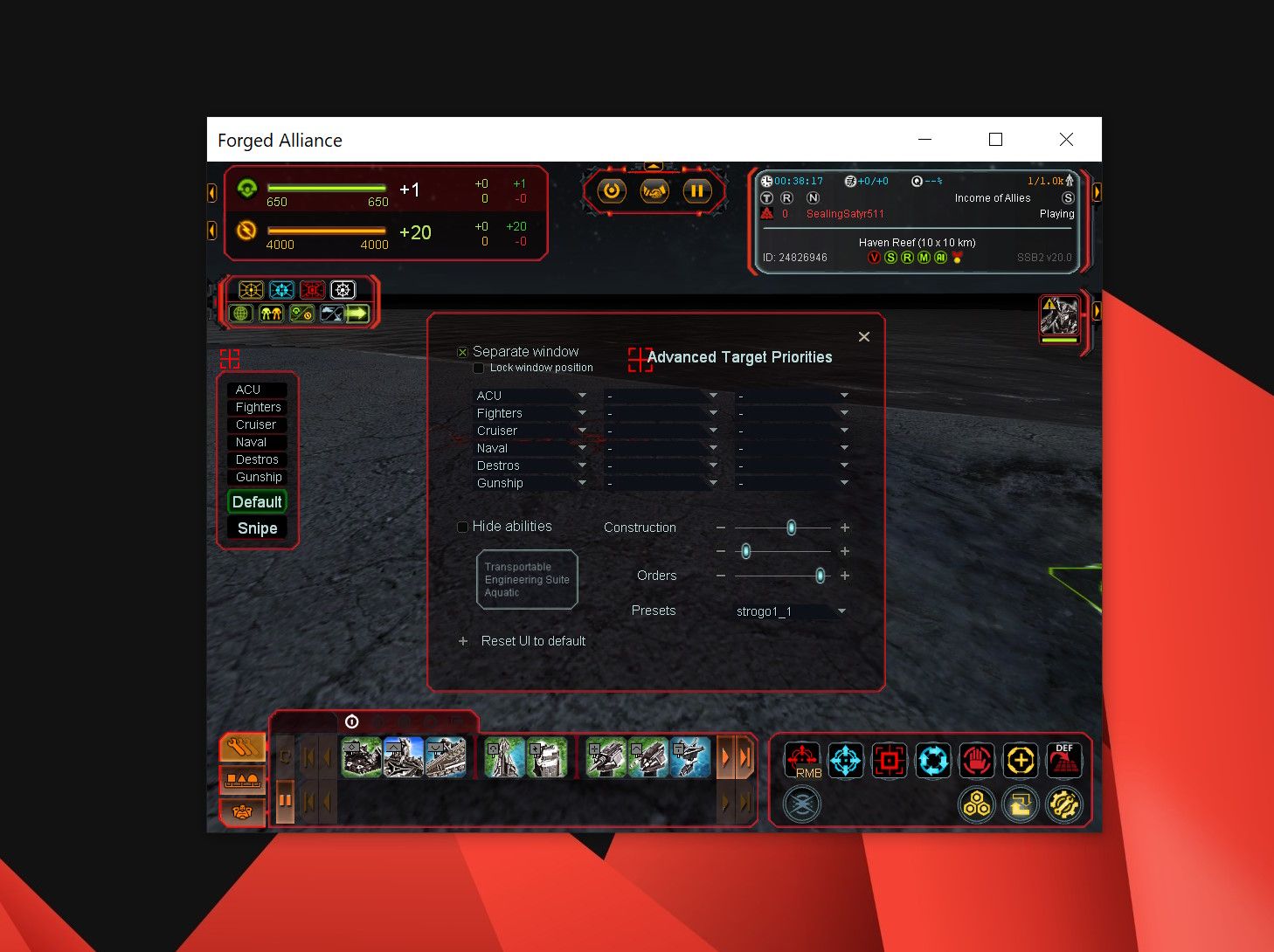
I will upload the new update soon.
-
Hey, I can't get the seperate window option to work at all. Is it currently not working?
-
Is it possible to just have a target priority window that works with UI scaling without changing and breaking the entire UI of the game?
-
@Sonny be sure you have at least one priority set to the separate window and checked the display checkbox.
-
@ThomasHiatt it s an option i would like to provide in a new LITE version.
-
due to personal busy time, i was not able to deliver some update since the last weeks.
Be sure i m planning to provide an updated version. -
Not that big of an issue but I find the mod breaks the scoreboard on replays. Is there anything I can do to stop that happening?
-
@SealingSatyr511 Thanks that fixed it!!
-
i swear to god i don't know how to resize and dock/undock the main window or pretty much everything, I'm on fullscreen and is the only mod enabled at this moment
-
Hello,
I wanted to try this mod, but it makes it so that the building panel disappears.
screen:
[https://prnt.sc/JSuVaq697Eru]
I have disabled absolutely all mods, this one is the only one active..
Also tried to enable UI mod tools - does not help.Any advice?


Hello! It looks like you're interested in this conversation, but you don't have an account yet.
Getting fed up of having to scroll through the same posts each visit? When you register for an account, you'll always come back to exactly where you were before, and choose to be notified of new replies (either via email, or push notification). You'll also be able to save bookmarks and upvote posts to show your appreciation to other community members.
With your input, this post could be even better 💗
Register Login